EasyManua.ls Logo

Casio Privia PX-770 - User Manual

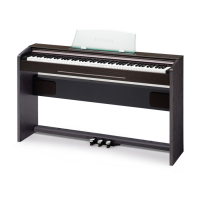
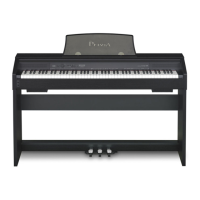
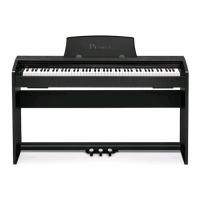
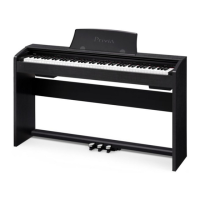
Casio Privia PX-770
63 pages
Print Icon
To Next Page IconTo Next Page
Loading...
PX870/770-E-3A
EN
USER’S GUIDE (Full)
Before using this Digital Piano for the first time,
be sure to read the separate USER’S GUIDE to
familiarize yourself with basic operations.
PX
-
870
PX-770

Table of Contents

Questions and Answers

  • L
    Lori HerringJul 28, 2025
    How to fix no sound when pressing keys on Casio Privia PX-770 Musical Instrument?
    • B
      Brian AllenJul 28, 2025
      If no sound comes out when you press a key on your Casio Musical Instrument, first, increase the volume using the VOLUME controller. Then, make sure nothing is plugged into the PHONES/OUTPUT jacks. Finally, ensure that the Local control setting is turned on.
  • P
    Patrick BallAug 3, 2025
    Why is the pitch off on my Casio Privia PX-770 Musical Instrument?
    • R
      rubenmendezAug 3, 2025
      If the pitch of your Casio Digital Piano is off, you can try the following: * Set the transpose setting to “0”, or turn the power off and on again. * Adjust the tuning setting to 440.0 Hz, or power cycle the instrument. * Ensure the octave shift setting is set to 0. * Verify that the temperament setting is set to “0: Equal”, which is the standard modern tuning.
  • S
    Sarah BrownAug 8, 2025
    Why does my Casio Privia PX-770 Musical Instrument take so long to turn on?
    • J
      Joshua KhanAug 8, 2025
      If your Casio Digital Piano takes a long time to start, it's because it performs a memory format operation that takes about 20 seconds. Please wait until this operation is complete. Avoid turning off the Digital Piano while transferring data with a computer.
  • N
    Nicholas BaldwinAug 12, 2025
    Why can't I transfer data from my Casio Musical Instrument to my computer?
    • V
      Vanessa FoxAug 12, 2025
      If you cannot transfer data after connecting your Casio Digital Piano to a computer: 1. Ensure the USB cable is properly connected to both the Digital Piano and the computer, and that your computer’s music software has the correct device selected. 2. Turn off the Digital Piano, exit the music software, then turn the Digital Piano back on before restarting the music software.
  • R
    Rodney JacobsAug 17, 2025
    Why does the tone quality vary on my Casio Musical Instrument keyboard?
    • D
      danielraymondAug 17, 2025
      This is normal for Casio Musical Instrument. The slight differences in tonal quality and volume between sample ranges is an unavoidable result of the digital sampling process.
  • B
    Brett DanielsAug 22, 2025
    Why do notes cut out when pressing buttons on my Casio Privia PX-770?
    • J
      jennifer74Aug 23, 2025
      This happens when multiple parts are sounding simultaneously (layer, Duet Mode, built-in tune playback, recording, etc.). Pressing a button changes the effect setting built into the tone, which causes notes to cut out or effects to change slightly. This is normal behavior for Casio Musical Instrument.

Summary

Digital Piano General Guide

FUNCTION Button

Explains how to use the FUNCTION button in combination with other keys for settings.

Auto Resume and Operation Lock

Details saving current settings and locking buttons to prevent errors.

About Music Score Data

Provides information on downloading music score data from the CASIO website.

Powering the Digital Piano

Turning Power On or Off

Instructions on powering the digital piano on and off using the power button.

Recording and Playback Features

Recording to Built-in MIDI Recorder

Guide to recording keyboard play using the built-in MIDI recorder.

Playing Back from Digital Piano Memory

How to play back recorded MIDI songs from the digital piano's memory.

Deleting Recorded Data

Procedure to delete specific tracks or files from memory.

Recording to USB Flash Drive (Audio Recorder) (PX-870)

How to record piano performance as audio data onto a USB flash drive.

Keyboard Settings Configuration

USB Flash Drive Operations (PX-870)

Supported USB Flash Drives

Information on compatible USB flash drives and important precautions.

Storing Standard Audio Data (WAV Files)

How to save WAV files to the USB flash drive.

Connecting and Detaching USB Flash Drive

Proper procedure for inserting and removing USB flash drives.

Formatting a USB Flash Drive

Steps for formatting a USB flash drive for use with the piano.

Loading Song Data from USB to Piano Memory

How to load user songs from USB into the piano's memory.

Error Indicators

Explains lamp indicators for various data transfer errors.

Computer Connectivity and MIDI

Casio Privia PX-770 Specifications

General IconGeneral
Product colorWhite
USB portYes
Headphone outputs2
USB connector typeUSB Type-B
Keys quantity88 keys
Number of keyboard sensitivity levels3
Sound effectsBrilliance, Chorus, Flanger/Digital Signal Processing (DSP), Reverberation
Tones quantity19
Brilliance type-3 to 0 to 3
Tweeter diameter120 mm
Metronome tempo range20 - 255 bpm
Amplifier output power16 W
Metronome beats per bar0, 9
Maximum polyphony (notes)128
Music memory capacity (songs)10
Reverberation effects quantity4
Adjustable tone range (octaves)-2 - 2
Demo songs quantity60
Mobile operating systems supportedAndroid, iOS
Recorder/sequencer number of songs1
Power consumption (min)18 W
Weight and Dimensions IconWeight and Dimensions
Depth299 mm
Width1391 mm
Height798 mm
Weight31500 g

Related product manuals