EasyManua.ls Logo

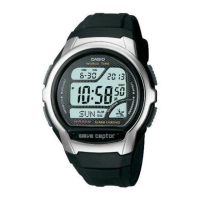
Casio WVA-104HDA-7AV - User Manual

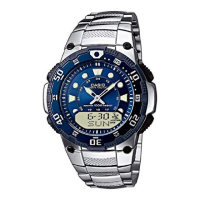
Casio WVA-104HDA-7AV
5 pages
Print Icon
To Next Page IconTo Next Page
Loading...
Operation Guide COMBIWAVE1
1
MO0610-EA
About This Manual
The operational procedures for Modules 2735, 3747, and 4772 are identical. All of
the illustrations in this manual show Module 2735.
Button operations are indicated using the letters shown in the illustration.
This watch does not have a time zone that corresponds to the Greenwich
Mean Time differential of –3.5 hours. Because of this, the radio-controlled
timekeeping and World Time functions will not display the correct time for
Newfoundland, Canada.
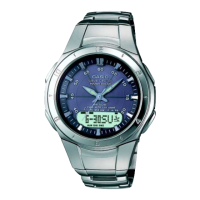
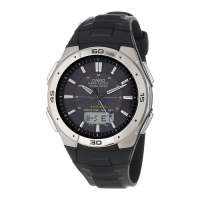
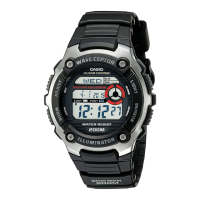
Module 2735 Module 3747 Module 4772
Each section of this manual provides you with the information you need to perform
operations in each mode. Further details and technical information can be found in
the “Reference” section.
General Guide
Press C to change from mode to mode.
In any mode, press B to illuminate the display.
Timekeeping Mode
Press C.
World Time Mode
Alarm Mode
Date Alert Mode
Time Recorder Mode
Stopwatch Mode
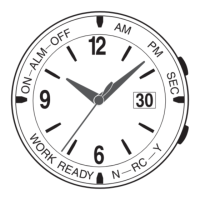
Hand Setting Mode
Radio-controlled Atomic Timekeeping
This watch receives a time calibration signal and updates
its time setting accordingly. The time calibration signal
includes both Standard Time and Daylight Saving Time
(summer time) data.
This watch is designed to pick up the time calibration
signal transmitted from Fort Collins, Colorado (USA).
Reception is possible within North America*.
*
The term North America in this Users Guide refers to the
area that consists of Canada, the continental United States,
and Mexico.
Current Time Setting
This watch automatically adjusts its digital time setting in
accordance with a time calibration signal. You can also
perform a manual procedure to set the time and date,
when necessary.
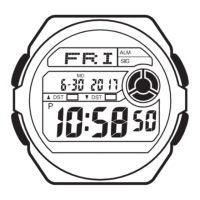
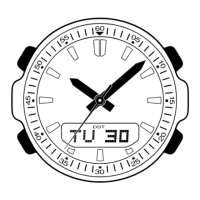
Month Day
Day of week
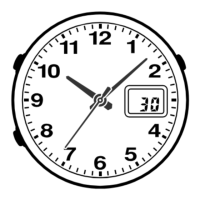
Minutes hand
Hour hand
The first thing you should do after purchasing this watch is to set your Home City,
which is the city where you will normally use the watch. For more information, see
To set your Home City below.
When using the watch outside of the range of the transmitter in Fort Collins, you
need to manually adjust the time as required. See Timekeeping for information
about manual settings.
The analog time of this watch is synchronized with the digital time. Because of this,
the analog time setting is automatically adjusted whenever you change the digital
setting. See Analog Timekeeping for more information.
To set your Home City
1. In the Timekeeping Mode, hold down A until the
transmitter indicator (
USA) starts to flash, which
indicates the setting screen.
2. Press C to display the city code setting screen.
3. Use D(east) and B(west) to select the city code you
want to use as your Home City.
The following are the city codes for major cities in
North America.
LAX
: Los Angeles, San Francisco, Las Vegas,
Seattle, Vancouver, Tijuana
DEN
: Denver, El Paso, Edmonton, Culiacan
CHI
: Chicago, Houston, Dallas/Fort Worth,
New Orleans, Winnipeg, Mexico City
NYC
: New York, Detroit, Miami, Boston, Montreal
Note that this watch does not have a city code that
corresponds to Newfoundland.
4. Press A twice to exit the setting screen.
City code
Transmitter
indicator
The first press of A displays the 12/24-hour setting
screen. Pressing A again exits the setting screen.
Important!
Normally, your watch should show the correct time as soon as you select your Home
City code. If it does not, it should adjust automatically after the next auto receive
operation (in the middle of the night). You can also perform manual receive or you
can set the time manually.
If you are in an area that does not use Daylight Saving Time (summer time), turn off
the DST setting.
Time Calibration Signal Reception
There are two different methods you can use to receive the time calibration signal:
auto receive and manual receive.
Auto Receive
With auto receive, the watch automatically picks up the time calibration signal four
times a day at 2:00 a.m., 3:00 a.m., 4:00 a.m., and 5:00 a.m. For more information,
see About Auto Receive.
Important!
Position the watch as shown in the nearby illustration, with its 12 oclock side facing
towards a window. Make sure there are no metal objects nearby.
Resin Band
Metal Band
The watch should not be on its side or facing the wrong way.
Proper signal reception can be difficult or even impossible under the conditions listed
below.
Signal reception is normally better at night than during the day.
Time calibration signal reception takes from two to six minutes, but in some cases it
can take as long as 12 minutes. Take care that you do not perform any button
operations or move the watch during this time.
Inside or
among
buildings
Inside a
vehicle
Near
household
appliances or
office
equipment,
or a mobile
phone
Near a
construction
site, airport, or
other sources
of electrical
noise
Near high-
tension
power lines
Among or
behind
mountains
At distances further than about 600 miles (1,000 kilometers) from the transmitter,
signal reception may not be possible during certain times of year or times of day.
Radio interference may also cause problems with reception.
Even when the watch is within the reception range of the transmitter, signal
reception is impossible if the signal is blocked by mountains or other geological
formations between the watch and signal source.
2,000 miles
Fort Collins
600 miles
Signal reception is affected by weather, atmospheric conditions, and seasonal
changes.
See the information under Signal Receive Troubleshooting if you experience
problems with time calibration signal reception.
About Auto Receive
When auto receive is turned on, the watch automatically starts to receive the time
calibration signal when the digital time in the Timekeeping Mode reaches 2:00 a.m.,
3:00 a.m., 4:00 a.m., and 5:00 a.m. each day (calibration times).
Manual Receive
Manual receive lets you start a time calibration receive operation with the press of a
button. For more information, see To perform manual receive.
Question and Answer IconNeed help?

Do you have a question about the Casio WVA-104HDA-7AV and is the answer not in the manual?

Summary

About This Manual

General Guide

General operations for navigating modes and using the display illumination.

Radio-controlled Atomic Timekeeping

Information on receiving time calibration signals and automatic time updates.

Signal Reception and Setting

Procedure for selecting Home City, receiving signals, and auto receive details.

Signal Receive Troubleshooting

World Time Functions

Overview of World Time feature, viewing, and DST settings for different cities.

Alarms and Hourly Time Signal

Details on setting alarms, snooze, target alarms, and hourly time signals.

Time Recorder Functions

Recording and Recalling Times

Steps to capture and retrieve specific date and time records.

Deleting Time Records

Method for erasing all stored time records from the watch's memory.

Stopwatch Functions

Measuring Times with Stopwatch

Instructions for operating the stopwatch for various timing needs.

Timekeeping Operations

Setting Time and Date

Procedures for adjusting DST, manual digital time, and date settings.

Analog Hand Adjustment

How to manually synchronize the analog watch hands with the digital time.

Reference and Precautions

Detailed technical info, auto return, scrolling, and signal reception advice.

Timekeeping and Illumination Details

City Code Table

A reference list of city codes and their corresponding GMT differentials for World Time.

Summary

About This Manual

General Guide

General operations for navigating modes and using the display illumination.

Radio-controlled Atomic Timekeeping

Information on receiving time calibration signals and automatic time updates.

Signal Reception and Setting

Procedure for selecting Home City, receiving signals, and auto receive details.

Signal Receive Troubleshooting

World Time Functions

Overview of World Time feature, viewing, and DST settings for different cities.

Alarms and Hourly Time Signal

Details on setting alarms, snooze, target alarms, and hourly time signals.

Time Recorder Functions

Recording and Recalling Times

Steps to capture and retrieve specific date and time records.

Deleting Time Records

Method for erasing all stored time records from the watch's memory.

Stopwatch Functions

Measuring Times with Stopwatch

Instructions for operating the stopwatch for various timing needs.

Timekeeping Operations

Setting Time and Date

Procedures for adjusting DST, manual digital time, and date settings.

Analog Hand Adjustment

How to manually synchronize the analog watch hands with the digital time.

Reference and Precautions

Detailed technical info, auto return, scrolling, and signal reception advice.

Timekeeping and Illumination Details

City Code Table

A reference list of city codes and their corresponding GMT differentials for World Time.

Overview

This document describes the operation of the CASIO COMBIWAVE1 watch, which includes Modules 2735, 3747, and 4772. The operational procedures are identical across these modules, with illustrations primarily showing Module 2735.

Function Description:

The COMBIWAVE1 is a radio-controlled atomic timekeeping watch that automatically adjusts its time setting by receiving time calibration signals. It features multiple modes including Timekeeping, World Time, Alarm, Date Alert, Stopwatch, Hand Setting, and Time Recorder.

Timekeeping Mode:

This is the primary mode for viewing and setting the current time and date. The watch receives time calibration signals from Fort Collins, Colorado (USA), enabling automatic adjustment of both digital and analog time. The time calibration signal includes Standard Time and Daylight Saving Time (summer time) data. Reception is possible within North America (Canada, continental United States, and Mexico). The watch automatically adjusts its digital time setting based on the signal. Manual time and date setting is also possible. The analog time is synchronized with the digital time, adjusting automatically when the digital setting changes.

Important Technical Specifications (Timekeeping):

  • Time Calibration Signal: Transmitted from Fort Collins, Colorado (USA).
  • Reception Range: Within North America.
  • Automatic Date Update: From January 1, 2000, to December 31, 2039.
  • Leap Year Support: Differentiates between leap years and non-leap years.
  • Accuracy (without signal reception): ±20 seconds per month at normal temperature.
  • Time Formats: 12-hour and 24-hour formats.
  • GMT Differential: Calculated based on UTC (Universal Time Coordinated) data.

Usage Features (Timekeeping):

  • Home City Setting: Essential first step after purchase. Determines the city for time calibration and World Time calculations.
  • Auto Receive: The watch automatically attempts to receive the time calibration signal four times a day at 2:00 a.m., 3:00 a.m., 4:00 a.m., and 5:00 a.m. (calibration times). This operation occurs only in Timekeeping or World Time Mode, not during alarms or setting configurations.
  • Manual Receive: Allows initiation of a time calibration receive operation by pressing a button.
  • Receiving Indicator: Displays signal strength (Level 1 to Level 4). Level 4 indicates successful reception of both time and date data.
  • Daylight Saving Time (DST) Setting: Can be set to Auto DST, DST off, or DST on. Auto DST automatically switches between Standard Time and DST based on the received signal.
  • Analog Time Adjustment: Automatically synchronized with digital time. Manual adjustment is possible in Hand Setting Mode if analog time does not match digital time.
  • Displaying Last Signal Screen: Shows the date and time of the last successful time calibration signal reception.

World Time Mode:

Displays the current time in 30 cities (29 time zones) around the world.

  • Usage: Scroll through city codes using the D button.
  • DST Toggle: Toggle between Standard Time and Daylight Saving Time for a selected city code by holding down the A button. Note that this does not affect the Home City DST setting.

Alarm Mode:

Offers four one-time alarms (AL1, AL2, AL3, TAL) and one snooze alarm (SNZ). One of the one-time alarms functions as a "target alarm" (TAL) with a countdown feature. The Hourly Time Signal (SHZ) can also be turned on/off in this mode.

  • Usage: Scroll through alarm screens using the D button. Hold down A to set alarm time.
  • Alarm Operation: Alarm tone sounds for 10 seconds. Snooze alarm repeats seven times every five minutes.
  • Testing Alarm: Hold down D in Alarm Mode to sound the alarm.

Date Alert Mode:

Allows setting up to five date alerts (DA1 through DA5) to remember important dates. A date alert indicator (!) and the current date flash for 24 hours when an alert date arrives.

  • Usage: Scroll through alert screens using the D button. Hold down A to set the alert date (month and day).

Stopwatch Mode:

Measures elapsed time, split times, and two finishes.

  • Technical Specifications: Display range of 59 minutes, 59.99 seconds.
  • Usage: D button for Start/Stop/Re-start. A button for Split/Split release.

Time Recorder Mode:

Stores up to 30 time entries (month, day, hour, minutes) with a single button press. Useful for recording event start and end times.

  • Usage: Press D to record current date and time. Press A to recall recorded times. Hold down A and press D to delete all records.
  • Storage: Records are assigned numbers sequentially from T1 to T30. Storing a new record when memory is full deletes T1 and shifts remaining records.

Illumination:

The watch features an EL (electro-luminescent) panel that illuminates the entire display for approximately one second for easy reading in the dark.
  • Usage: Pressing the B button activates illumination.
  • Maintenance: Frequent use of illumination runs down the battery. The EL panel loses power after very long use.

Maintenance Features:

  • Auto Return: If left in Alarm, Date Alert, or Hand Setting Mode for two to three minutes without operation, the watch automatically returns to Timekeeping Mode. If left with a flashing setting, it saves settings and exits.
  • Troubleshooting: The manual provides a troubleshooting guide for signal reception issues, including common problems and solutions (e.g., incorrect Home City, manual time changes, DST settings).
  • Precautions:
    • Strong electrostatic charge can result in wrong time settings.
    • Signal reception can be affected by weather, atmospheric conditions, seasonal changes, and geographical obstructions (mountains, buildings).
    • Avoid button operations or moving the watch during signal reception (2-12 minutes).
    • Position the watch with its 12 o'clock side facing a window, away from metal objects.
    • Signal reception is generally better at night.

Limitations:

  • The watch does not have a time zone for Newfoundland, Canada, and therefore cannot display the correct time for this region via radio control or World Time.
  • Signal reception may not be possible at distances greater than 600 miles (1,000 kilometers) from the transmitter during certain times of year or day.
  • Radio interference can cause reception problems.

Casio WVA-104HDA-7AV Specifications

General IconGeneral
BrandCasio
ModelWVA-104HDA-7AV
CategoryWatch
LanguageEnglish

Related product manuals