Page 5 of 14 EQ2006 R.1.5 Rev. 02 dated 09/11/2007
5.4) DEFAULT TIMES
The control panel foresees some times of work pre setted:
• time of work on 2 motors = 50 seconds; time of pedestrian opening = 10 seconds
• time - break = 8 seconds; time of pedestrian break = 8 seconds
• leaf delay in opening = 3 seconds; leaf delay in closing = 5 seconds
To eliminate the leafs delay (or if you used one motor only) select the time of unified work for both the motors on the motor M1 S1-
dip 5 ON , it’s good for default times only.
5.5) TIME OF COMPENSATION
To balance the differences of speed between the opening and the closing of the gate during the run, or to balance the different
speeds during an inversion of the run, especially if the last part of the stroke has the speed of deceleration, the control panel has
balance times at the end of time of work in 6 sec. if the slowing is not used and 12 sec. if slowing is working.
On demand pin cod EQ2006/S2 with 3 and 6 sec. of compensation times.
6) MENU OF PLANNING
The working on of every plant always foresees the work times of the automation know-how, the time-break when gate is open if the
automatic closing is trained and.
The planning menu foresees the regulation of 4 principal parameters:
a) Time of work (chapter 6.1 and 6.2)
b) Time-break of work (chapter 6.3)
c) Pedestrian time-break (chapter .6.4)
WARNING : before entry in the planning menu remove current to the plant and select:
• “S1-dip 9” according to the speed of deceleration desired (high ON, low OFF)
The choice of speed deceleration must be effected before the memorization of the stroke, otherwise a variation of the
speed deceleration following to the memorization involves to repeat the procedure of the first setting because the times of
work and the setting of the reverse changes.
• “S2- dip 9” according to the used motors (ON two motors, OFF one motor),
• “S2- dip 10 ON” to entry in the planning menu.
Subsequently fit the control panel EQ2006.
• AT THE END OF SETTING PUT AGAIN S2 DIP 10 OFF.
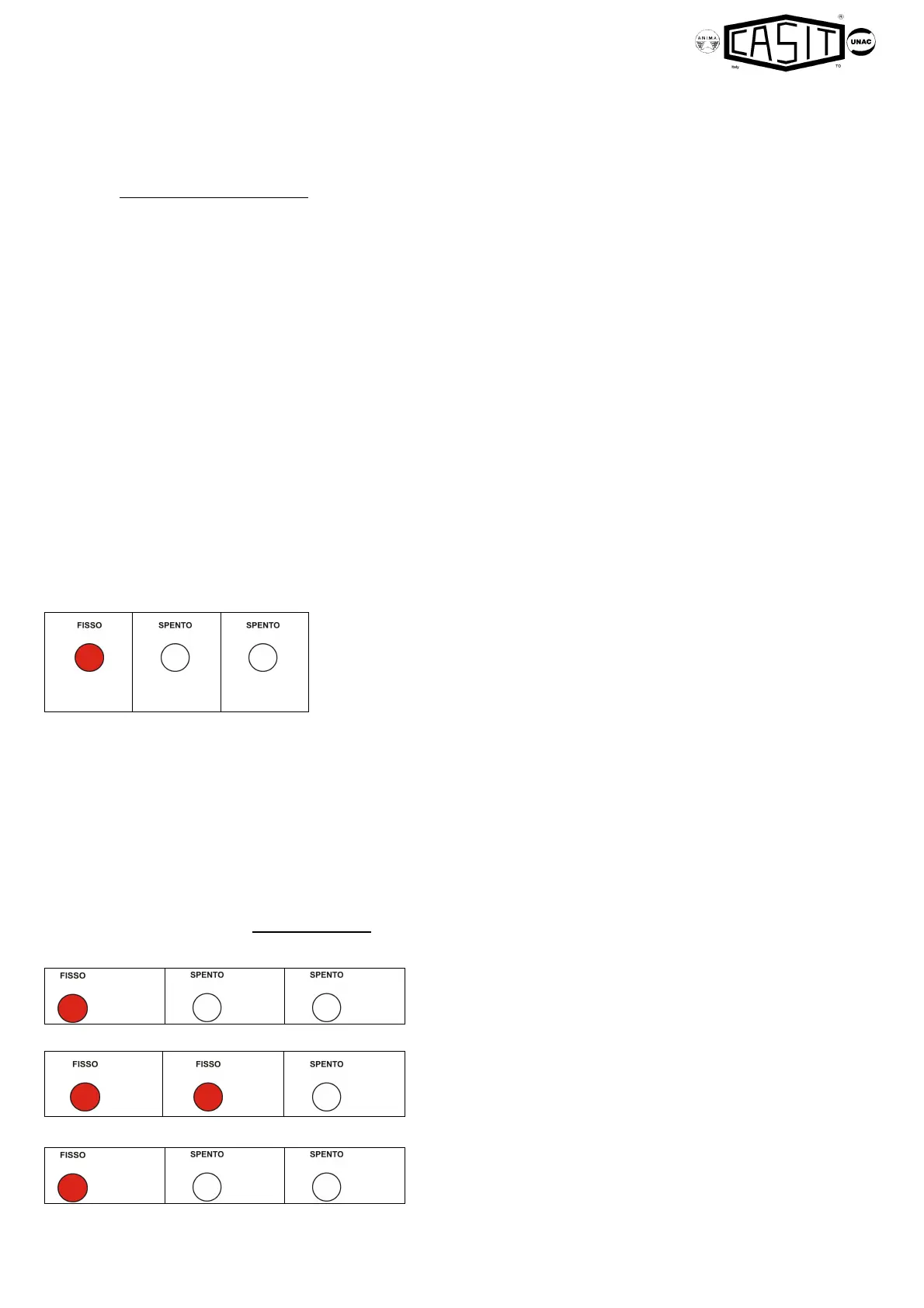
It switch on fix red light the led REV 1 pointing out that the control panel is in the
planning menu of the "Time of work."
Follow the chapter. 6.1 if the automation has 1 motor or the chapter 6.2 if it has two
motors.
The push button PS3 selects the parameter to use for the regulations, and the pushes button PS1s and PS2 are used for
the formulation of the values inside every parameter.
The pushes button PS1s and PS2 can also be activated through an external digipad connected to the input clamps N.O.
Open (26-28 PS1s) and to the input clamps N.O. Pedestrian (27-28 PS2s).
It is not possible to perform the learning through the remote controle.
The leds L14 (REV 1), L15 (REV 2), L16 (Set) they visualize the type of setting effectued during the regulations.
Short closing impulse during the initial setting phase of the stroke, press the push button PS2 when gate is closed with an
impulse to get a push in closing on the motor M1 and the opening of the electrolock, (this operation is possible only with
elctrical limit switch in closing over-bridge or if it isn't activate), subsequently with the push button PS1 proceed to the
memorization of the times of work.
6.1) SET THE TIME OF WORK for 1 MOTOR (M1)
The leds will visualize beside the state.
If the gate is not closed hold pressed the key PS2 up to the complete
closing.
If the gate is closed pass over the following point.
The leds will visualize beside the state.
REV 1
(red)
REV 2 SET
REV 1
(red)
REV 2
SET
REV 1
(red)
REV 2
(red)
SET
REV 1
(red)
REV 2
SET



 To Next Page
 Loading...