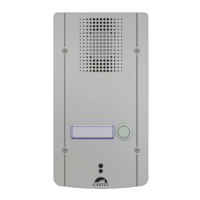
PORTIER AUDIO VIDEO IP A DEFILEMENT ET/OU CLAVIER
Gamme : INTERPHONIE SUR IP
Installation Raccordement Programmation Utilisation
Fiche technique n° 604-0094C
PRESENTATION
Références produits: 590.4000 (XE-PAD-AUDIO-1B) - 590.5000 (XE-PAD-VIDEO-1B) - 590.4100 (XE-PAD-
AUDIO-3B) - 590.5100 (XE-PAD-VIDEO-3B) - 590.4200 (XE-PAD-AUDIO-CLAV) - 590.5200 (XE-PAD-VIDEO-
CLAV) - 590.0600 (XE-AUDIO-1B-CLAV) - 590.2600 (XE-VIDEO-1B-CLAV) - 590.0700 (XE-AUDIO-2B-CLAV) -
590.2700 (XE-VIDEO-2B-CLAV)
Le portier s’intègre dans un système multimédia Full IP complet et puissant. Natif SIP, il dispose des fonctions
suivantes (selon la version) :
Etablir une communication Audio/Vidéo sur IP
Enregistrement sur serveur SIP (possibilité de configurer jusqu’à deux serveurs de secours)
Gérer de 1 à 3 boutons d’appel programmables
Gérer un clavier numérique pour numérotation et composition d’un code d’accès
Gérer un écran TFT 2.8 pouces permettant de visualiser et d’appeler des noms dans un annuaire
Gérer deux entrées "tout ou rien"
Gérer deux contacts secs pour commander une gâche, ou tout autre équipement
Conforme à la « loi accessibilité aux personnes handicap » : postes équipés de pictogrammes, de leds de
couleur, de synthèses vocales, d’une boucle d’induction magnétique intégrée
PoE (Power Over Ethernet), PoE+ (Power Over Ethernet Plus)
Gérer deux ports Ethernet 10/100/1000MB, fonction bridge (permet la connexion d’un autre système IP) ou
interface indépendante
Sauvegarde sur coupure d'alimentation
Gérer des profils du poste selon des plages horaires
Gérer des automatismes évolués (relations logiques et horaires) sur ses interfaces
Exécuter des autotests automatiquement ou à la demande
Intégration du protocole RTSP (Real Time Streaming Protocol)
Intégration du protocole SNMP (Simple Network Management Protocol)
Compatible ONVIF (Open Network Video Interface Forum)
Gestion de notifications ASCII
Support des VLAN
Sécurisation des connexions Ethernet via le protocole 802.1X (RADIUS)
Grâce à son serveur Web embarqué, il peut être configuré, suivi et exploité depuis n’importe quel navigateur
LES VERSIONS
Version Défilement de nom + 1 BP / 3 BP / clavier : Audio seul
Version Défilement de nom + 1 BP / 3 BP / clavier : Audio et Vidéo

 Need help?
 General

 To Next Page