[Type here] [Type here] [Type here]
8 Clamping to a Work Bench
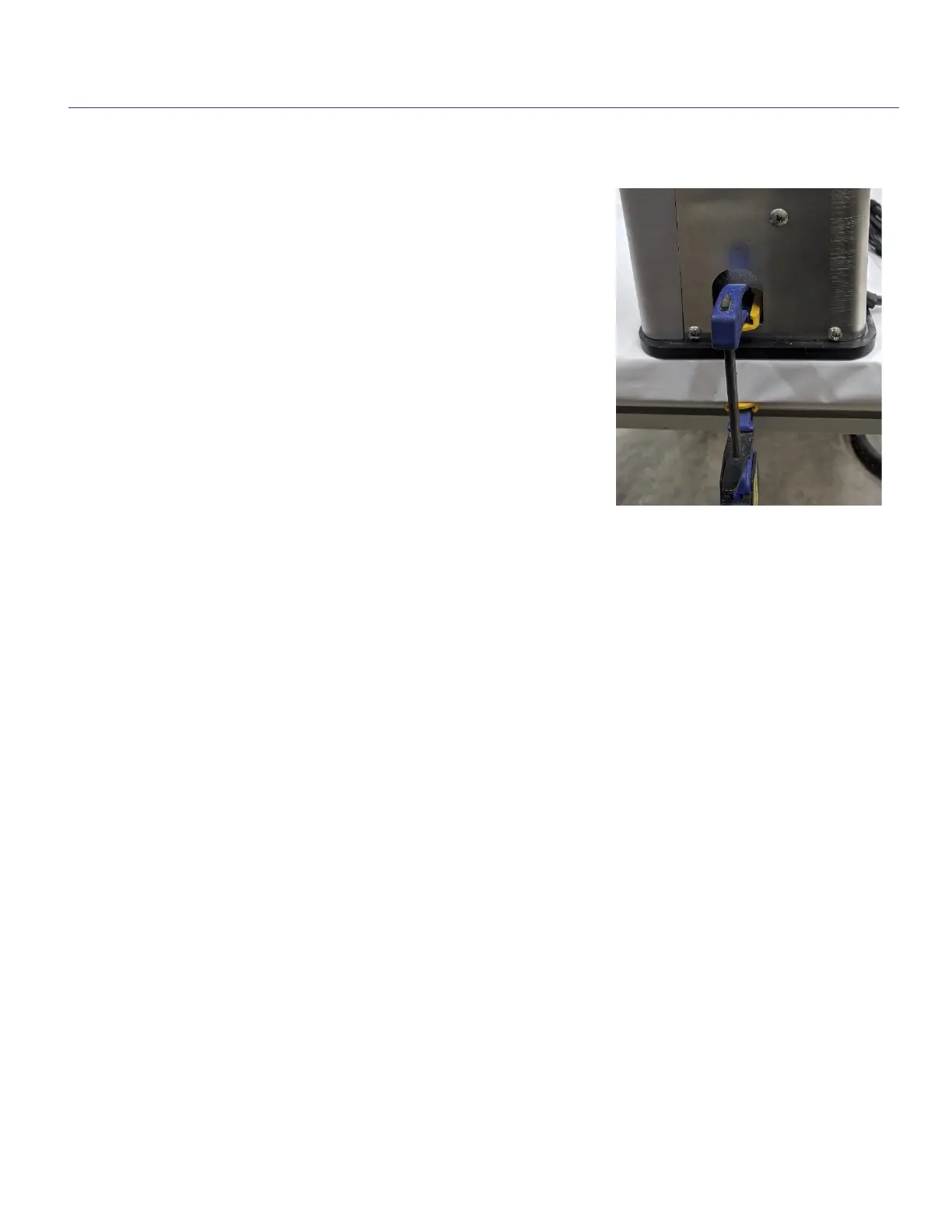
The Castle 110 comes with 2 clamping ports, one on
each side of the machine. To use a clamp to secure
your Castle 110 to a work bench, simply insert the top
of the clamp in the opening provided at the base of the
main housing and tighten the clamp to your work
surface. There are also two holes in the base of the 110
to allow the tool to be fastened directly to a workbench
or other work surface with screws or bolts as needed.
(Fasteners not provided)
Additional Operating Instructions - Stationary vs. Freehand
Your Castle 110 has been designed for maximum efficiency and can be operated in
two modes: Stationary or Freehand. In the Stationary mode, the tool is clamped or
screwed firmly to a work surface and the stock is clamped in place on the work deck.
In the Freehand mode, the tool is clamped directly to the stock on heavy or
cumbersome parts such as panels, partitions, or large drawer fronts. This exclusive
freehand feature eliminates the need to vertically support heavy items for machining
pockets, as well as the tedious and time-consuming task of clamping a guide to drill
each pocket hole on larger work.


 To Next Page
 Loading...