Notes on cleaning
• Clean the oven door only with a moist sponge. Dry it with a soft cloth.
• Do not use steel wool, acids or abrasive products that could damage the surface of the oven. Clean the
oven control panel, taking the same precautions.
Notes on cleaning
• Regularly check the door seal. The door seal is around the frame of the oven compartment.
• To keep the door seals clean, use a non-abrasive sponge with warm water. The seals must be soft and
elastic.
• Do not operate the appliance if the door seal is damaged. Contact an authorized Service Centre.
• To clean the door seal please refer to the general information on cleaning.
Removing the shelf supports
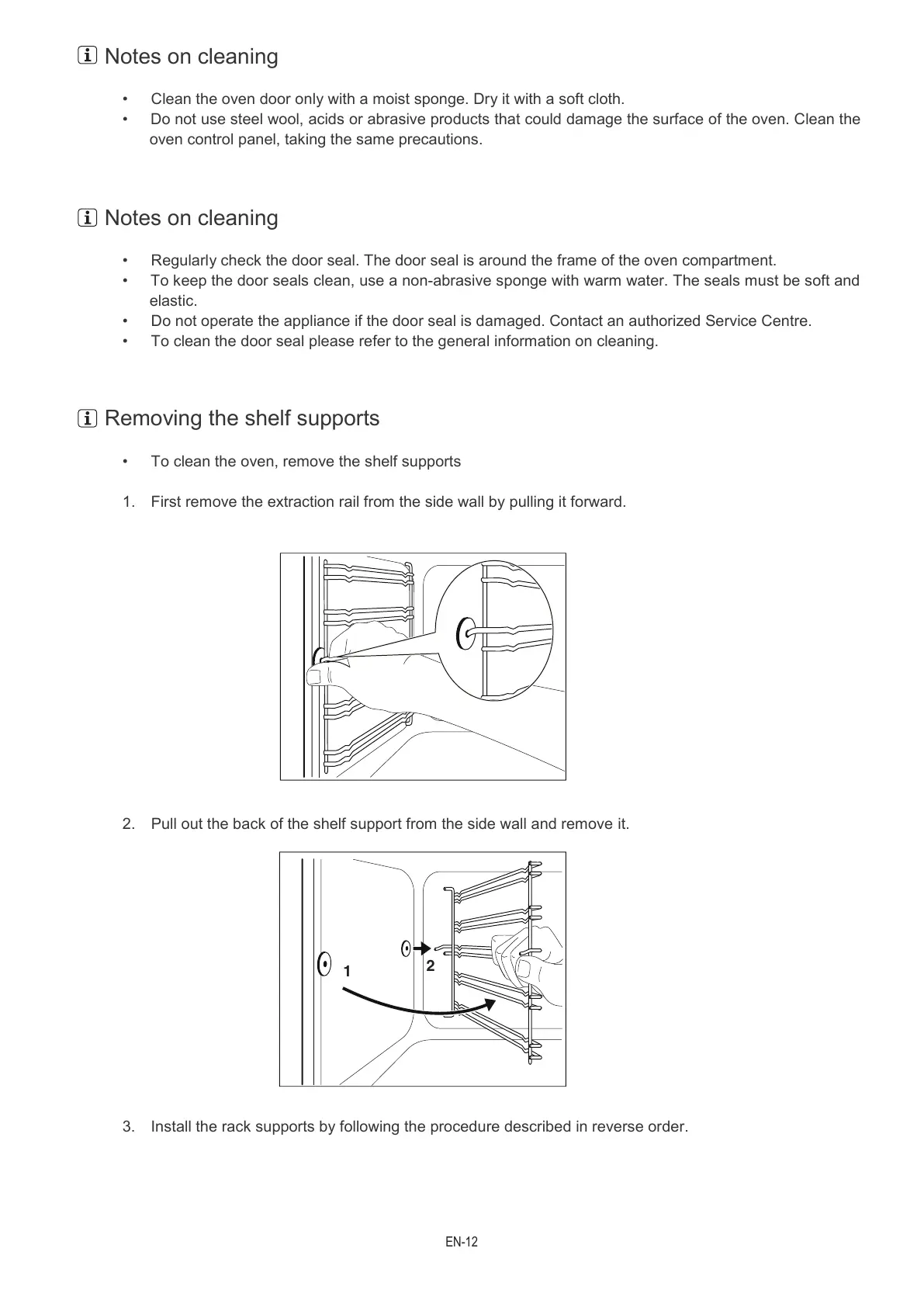
• To clean the oven, remove the shelf supports
1. First remove the extraction rail from the side wall by pulling it forward.
2. Pull out the back of the shelf support from the side wall and remove it.
3. Install the rack supports by following the procedure described in reverse order.
1
2


 To Next Page