42
OPERATION
Semi–automatic operation
If the oven is to be switched o at a given
time, then you should:
lSet the oven function knob and the tem-
perature regulator knob to the setting at which
you want the oven to operate.
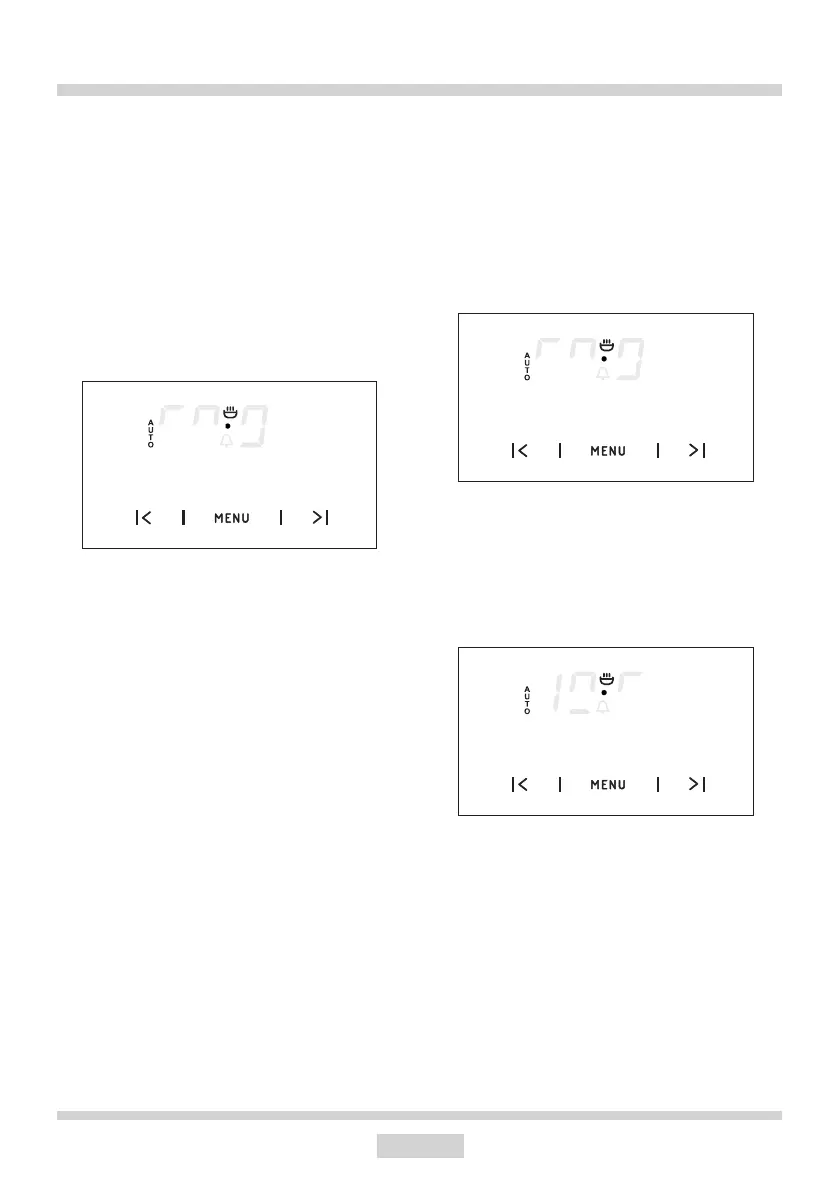
lPress sensor MENU until the display will
show:
lSet the required time using sensors < and
>, within a range from 1 minute to 10 hours.
The set time will be introduced to the memory
after approx. 7 seconds and the display will
show AUTO function.
When the set time has passed the oven is
switched o automatically, the alarm signal
is activated and the signal function AUTO
ashing again;
lSet the oven function knob and the tem-
perature regulator knob to the switched–o
position.
lPress sensor MENU, < and > in order to
switch o the signal; the signal function will go
out and the display will show the current time.
Caution!
In ovens equipped with one control knob,
the oven function knob is integrated with the
temperature regulator knob.
Automatic operation
If the oven is to be switched on for a specied
period of time and switched o at a xed hour
then you should set the operation time and
the operation end time:
lPress sensor MENU until the display will
show:
lSet the required time using the sensors
< and > within a range from 1 minute to 10
hours.
lPress sensor MENU until the display will
show:
88 80
80 80
80 80
lSet the switch–o time (operation end time)
using sensors < and >, which is limited to a
period of 23 hours and 59 minutes from the
current time.
lSet the oven function knob and the tem-
perature regulator knob to the setting at which
you want the oven to operate.


 To Next Page