QUICKSTART
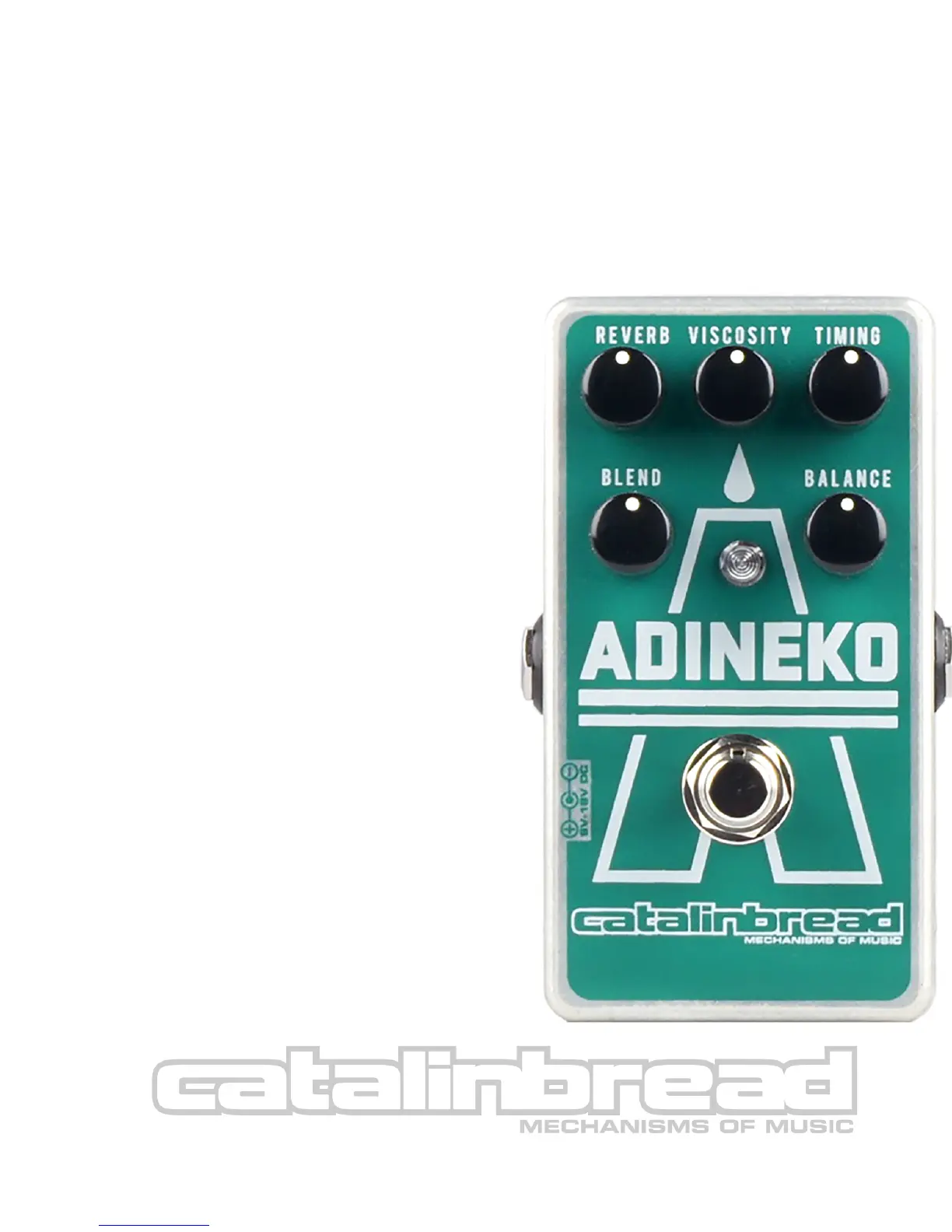
To get acquainted with your new ADINEKO, let’s plug it in by itself, without your other pedals. Start off
with a clean sound from your amp.
The ADINEKO can achieve the authentic oil can sounds, but is designed to model the mechanical
concept well beyond what was possible in original units. Let’s set up your ADINEKO for an authentic
oil can sound!
TIMING to 9-10 o’clock
VISCOSITY to 9-10 o’clock
REVERB to the verge of self oscillation
BLEND to 12 o’clock
BALANCE to 12 o’clock
CONTROLS IN DETAIL:
BALANCE: Original units had a short and long
echo playback head selectable by a pair of slider
switches or a rotary switch that allowed the user
to select one or the other, or both on at the same
time. We expanded upon on this concept by
putting the playback heads on a continuous
mixer, allowing accents and new rhythmic
possibilities by favoring one head volume over
the other. Counter-clockwise is the short delay
time head, clockwise long head, and noon is both
heads at equal amplitude.
Now you’re hearing all of the hallmarks of an original
oil can unit. A relatively short echo time on two taps, a
vibrato in concert with the delay time, and a reverb
that sounds like low lying fog coalescing upon the
verge of a self-oscillating resonant point. To get more
of the vibrato sound of a Tel-Ray Deluxe Organ Tone,
use the above settings but turn the REVERB down
and the BLEND up to taste!



 To Next Page