EasyManua.ls Logo

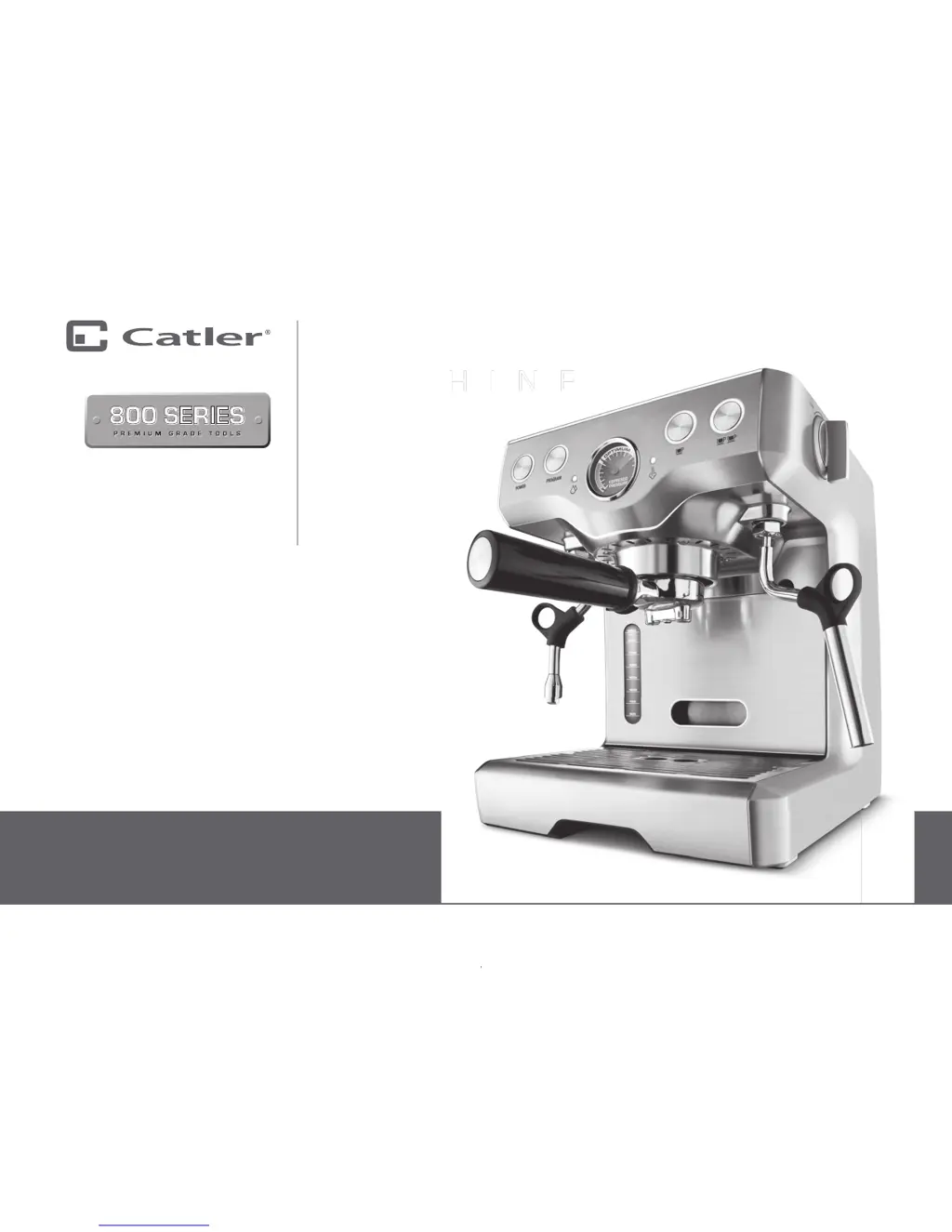
Catler ES 8011 - User Manual

Catler ES 8011
40 pages
Print Icon
To Next Page IconTo Next Page
Loading...
Instructions
for use
ES 8011
ESPRESSO
MACHINE

Questions and Answers

  • R
    Ronald JordanSep 10, 2025
    Why is juice leaking from my Catler ES 8011 Kitchen Appliances?
    • T
      Tara MiddletonSep 10, 2025
      If you notice juice leaking between the rim of the juicer cover and the stainless steel filter basket of your Catler Kitchen Appliance, try juicing at a slower pace by gently pushing the food pusher down. Also, juice fruits and vegetables with high water content, such as tomatoes and watermelon, on the low speed setting.
  • K
    Kenneth FreemanAug 22, 2025
    How to adjust the amount of coffee grind on a Catler Coffee Grinder?
    • S
      Shelly BakerAug 23, 2025
      To adjust the amount of coffee grind on your Catler Coffee Grinder: * Press the AMOUNT button to change the grind amount. * Use the ADJUST AMOUNT dial to fine-tune the amount, selecting ‘More or Less’ as needed.
  • S
    Shane RamirezAug 25, 2025
    Why Catler Coffee Grinder won't start after pressing start button?
    • C
      Christine TannerAug 25, 2025
      If your Catler Coffee Grinder doesn't start, there could be a few reasons: * It might not be plugged in, so ensure the power cord is properly connected to the outlet. * The grinder could be overheated; unplug it and let it cool down for 20 minutes before trying again. * The bean hopper may not be correctly attached; make sure it is locked into position.
  • A
    Austin HernandezAug 26, 2025
    What to do if Catler Coffee Grinder motor is making a loud noise?
    • J
      Juan PetersonAug 26, 2025
      If your Catler Coffee Grinder's motor starts but operates with a loud racket noise: * The grinder might be blocked by a foreign object or the chute could be obstructed. Remove the bean hopper and inspect the burrs for any foreign objects. * Moisture may be clogging the grinder. Clean the burr heads and chute. * Allow the burrs to dry thoroughly before re-assembling. You can use a hair dryer to blow air into the grinder inlet to help it dry.
  • V
    vwhiteAug 27, 2025
    Why can't I lock the bean hopper into position on my Catler Coffee Grinder?
    • S
      Sean PattonAug 28, 2025
      If you're unable to lock the bean hopper into position on your Catler Coffee Grinder, coffee beans might be obstructing the locking device. Remove the bean hopper and clear any coffee beans from the top of the burrs. Then, try re-locking the bean hopper into position.
  • R
    Richard LarsenAug 29, 2025
    What to do if the portafilter overfills with coffee from Catler Coffee Grinder?
    • G
      glenn08Aug 29, 2025
      It is normal for the correct amount of coffee to appear overfilled in your portafilter. Untamped coffee has three times the volume of tamped coffee.
  • K
    Kelsey WalkerSep 18, 2025
    Why Catler ES 8011 will not work when switched “ON”?
    • J
      jamesrodriguezSep 18, 2025
      The safety locking arm may not be correctly engaged in the vertical operating position with the locking arm located into the two grooves on either side of the juice cover.
  • D
    david17Sep 12, 2025
    Why does the motor stall when juicing with my Catler ES 8011?
    • A
      Albert BakerSep 12, 2025
      If the motor of your Catler Kitchen Appliance appears to stall while juicing, it could be due to wet pulp building up under the cover from vigorous juicing. Try juicing more slowly by pushing the food pusher down more gently. Also, clean the filter bowl surround, the stainless steel filter, and the juicer cover. Consider selecting the HIGH speed setting instead of LOW.
  • G
    Gloria CampbellSep 8, 2025
    What to do if my Catler Kitchen Appliance unit will not switch on?
    • S
      swrightSep 8, 2025
      If your Catler Kitchen Appliance unit won't switch on, check the Overload Protection Button located on the bottom of the Motor Base to ensure the safety device hasn't been automatically activated.
  • J
    Jessica LoganSep 5, 2025
    What to do if food sticks to the blade of my Catler Blender?
    • D
      Dennis SmithSep 5, 2025
      If food sticks to the blade, turn off the blender by pressing the ‘Power’ button on the control panel, then switch it off at the power outlet and unplug the power cord. Wait until the blade stops rotating, then remove the blender lid and take out some of the food with a spatula.

Catler ES 8011 Specifications

General IconGeneral
BrandCatler
ModelES 8011
CategoryKitchen Appliances
LanguageEnglish

Related product manuals