8
Installation
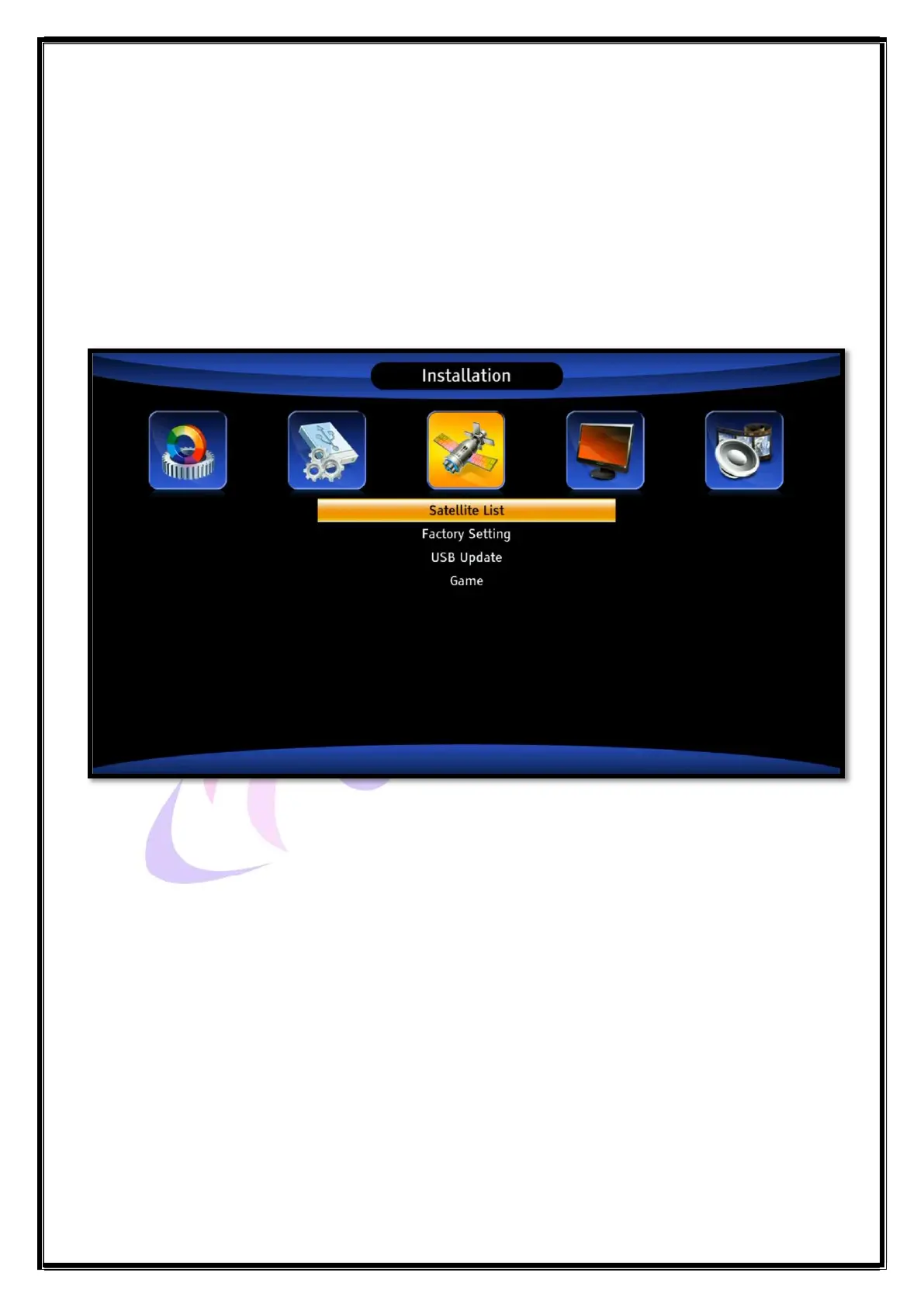
Press Menu > Installation
When you switch on the STB the Installation menu will appear on the TV screen, as below.
A. Satellite List
B. Factory Setting
C. USB Update
D. Game
A. Satellite List
This Set Top Box is pre-tuned to channels of DD Free Dish satellite. For viewing DD Free Dish
channels there is no need to change this setting.
The user can use this Set Top Box to receive satellite channels from other satellites too. To do so
the user has to set new satellite information using this menu. The Satellite List under Installation
menu can be used for adding, editing or deleting a satellite or the transponder (TP) of a satellite. On
selecting a satellite, the on-screen display (OSD) shows:


 To Next Page