9
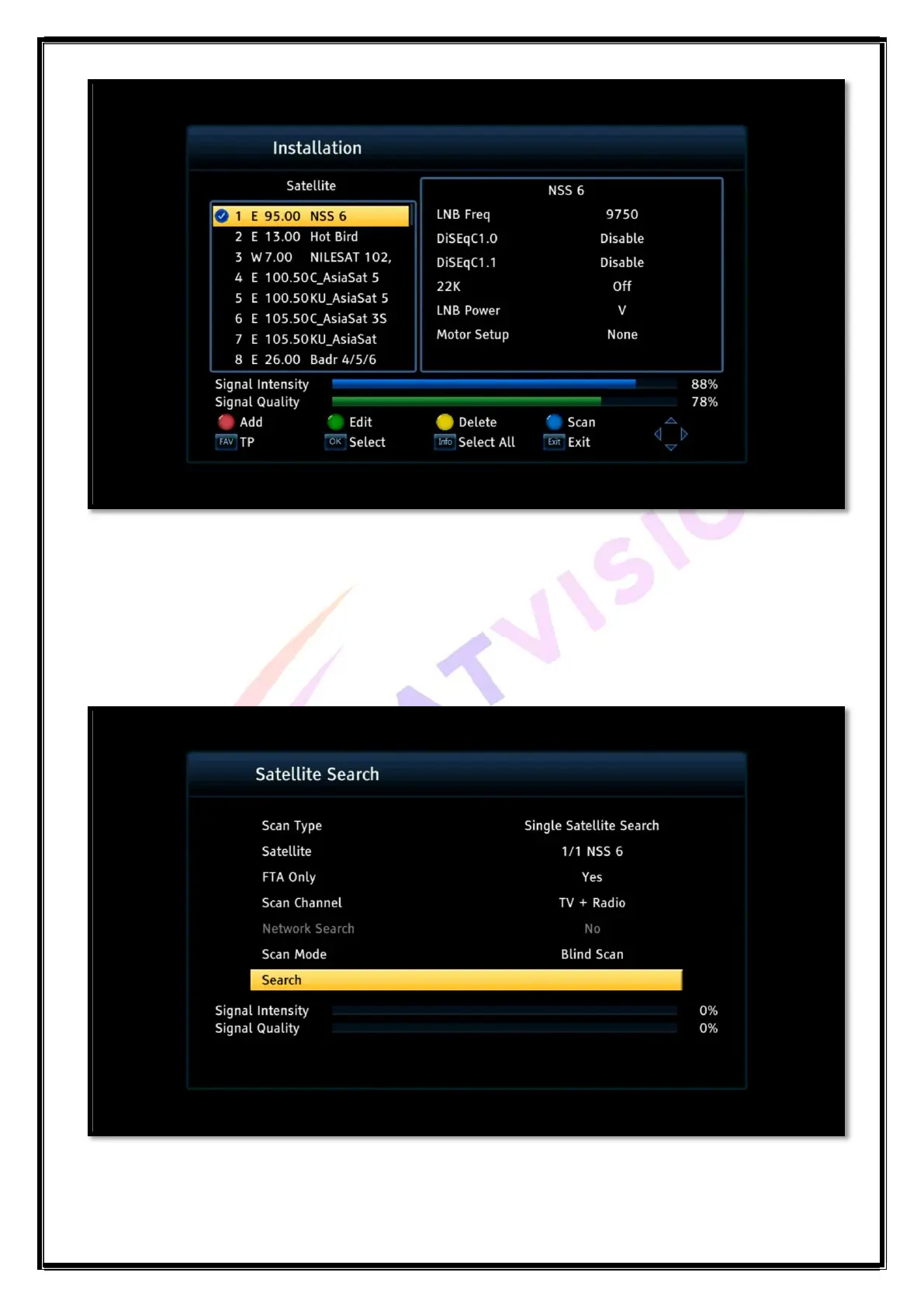
Use the left and right buttons on the RC to switch the highlight from the satellite list on the
left to the satellite parameter bar on the right.
Press the Ok button to highlight or deselect the satellite when highlight is on a satellite.
To add a new satellite in the list, press red button and enter the name, longitude, direction and
size for your reference.
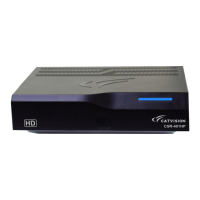
Press the blue button function key to open satellite search /scan menu, as shown below:
Scan Type: Single or Multi-satellite search


 To Next Page