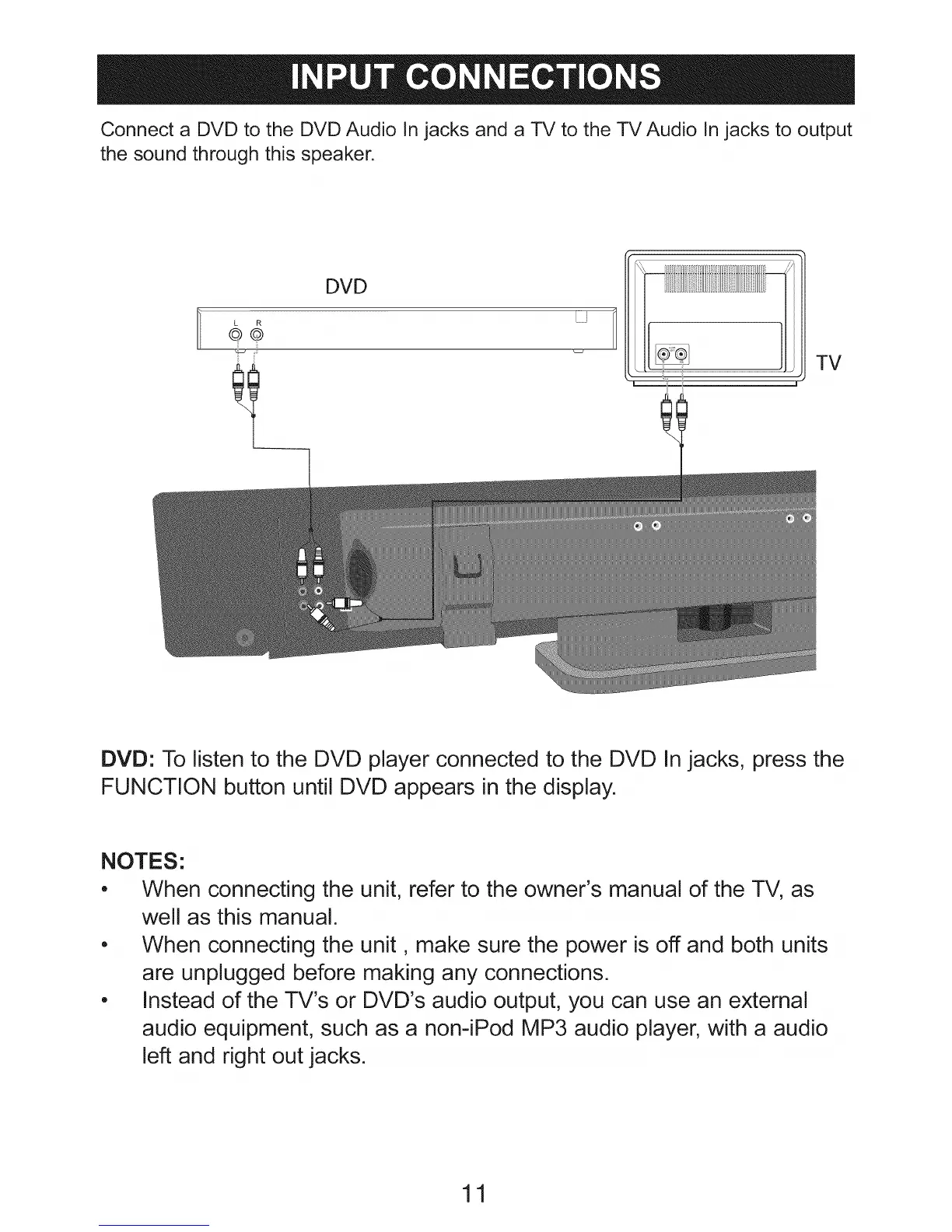
Connect a DVD to the DVD Audio In jacks and a TV to the TV Audio In jacks to output
the sound through this speaker.
iI
DVD
LJ
TV
DVD: To listen to the DVD player connected to the DVD In jacks, press the
FUNCTION button until DVD appears in the display.
NOTES:
, When connecting the unit, refer to the owner's manual of the TV, as
well as this manual.
, When connecting the unit, make sure the power is off and both units
are unplugged before making any connections.
, Instead of the TV's or DVD's audio output, you can use an external
audio equipment, such as a non-iPod MP3 audio player, with a audio
left and right out jacks.
11


 To Next Page