VOLUME
i/
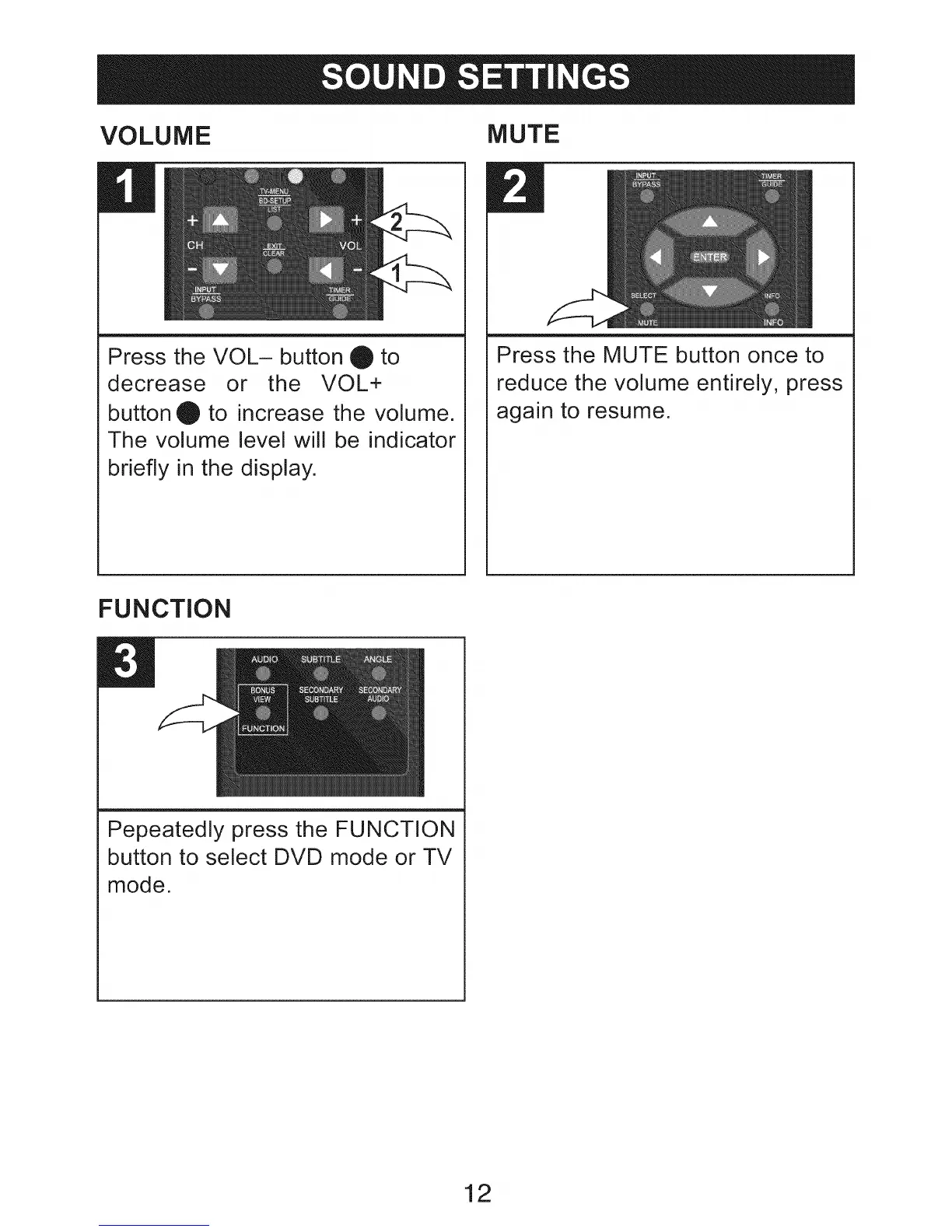
Press the VOL- button _ to
decrease or the VOL+
button _ to increase the volume.
The volume level will be indicator
briefly in the display.
MUTE
E!
Press the MUTE button once to
reduce the volume entirely, press
again to resume.
FUNCTION
B
Pepeatedly press the FUNCTION
button to select DVD mode or TV
mode.
12


 To Next Page