FUNCTIONAL DESCRIPTION AND SPECIFICATIONS CHAPTER 2
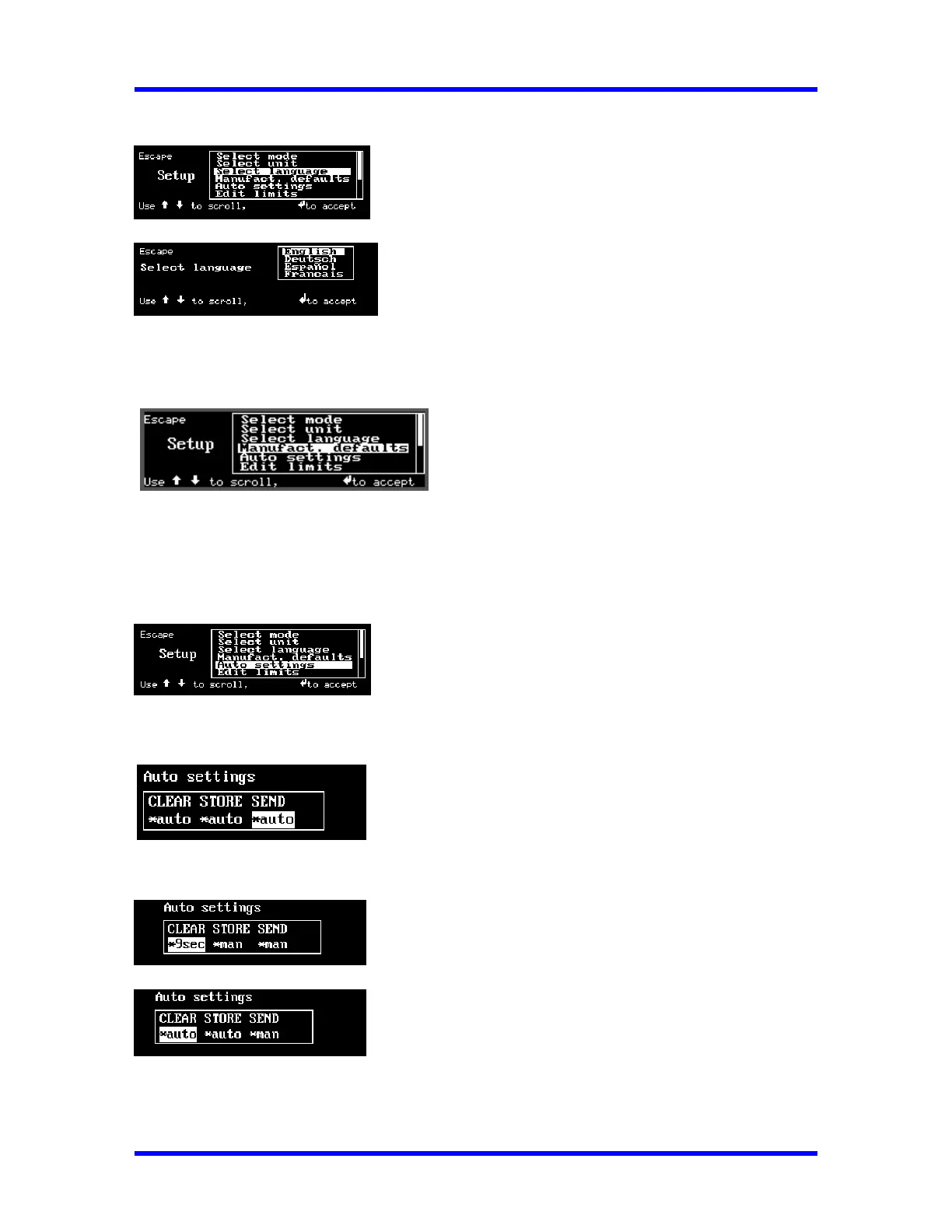
3. Select Language
Selects either English, German (Deutsch), French (François), Spanish (Español).
4. Manufacturer’s Defaults:
Default: Min. Track 0.1% ; Min. Peak 1%.
A warning message is first displayed. Upon confirmation by the User, the Default Settings
will be loaded into the SURETEST.
5. Auto Settings
Sets up CLEAR, STORE, and SEND functions. There are 2 options: Automatic or Manual.
Selection: Automatic Clear, Automatic Store and Automatic Send data out (to RS-232 port).
Selection: Delay 9 seconds then clear the Display, Manual Store and Manual Send.
Selection: Automatic Clear, Automatic Store and Manual Send.
2-5



 To Next Page