SETUP AND PROGRAMMING CHAPTER 3
4-in-1 Transducer Installation
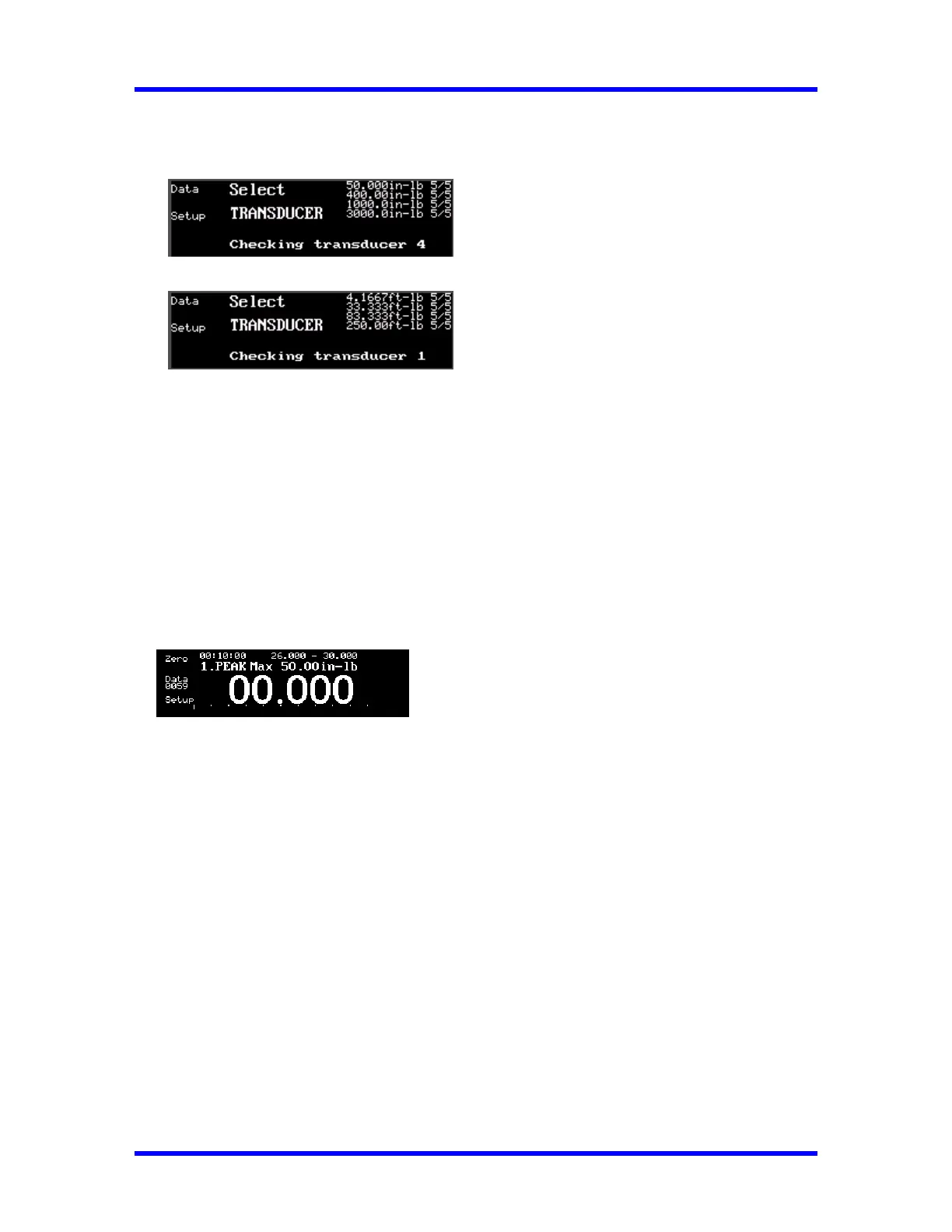
When a 4-in-1 transducer is installed, the following is displayed:
The Engineering Unit are in. lb.
The Engineering Unit are ft. lb.
All four transducers are scanned as indicated by their associated red LED indicators. To select one of
the transducers, apply at least 5% of its full range torque. To return to the scan mode, press
ENTER(↵). The number of successful calibration checkpoints, (CCW, CW) is shown at the top right
for each transducer. Once selected, the display reads as show below.
NOTE: To return to the scan mode, press ENTER (↵).
Single Transducer Installation:
When a single transducer is installed, the following is displayed:
The user can enter Setup mode then proceed to make torque measurements.
3-4



 To Next Page