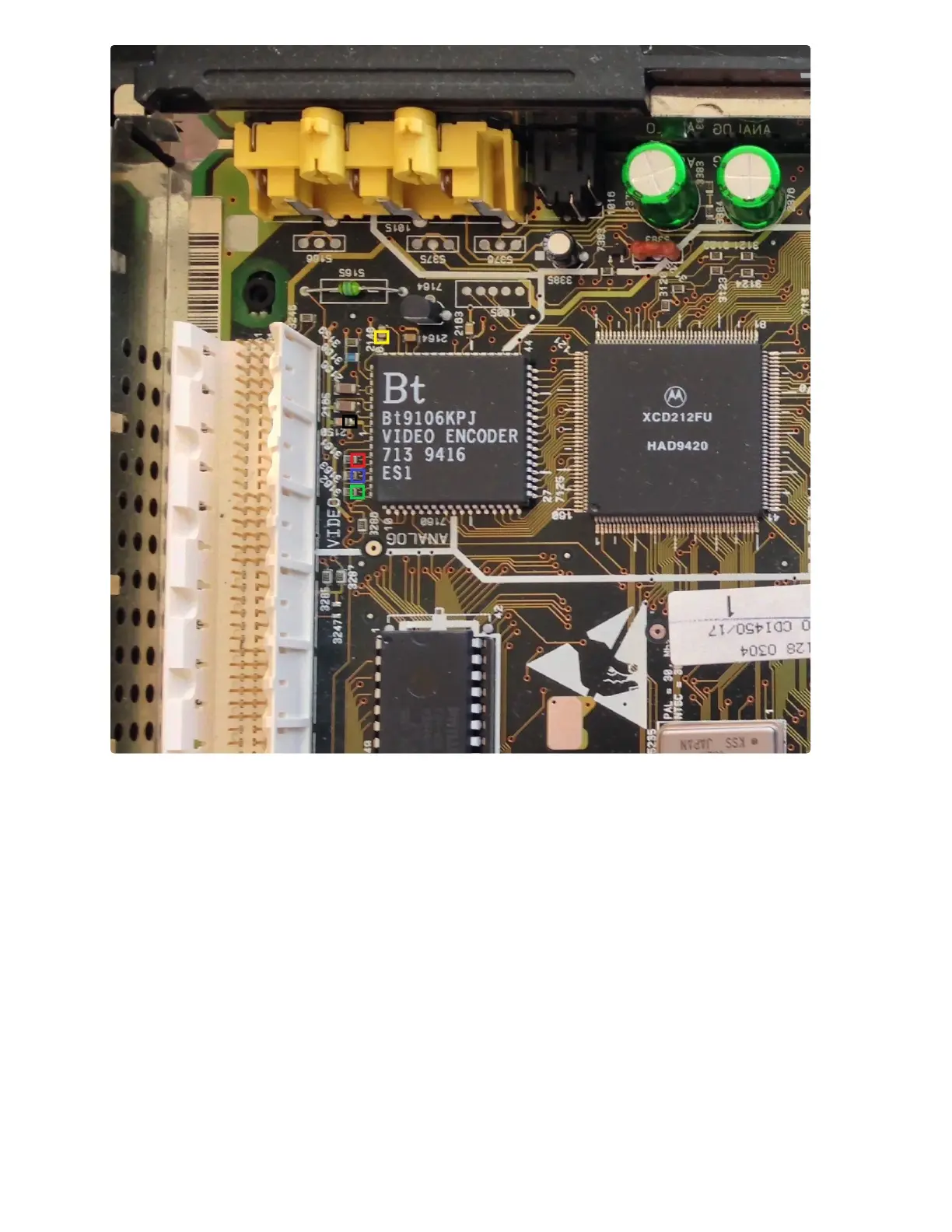
In the above picture are alternate locations for connecting Red, Green, Blue, VAA, and Ground
wires. For all connections in this picture, be sure to connect to the side of the capacitor or
resistor closest to the BT9106 chip. VAA can be connected to the capacitor marked in Yellow
near pin 60. Ground can be connected to the capacitor marked in Black. Red, Green, and Blue
can be connected to the 3 resistors marked in their specific colors.



 To Next Page