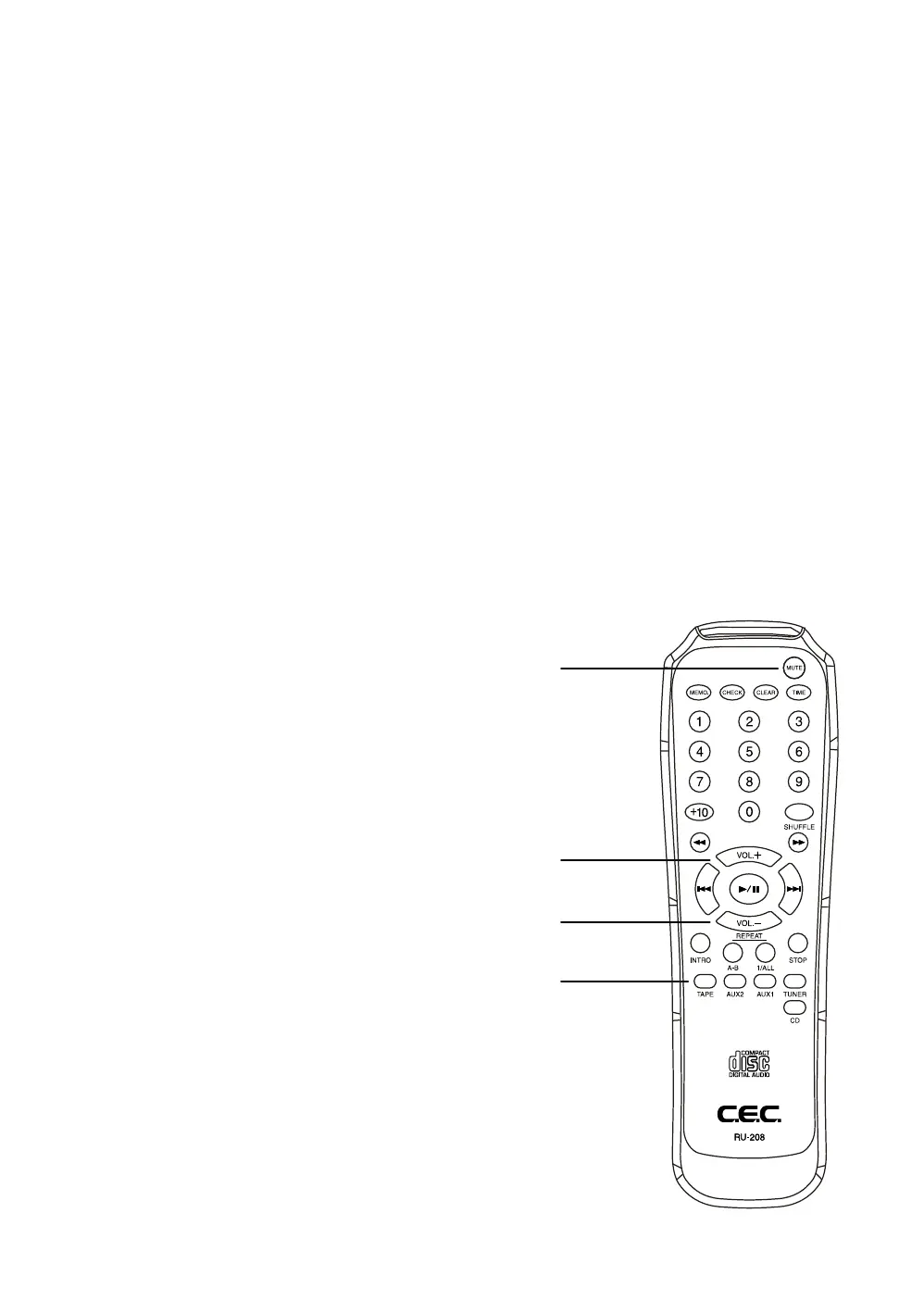
Remote Control
• Avoid exposure of the remote sensor to direct sunlight or other light sources as such exposure can
cause malfunction.
• When operating the remote control unit, pay attention to a free way to the AMP3300R, otherwise
control may not be possible.
• When operating the remote control unit, point the unit’s infrared signal transmitter at the remote
control receiver on the front panel of the AMP3300R.
• When the batteries are exhausted, the remote commander will not operate the unit. In this case,
replace the batteries with new ones. Use only batteries of same type.
If you should have any further question or problem concerning your unit, please contact your CEC dealer.
• The included remote control is for the use with CEC CD transport, CD player, digital to analog
converter and for all amplifier. This manual just describes the functions concerning AMP3300R.
Mute Button
Volume up button
Volume down button
Input selector keys
By pressing one of these keys the corresponding
input in the AMP3300R will be selected.
This will be indicated by the input
selector LEDs on the front panel.


 To Next Page