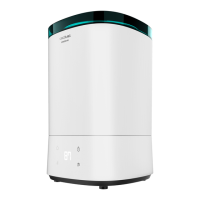
Auto shut-o system
When the tank runs out of water, the device will automatically stop operating. The empty
water indicator will turn on.
Rell the water tank, and the device will continue operating with the previous settings. If the
tank is not relled, the device will turn o after 15 minutes.
Touch the light symbol to choose between the 3 dierent levels of blue light intensity. Tap 4
times to turn it o.
The device keeps the Wi-Fi connection activated during operation. To connect it, follow the
instructions on the App manual section.
In order to link your product with our App, please follow the below steps.
Download the BreezeCare App from Google Play or App Store.
If it is the rst time you use it, register an account. If not, log in.
Once you have entered the App, press “+” on the top right-hand corner and tap “Breeze Care”.
Turn your device on and hold down the power button for 5 seconds until the device beeps.
Check that the Wi-Fi icon is blinking.
Enter your Wi-Fi password and press conrm.
Then, the linking process will start automatically.
Warnings:
Never run the humidier when there is no water in water the tank and water basin.
Do not pour any liquid other than clean water into the water tank or water base.
5.
CLEANING AND MAINTENANCE
Use a soft, damp cloth to clean the surface of the device.
Do not use detergent, scouring pads, chemically treated cloths, gasoline, benzene, alcohol,
thinner, or other solvents, as these can scratch and damage the tank and cause water
leakage.
Do not immerse the product in water or any other liquid.
If scale is built up due to the use of hard water, it is recommended to:
Use cold boiled water or distilled water.
Clean the transducer, water tank and basin humidier every week.
Change the water in water tank more often to keep it fresh.
Make sure to pour out water from the water tank and dry the water basin before you store it
unused for a long time.
Clean the whole humidier and make sure that all parts of the humidier are dried completely
if it is supposed to be leaved unused for a long time.
Cleaning the transducer
Clean with clean water or citric acid if there is scale in it.
Brush o the scale from the surface.
Rinse the transducer with clean water.
Cleaning the humidier basin
Clean the water basin with soft cloth or use citric acid if there is scale in it.
If there is scale covering the security switch, drop citric acid for 2-5 mins on the scale and
clean it out with the brush.
Rinse the water basin with clean water.
6.
TROUBLESHOOTING
Trouble Possible cause Solution
The light indicator is
o when switched
on
The humidier is not plugged
in.
Plug the humidier into a powered
electrical socket.
Power cord is damaged.
Stop using the device immediately
and contact the Technical Support
Service of Cecotec.
Humidier is defective or
malfunctioning.
The light indicators
is on when switched
on, but no mist
comes out
Humidier is not turned on. Press the power button to turn it on.
The target humidity is
reached.
Increase the target humidity or
change mode.
Water shortage
indicator is on
No water in the tank.
Rell the water tank and wait at
least 1 minute.
Water level is low.
The water level required
has not yet reached the
vaporisation compartment.
Wait at least 1 minute.
The water tank isn’t well
positioned.
Check the positioning of tank on the
base.
The humidier isn’t on a at
surface.
Check the positioning of the
humidier.
The % RH of the room is over
90 %.
Wait until the % RH gets lower.
BREEZECARE 4000 CONNECTEDBREEZECARE 4000 CONNECTED
3837


 To Next Page