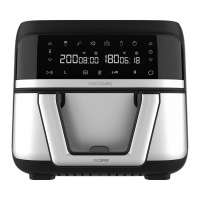
CECOFRY ADVANCE 9000 WINDOW
28
ENGLISH
9.
heat-resistant surface, and remove the food with the help of wooden or plastic tongs to
avoid scratching the non-stick coating of the basket compartments. Depending on the
type of ingredients, steam may escape from inside the air fryer.
10. Pour the ingredients into a bowl or onto a plate.
11.
Caution:
- Do not touch the air fryer during and immediately after use, as it reaches high temperatures.
Hold the basket only by the handle.
- Be careful when taking food out of the basket, as it will still be hot.
Operating instructions
1.
same time, the air fryer will beep three times and the power icon will light up steady.
2. Press the power icon to turn the air fryer on. All icons will light up except and .
3.
press the compartment icon and the and
4. Press the Default Menu selection icon
show the default time and temperature values of the corresponding menu. If no button is
the time and temperature, press the icon to swap between temperature and time,
then press or to set the desired value for the chosen parameter. After setting time
and temperature, press to start cooking.
5. If you want to use basket compartment 2 as well, select it by pressing the icon and repeat
the above procedure.
6. If you want to cancel the settings, hold down the or icon, depending on the settings
you want to cancel.
7. Press the Start/Pause icon
alternately show the menu temperature and time.
8. When the air fryer is in operation, you can press the Start/Pause icon to pause
operation. If you want to pause compartment 1 only, press icon
Pause icon . Repeat the above procedure you wish to stop compartment 2 only.
9. If you hold down the power button for 2 seconds during operation, the air fryer will make



 To Next Page