CECOFRY ADVANCE 9000 WINDOW
29
ENGLISH
Save function
time and temperature, default or custom values of the latter parameters will be saved for
future uses.
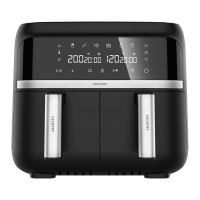
Sync function
-
and you want them to end at the same time.
- After setting the time and temperature of compartments 1 and 2, press the
longer cooking time will start working, while the indicator display of the compartment with
the shorter cooking time will show HOLD. Once both cooking-time settings are in sync, the
second basket compartment will start working as well.
- If you only use one compartment, the Sync Function icon will not light up. If both
light up steady.
Combine function
- If you want both compartments to have the same time and temperature settings, set the
the Start/Pause icon for both compartments to start cooking with the same settings.
-
-
Default cooking programmes
Menus (min) e ( ) Stir
DIY 20 200 -
Frozen chips 18 200 YES
Fish 18 180 -
Steak 12 180 YES



 To Next Page