CONGA ROCKSTAR MICRO+ CONGA ROCKSTAR MICRO+
22
21
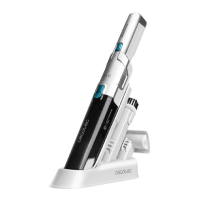
1. PARTS AND COMPONENTS
Fig. 1
1. Rope
2. Power button
3. Speed-control button
4. Dust tank
5. Power adapter
6. Accessory for upholstery
7. Accessory for furniture and corners
NOTE:
The graphics in this manual are schematic representations and may not exactly match
the product.
2. BEFORE USE
- This appliance is packaged in a way as to protect it during transport. Take the appliance
out of its box and remove all packaging materials. You can keep the original box and other
packaging elements in a safe place. This will help you prevent product damage when
transporting it in the future. In case the original packaging is disposed of, make sure all
packaging materials are recycled accordingly.
- Make sure all parts and components are included and in good conditions. If there is any
piece missing or in bad conditions, contact the official Cecotec Technical Support Service
immediately.
Box contents
- Handheld vacuum cleaner Conga Rockstar Micro + 6000
- Power adapter
- Accessory for upholstery
- Accessory for furniture and corners
- Charging base
3. OPERATION
Warning:
Do not use the vacuum cleaner with the adapter connected.
Using the vacuum cleaner
1. Make sure the vacuum cleaner’s adapter is not connected.
2. Press the power button to turn the vacuum cleaner on.
3. Use the speed-control knob to set the desired speed.
Attachments
This device includes different accessories that allow cleaning different types of
surfaces, objects, and dirt.
Accessory for upholstery. Fig. 2
This accessory is used for
an intense cleaning of upholstered furniture.
1. To install the accessory for upholstery to the main body, align the two parts so that
they fit together until it snaps into place.
2. To remove, pull the accessory while holding the main body firmly.
Accessory for corners and furniture. Fig. 3
This accessory allows cleaning furniture without damaging it and reaching less accessible
dirt in corners.
1. To install the accessory for corners and furniture to the main body, align the two parts
so that they fit together until it snaps into place.
2. To remove, pull the accessory while holding the main body firmly.
Indicator light. Fig. 4
- When the vacuum cleaner is charging, the indicator will light up and keep flashing.
- When the vacuum cleaner is fully charged, the indicator will stop flashing and light
up steady.
- When using the vacuum cleaner, the indicator will stay lit.
- When the vacuum cleaner’s battery is low, the indicator will flash.
Charging the vacuum cleaner. Fig. 5
1. Make sure the vacuum cleaner is switched off.
2. Plug the adapter into a socket and the vacuum cleaner.
3. An indicator light will light up and keep flashing once the adapter is connected to the
vacuum cleaner.
- To ensure that the device is always ready for use, we recommend you leave the
device
charging when not in use.
- It’s normal for the adapter to become warm during charging.
4
. CLEANING AND MAINTENANCE
- Turn the appliance off, unplug it from the power socket and allow it to cool down before
cleaning it.





 To Next Page