EasyManua.ls Logo

cecotec Cumbia CREMMAET COMPACTCCINO BLACK ROSE - User Manual

cecotec Cumbia CREMMAET COMPACTCCINO BLACK ROSE
29 pages
Go to English
Print Icon
To Next Page IconTo Next Page
Loading...
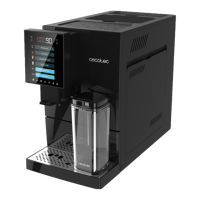
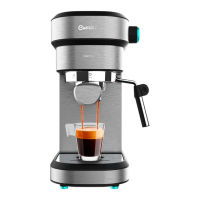
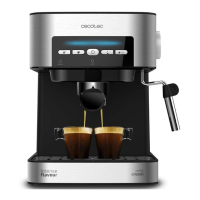
CREMMAET COMPACTCCINO BLACK
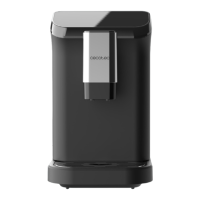
CREMMAET COMPACTCCINO BLACK ROSE
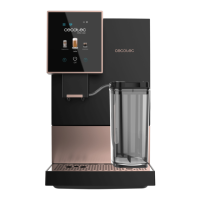
CREMMAET COMPACTCCINO WHITE ROSE
CREMMAET COMPACTCCINO BLACK SILVER
Компактна автоматична кавомашина / Компактная автоматическая кофемашина

Other manuals for cecotec Cumbia CREMMAET COMPACTCCINO BLACK ROSE

Questions and Answers

  • J
    jennifer67Aug 14, 2025
    How to fix water tank icon on cecotec Cumbia CREMMAET COMPACTCCINO BLACK ROSE Coffee Maker?
    • K
      Kim LeAug 14, 2025
      If the control panel display on your Cecotec Coffee Maker shows the water tank icon, it means either the water tank is empty or the water level sensor needs calibration. First, fill the water tank and insert it into the machine. If the issue persists, calibrate the water level sensor by following these steps: 1. Remove the water tank when the machine is in standby mode. 2. Remove the sticker from the reset button on the water level sensor, located on the corner of the tank housing. Press and hold the reset button for 6 seconds. 3. Unplug the coffee machine. 4. Plug in and switch on the brewer after 10 seconds. Insert the filled tank.
  • E
    Eugene ClarkAug 17, 2025
    What to do if no coffee comes out of my Cecotec Coffee Maker?
    • M
      Matthew AlvarezAug 17, 2025
      If no coffee comes out of your Cecotec Coffee Maker, there might be several reasons: * The water tank might not be installed correctly. Ensure it is securely installed inside the coffee machine. * The filter could be blocked. Try cleaning or replacing the filter. * The internal piping of the coffee machine might be blocked. Descale the coffee machine. If this doesn't solve the problem, contact Cecotec’s Official Technical Support Service.
  • B
    Brian FernandezAug 21, 2025
    Why does my cecotec Cumbia CREMMAET COMPACTCCINO BLACK ROSE Coffee Maker display a square of dashed lines?
    • C
      charles50Aug 21, 2025
      If your Cecotec Coffee Maker displays a square of dashed lines and doesn't dispense water, it could be due to a few reasons: * The water tank is not installed correctly. Ensure the tank is properly installed inside the coffee machine, pushing the bottom side all the way in. * No water flows through the pump. Open the rear panel and inject water into the water pump. * The internal piping is blocked. Please contact Cecotec’s Official Technical Support Service.
  • C
    Claudia RomeroAug 25, 2025
    Why is the coffee from my cecotec Cumbia CREMMAET COMPACTCCINO BLACK ROSE watery?
    • K
      Kevin SanchezAug 25, 2025
      If your Cecotec Coffee Maker is producing watery or light coffee, it could be due to: * Grinding too fine. Turn the grind level knob to obtain a coarser ground coffee. * Grinder blades are sticky due to dark roasted or oily coffee beans. Increase the grinding level or contact Technical Support. * Residues and wet coffee beans block the grinder. Remove damp coffee beans, clean the container and add the coffee bean cleaner.
  • C
    Charles ParkerAug 27, 2025
    What to do if the grinder on my cecotec Cumbia CREMMAET COMPACTCCINO BLACK ROSE Coffee Maker does not work?
    • F
      foleytriciaAug 27, 2025
      If the grinder on your Cecotec Coffee Maker isn't working, it might be because: * The grinder is blocked by foreign objects. Remove any foreign objects from the grinder. * The grinder cables are loose. Please contact Cecotec’s Official Technical Support Service. * The grinder motor is broken. Please contact Cecotec’s Official Technical Support Service.
  • H
    Henry HodgeAug 31, 2025
    Why is the processing unit not working on my cecotec Cumbia CREMMAET COMPACTCCINO BLACK ROSE?
    • J
      josephsampsonAug 31, 2025
      If the processing unit of your Cecotec Coffee Maker isn't working, it could be due to: * The transformer is broken. Please contact Cecotec’s Official Technical Support Service. * The microswitch is broken. Please contact Cecotec’s Official Technical Support Service.
  • T
    Thomas GrossSep 3, 2025
    Why does my Cecotec Coffee Maker show the water tank icon?
    • K
      Kenneth BrownSep 3, 2025
      If the control panel display of your Cecotec Coffee Maker shows the water tank icon, it could be due to two reasons: either the water tank is empty (in this case, fill the water tank and insert it into the machine), or it is necessary to calibrate the water level sensor. To calibrate the sensor, follow these steps when the machine is in standby mode: 1. Remove the water tank. 2. Remove the sticker from the reset button on the water level sensor located on the corner of the tank housing, then press and hold the reset button for 6 seconds. 3. Plug in and switch on the brewer after 10 seconds. 4. Insert the tank once it has been filled.
  • S
    Sarah VegaSep 6, 2025
    What to do if water does not dispense from my cecotec Cumbia CREMMAET COMPACTCCINO BLACK ROSE?
    • M
      Mark BlairSep 6, 2025
      If water does not dispense from your Cecotec Coffee Maker, ensure that the water tank is correctly installed. If the issue persists, the filter might be blocked; try cleaning or replacing it. If neither of these solutions works, it is possible that the internal piping is blocked and you should contact Cecotec’s Service.
  • D
    Danielle CarlsonSep 10, 2025
    How to fix a cecotec Cumbia CREMMAET COMPACTCCINO BLACK ROSE Coffee Maker grinder that is not working?
    • H
      Heather JimenezSep 10, 2025
      If the grinder of your Cecotec Coffee Maker isn't working, it might be blocked by foreign objects. Remove any foreign objects from the grinder. If the issue continues, it could be due to loose grinder cables or a broken grinder motor, in which case you should contact Cecotec’s Service.

Summary

Safety Instructions

Before Use

Operation - Initial Setup

Initial Setup and First Coffee

Steps for placing the machine, filling the water tank and bean container, plugging in, and initial testing before brewing.

Operation - Brewing and Milk Functions

Brewing Espresso and Americano

Guides for preparing espresso and americano coffees, adjusting parameters, and brewing single or double cups.

Milk Tank Installation and Usage

Instructions for installing the milk tank, filling it with milk, and preparing hot water, milk, cappuccino, or latte.

Operation - Settings and Cleaning Overview

Cleaning and Maintenance - Rinsing and Dismantling

Cleaning and Maintenance - Component Cleaning and Descaling

Troubleshooting - Water and Flow Issues

Common Issues and Solutions

Troubleshooting guide for common problems like water tank errors, no water flow, and blocked pipes, with solutions.

Troubleshooting - Coffee Output and Grinder Issues

Troubleshooting Coffee Output and Grinder Issues

Resolving issues such as no coffee output, watery coffee, or grinder malfunctions by checking filters, pipes, and grinder settings.

Technical Support and Warranty

cecotec Cumbia CREMMAET COMPACTCCINO BLACK ROSE Specifications

General IconGeneral
Brandcecotec
ModelCumbia CREMMAET COMPACTCCINO BLACK ROSE
CategoryCoffee Maker
LanguageEnglish

Related product manuals