EasyManua.ls Logo

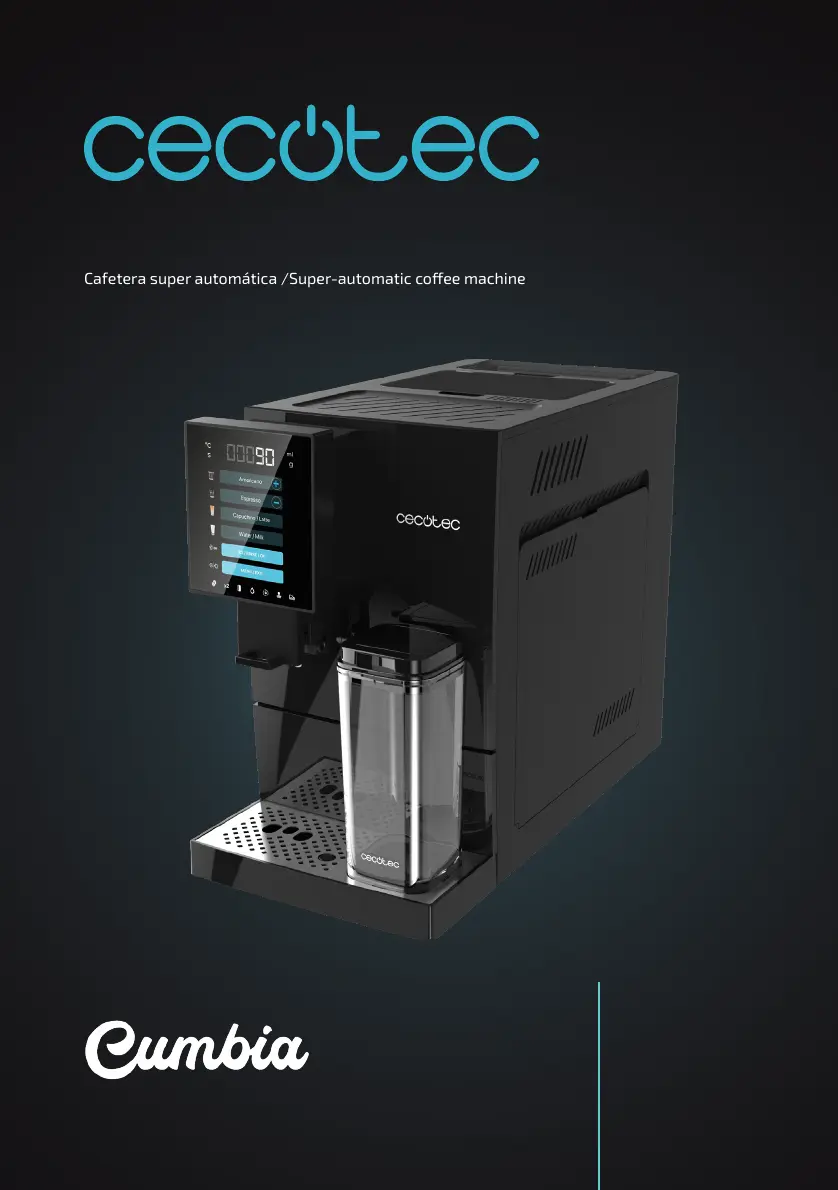
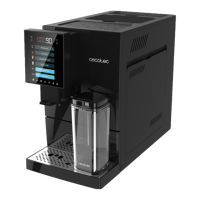
cecotec Cumbia CREMMAET COMPACTCCINO BLACK - User Manual

cecotec Cumbia CREMMAET COMPACTCCINO BLACK
148 pages
Go to English
Print Icon
To Next Page IconTo Next Page
Loading...
Manual de instrucciones
Instruction manual
Manuel d’instructions
Bedienungsanleitung
Manuale di istruzioni
Manual de instruções
Handleiding
Instrukcja obsługi
Návod k použití
CREMMAET COMPACTCCINO BLACK
Cafetera super automática /Super-automatic coee machine
01598_Cremmaet Compactccino_RP_01230717.indd 101598_Cremmaet Compactccino_RP_01230717.indd 1 8/8/23 9:238/8/23 9:23

Table of Contents

Other manuals for cecotec Cumbia CREMMAET COMPACTCCINO BLACK

Questions and Answers

  • S
    Sherri JosephAug 18, 2025
    How to fix water tank icon on Cecotec Coffee Maker?
    • M
      mwalkerAug 18, 2025
      If the control panel display on your Cecotec Coffee Maker shows the water tank icon, it means either the water tank is empty or the water level sensor needs calibration. First, fill the water tank and insert it into the machine. If the issue persists, calibrate the water level sensor by following these steps: 1. Remove the water tank when the machine is in standby mode. 2. Remove the sticker from the reset button on the water level sensor, located on the corner of the tank housing. Press and hold the reset button for 6 seconds. 3. Unplug the coffee machine. 4. Plug in and switch on the brewer after 10 seconds. Insert the filled tank.
  • E
    emily40Aug 20, 2025
    What to do if no coffee comes out of my Cecotec Coffee Maker?
    • P
      perkinsrobertAug 20, 2025
      If no coffee comes out of your Cecotec Coffee Maker, there might be several reasons: * The water tank might not be installed correctly. Ensure it is securely installed inside the coffee machine. * The filter could be blocked. Try cleaning or replacing the filter. * The internal piping of the coffee machine might be blocked. Descale the coffee machine. If this doesn't solve the problem, contact Cecotec’s Official Technical Support Service.
  • T
    tholdenAug 23, 2025
    Why does my cecotec Cumbia CREMMAET COMPACTCCINO BLACK display a square of dashed lines?
    • J
      Jennifer JamesAug 23, 2025
      If your Cecotec Coffee Maker displays a square of dashed lines and doesn't dispense water, it could be due to a few reasons: * The water tank is not installed correctly. Ensure the tank is properly installed inside the coffee machine, pushing the bottom side all the way in. * No water flows through the pump. Open the rear panel and inject water into the water pump. * The internal piping is blocked. Please contact Cecotec’s Official Technical Support Service.
  • E
    Ernest ArmstrongAug 26, 2025
    Why is the coffee from my cecotec Cumbia CREMMAET COMPACTCCINO BLACK watery?
    • J
      Jason BrayAug 26, 2025
      If your Cecotec Coffee Maker is producing watery or light coffee, it could be due to: * Grinding too fine. Turn the grind level knob to obtain a coarser ground coffee. * Grinder blades are sticky due to dark roasted or oily coffee beans. Increase the grinding level or contact Technical Support. * Residues and wet coffee beans block the grinder. Remove damp coffee beans, clean the container and add the coffee bean cleaner.
  • J
    Jessica JohnsonAug 28, 2025
    What to do if the grinder on my Cecotec Coffee Maker does not work?
    • D
      desireemoralesAug 28, 2025
      If the grinder on your Cecotec Coffee Maker isn't working, it might be because: * The grinder is blocked by foreign objects. Remove any foreign objects from the grinder. * The grinder cables are loose. Please contact Cecotec’s Official Technical Support Service. * The grinder motor is broken. Please contact Cecotec’s Official Technical Support Service.
  • J
    Julie StevensAug 30, 2025
    Why is the processing unit not working on my cecotec Cumbia CREMMAET COMPACTCCINO BLACK?
    • A
      Angela MossAug 30, 2025
      If the processing unit of your Cecotec Coffee Maker isn't working, it could be due to: * The transformer is broken. Please contact Cecotec’s Official Technical Support Service. * The microswitch is broken. Please contact Cecotec’s Official Technical Support Service.
  • M
    Michael JohnstonSep 1, 2025
    Why does the water tank icon show on my cecotec Cumbia CREMMAET COMPACTCCINO BLACK?
    • S
      Sara MartinSep 2, 2025
      If the water tank icon is displayed on your Cecotec Coffee Maker, it means the water tank is empty. Refill the water tank and reinsert it into the machine. Alternatively, the water level sensor may need calibration. To calibrate, with the machine in standby mode: 1. Remove the water tank. 2. Remove the sticker from the reset button on the water level sensor located on the corner of the tank housing, then press and hold the reset button for 6 seconds. 3. Unplug the coffee machine. 4. Plug in and switch on the brewer after 10 seconds. Insert the tank once it has been filled.
  • P
    Peggy AlvarezSep 4, 2025
    How to fix watery coffee from my cecotec Cumbia CREMMAET COMPACTCCINO BLACK Coffee Maker?
    • J
      jessica42Sep 4, 2025
      If your Cecotec Coffee Maker produces watery or light coffee, it could be due to a few reasons. One common cause is grinding the coffee too finely; adjust the grind level knob to a coarser setting. Another reason may be that residues and wet coffee beans are blocking the grinder; remove any damp coffee beans, clean the container, and add coffee bean cleaner. If you are using dark roasted or oily coffee beans, the grinder blades may be sticky. Try increasing the grinding level.
  • T
    tara83Sep 7, 2025
    What to do if my cecotec Cumbia CREMMAET COMPACTCCINO BLACK shows dashed lines and doesn't dispense water?
    • C
      Cheryl RhodesSep 7, 2025
      If your Cecotec Coffee Maker's display shows a square of dashed lines and it's not dispensing water, the water tank might not be installed correctly. Make sure to install the tank properly inside the coffee machine, pushing the bottom side all the way in. It could also mean that no water flows through the pump; in this case, open the rear panel and inject water into the water pump.
  • M
    Mark MillerSep 9, 2025
    Why does my Cecotec Coffee Maker show the water tank icon?
    • L
      lwalkerSep 9, 2025
      If the control panel display of your Cecotec Coffee Maker shows the water tank icon, it could be due to two reasons: either the water tank is empty (in this case, fill the water tank and insert it into the machine), or it is necessary to calibrate the water level sensor. To calibrate the sensor, follow these steps when the machine is in standby mode: 1. Remove the water tank. 2. Remove the sticker from the reset button on the water level sensor located on the corner of the tank housing, then press and hold the reset button for 6 seconds. 3. Plug in and switch on the brewer after 10 seconds. 4. Insert the tank once it has been filled.

Summary

Parts and Components

Before Use

Operation

Preliminary Steps for First Coffee

Prepare the coffee machine for brewing its first coffee, including initial setup.

Preparing an Espresso

Instructions on how to brew a single or double espresso.

Preparing an Americano

Instructions on how to brew a single or double Americano coffee.

Installing the Milk Tank

Guidance on how to fit and fill the milk tank for coffee machine use.

Dispensing Hot Water or Milk

Steps to dispense hot water or milk using the integrated milk tank.

Preparing Cappuccino or Latte

Instructions for preparing Cappuccino and Latte drinks using the milk tank.

Adjusting the Grinding Level

How to adjust the coffee bean grind level for optimal coffee extraction.

Menu and Settings

Temperature Settings

Adjust the coffee brewing temperature to your preference.

Automatic Shut-Off Setting

Configure the automatic power-off timer for the coffee machine.

Start-Up Settings

Advanced settings for professionals or customer service staff.

Manufacturing Information

View date and batch number for product identification.

Cleaning and Maintenance

Cleaning and Rinse Cycle

How to perform a cleaning rinse cycle for the coffee machine.

Dismantling Parts for Cleaning

Instructions on how to disassemble parts for thorough cleaning.

Descaling Procedure

Step-by-step guide to descale the coffee machine.

Sealing Rings

Cleaning the Milk Outlet

Troubleshooting

Water Tank Icon Display

Troubleshooting when the water tank icon is displayed on the panel.

Machine Does Not Dispense Water

Resolving issues when the machine fails to dispense water.

Water Drainage Warning

Addressing the warning for water drainage that cannot be removed.

Watery or Light Coffee

Troubleshooting watery or light-tasting coffee output.

No Coffee Output

Diagnosing and resolving issues when no coffee is dispensed.

Grinder Malfunction

Fixing problems when the coffee grinder is not operating.

Processing Unit Malfunction

Troubleshooting issues with the coffee machine's processing unit.

Technical Specifications

Disposal of Old Appliances

Technical Support and Warranty

Copyright Information

cecotec Cumbia CREMMAET COMPACTCCINO BLACK Specifications

General IconGeneral
Product NameCecotec Cumbia Cremmaet Compactccino Black
CategoryCoffee Maker
ColorBlack
TypeEspresso Machine
Power1350 W
Water Tank Capacity1.2 L
Pressure20 bar
Thermoblock SystemYes
Pannarello Steam WandYes
Removable Drip TrayYes
Weight3.5 kg
MaterialStainless Steel and Plastic
Featurescup warmer

Related product manuals