This document is an instruction manual for the Cecotec ForceSilence 1030/1040 SmartExtreme stand fan. It provides detailed information on the fan's parts, assembly, operation, cleaning, maintenance, and safety instructions.
Function Description
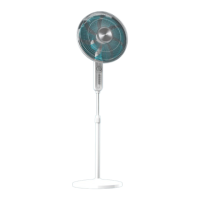
The Cecotec ForceSilence 1030/1040 SmartExtreme is a stand fan designed to provide air circulation in a room. Its primary function is to generate airflow to cool down a space. The fan is equipped with both small and large blades, protected by front and back grills, to ensure safe and efficient operation. The fan head is mounted on a body with lifting parts, allowing for height adjustment, and is supported by a stable base. The fan's design emphasizes both functionality and user safety, with clear instructions provided for proper use and maintenance.
Usage Features
The fan offers several features to enhance user experience and adaptability to different needs:
- Assembly: The fan's main body and other components are not pre-assembled, requiring the user to follow a step-by-step assembly process outlined in the manual. This involves inserting the lifting tube into the base and securing it with a nut, adjusting the height of the lifting tube by loosening and tightening a locknut, introducing the lifting tube into the fan's body and securing it, attaching the back cover to the fan head and tightening a nut clockwise, inserting the large and small blades and tightening a nut anti-clockwise, and finally installing the front grill and securing it with screws. It is crucial to ensure the fan is completely assembled and in an upright position before operation to avoid dangerous situations.
- Operation Modes: The fan can be started and turned off by pressing the power button. Upon activation, the default mode is "normal" with a default speed setting of 18. Users can select different air modes, including "Breeze," "Eco," "Night," and "Normal," by pressing the mode selection button. Each selected air mode will activate a corresponding light indicator, providing visual feedback to the user.
- Speed Control: The fan's speed can be adjusted using a control knob located beside the control panel. Rotating the knob clockwise increases the fan speed, while rotating it anti-clockwise decreases the speed. This allows for precise control over the intensity of the airflow.
- Timer Function: A timer function is available, allowing users to set the desired operating time. By pressing the timer button, users can select an operating duration ranging from 1 to 18 hours. A pilot light corresponding to the selected operating time will illuminate, indicating the active timer setting.
- Oscillation Control: For enhanced air distribution, the fan features an oscillation function. Users can stop the oscillation by pressing the oscillation button, and pressing it again will turn off the pilot light, indicating that the fan is no longer oscillating. This feature allows the fan to direct airflow in a fixed direction or sweep across a wider area.
- Remote Control: All the aforementioned functions, including power, mode selection, speed adjustment, timer setting, and oscillation control, can also be operated conveniently from a remote control. This adds to the user's comfort and ease of use, allowing adjustments from a distance.
- Placement: Before use, it is important to ensure the fan is placed on a flat and stable surface to prevent damage from instability. The fan should also be used in a well-ventilated area, maintaining a distance of no less than 20cm from walls or corners to ensure proper air intake. It is also advised to keep the fan away from drapes, curtains, or any objects that might be drawn into the fan, and to avoid running the power cord under carpeting or covering it with rugs to prevent tripping hazards.
Maintenance Features
Proper cleaning and maintenance are essential for the longevity and safe operation of the fan:
- Pre-Cleaning Steps: Before cleaning, it is imperative to always remove the plug from the socket-outlet and allow the fan to stop operating completely. This is a critical safety measure to prevent electric shock.
- External Cleaning: The external surfaces of the fan should be cleaned with a soft, damp (not dripping wet) cloth. This helps remove dust and dirt without introducing excessive moisture.
- Safety Precautions During Cleaning:
- The fan must never be immersed in water.
- Cleaning chemicals such as detergents and abrasives should not be used, as they can damage the fan's surfaces or internal components.
- It is crucial to prevent the interior, especially the Printed Circuit Board (PCB), from getting wet, as this could create a significant hazard, including electric shock or fire.
- Storage: When the fan is not in use, it should be unplugged from the wall socket. For storage, it is recommended to pack the fan in its original carton and store it in a cool and dry place until its next use. This protects the fan from dust, damage, and environmental factors.
- Repair and Malfunction: In case of any malfunction or doubt regarding the fan's operation, users are strongly advised not to attempt to repair the fan themselves. Self-repair attempts can lead to fire hazards or electric shock. Instead, users should contact the official Technical Support Service for assistance and advice.
- General Safety: Cleaning and maintenance tasks should not be carried out by children. The appliance and its cord should be kept out of reach of children under the age of 8. Before assembling or disassembling parts, the fan should be switched off and unplugged from the wall outlet. The cable should be safely coiled to avoid tripping hazards. All cleaning and maintenance must be performed according to the instructions in the manual to ensure proper functioning of the appliance.

 Need help?
 General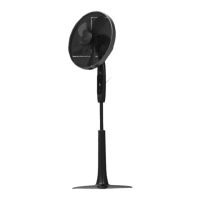



 To Next Page