31
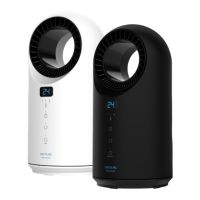
READY WARM 5200 BOX CERAMIC
TURN ON
• From standby mode:
1. Press to set the desired time at which you desire the product to turn on, from 1 to 12
hours (the symbol will light up).
2. The display will show the countdown. At the set time, the product will turn on and operate
automatically.
3. The default operating temperature is 23 ºC when it is programmed under turn-on mode.
Warning: if no temperature or programme is scheduled, the product will operate and turn off
automatically after 12 hours. .
• Scheduling week heating (only remote control):
· Setting current time/day:
1. The current time and day can be set both from standby and from operating mode.
2. Press once, the display will show “12”as default.
3. Press and to select the current hour and press again to switch and select current
minutes..
4. Once hour and minutes are set, press and the display will show “d1”. Use the and
buttons to select the desired day (Monday-Sunday: d1-d7) and press OK to confirm.
• Example: setting Wednesday at 9:30 am:
Note: if the device is disconnected from the power switch or the light goes off, these settings
have to be programmed again.
SETTING TEMPERATURE
1. During de operation press or , the display will show 23 as the default temperature.
2. Press or to set the desired temperature from 10 to 49 ºC and then OK to
confirm.
3. If the room temperature is 15 ºC and the set one is 25 ºC, the display will show:





 To Next Page