20
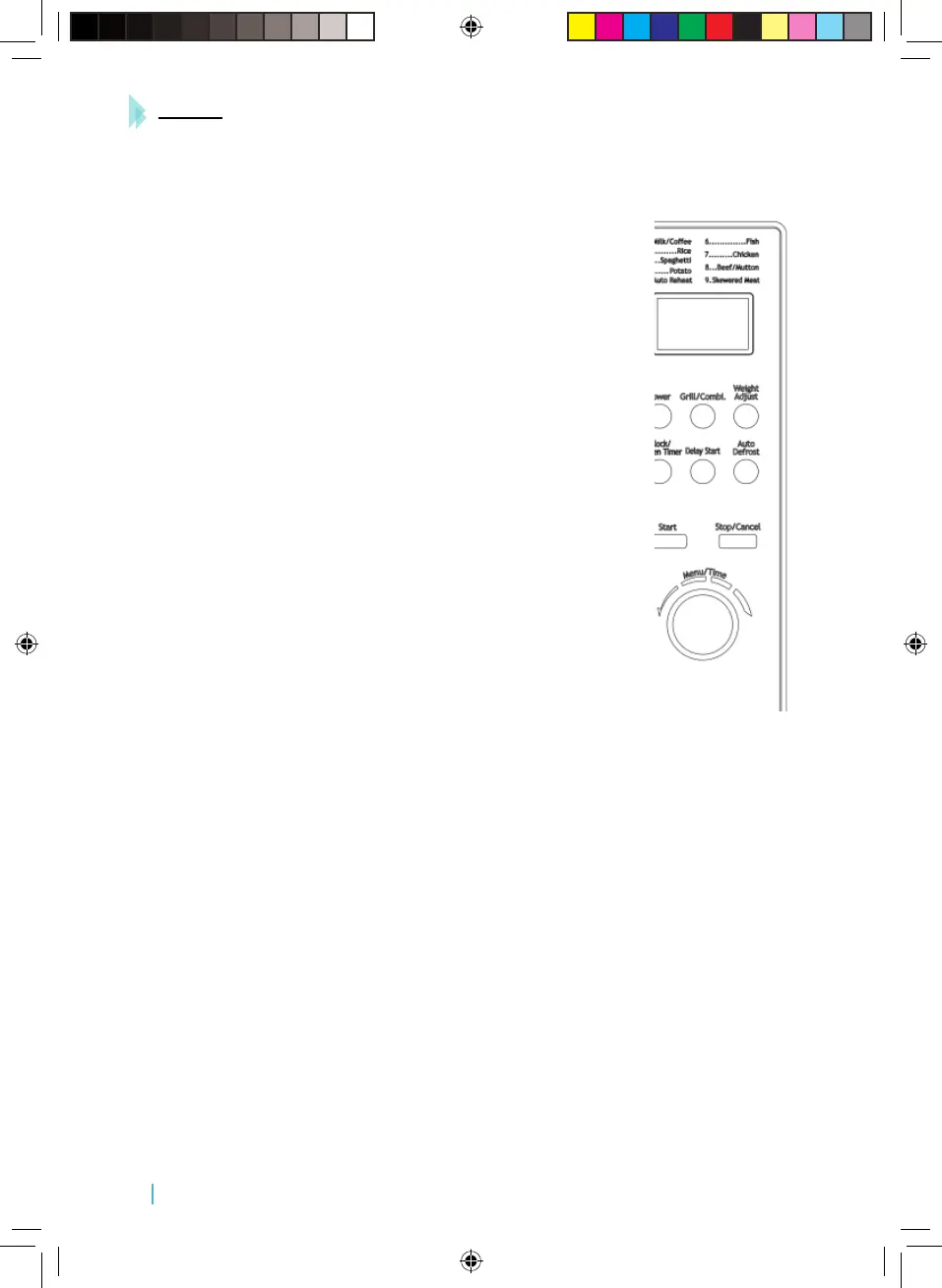
POWER
Use this button to choose the power level. This is the rst step to start cooking.
GRILL/COMBI
Press to set a grill or combined cooking programme.
WEIGHT ADJUST
Press several times until the desired weight appears on the display.
CLOCK/KITCHEN TIMER
Use to set the time or the kitchen timer.
DELAYED START
Delayed start allows you to put food into the oven and program it to start
cooking at a later time.
AUTO DEFROST
Press to defrost food by weight.
WHEEL/SELECTOR
Use this dial to select the cooking time, programmes, or any other
parameter.
MENU/TIME
Turn the dial to introduce the cooking time or select the kind of food you want to cook.
START
Touch to start a cooking programme.
STOP/CANCEL
Press to cancel a setting or reset the oven, before setting a cooking programme.
7. OPERATION
SETTING DIGITAL CLOCK
For example, suppose you want to set the oven clock time to 8:30.
1. In standby mode, press and hold the CLOCK/ KITCHEN TIMER button for 3 seconds, the clock
will be set in a 12-hour cycle; press the button again, to set the clock in a 24-hour cycle.
2. Turn the MENU/TIME dial to select the hour digit (8).
3. Press the CLOCK/KITCHEN TIMER button.
4. Turn the MENU/TIME dial to select the minute digits (30).
Manual_Microondas Steel.indd 20 8/5/17 17:42







 To Previous Page