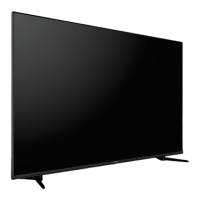
Need help?
Do you have a question about the cecotec TV ALU10043 and is the answer not in the manual?
Warning about not opening the TV to avoid electric shock.
Emphasizes reading instructions before installation and operation for safety.
Specifies intended users and supervision requirements for safe operation.
Explains symbols used on the product for safety instructions and precautions.
Advises consulting instructions prior to wall mounting for correct installation.
Informs that the wall mount kit may need to be purchased separately.
Prohibits installation on ceilings or angled walls for stability and safety.
Recommends using correct screws and accessories for secure wall mounting.
Stresses firm tightening of screws to ensure TV stability and prevent accidents.
Lists all items provided with the TV set.
Outlines the main functionalities and capabilities of the TV.
Explains the benefits and specifications of Ultra High Definition resolution.
Details HDR/HLG technology for enhanced picture quality and realistic visuals.
Describes Dolby Vision technology for dramatic visual experiences with brightness and contrast.
Provides step-by-step instructions for attaching and detaching the TV stand.
Guides on how to prepare the TV for wall mounting using a bracket.
Identifies the AERIAL INPUT socket location on the TV's left side.
Identifies the SATELLITE INPUT (LNB) socket location on the TV's rear.
Explains how to connect devices using HDMI ports for high-quality audio/video.
Details the connection for digital audio output via an optical cable.
Describes how to connect headphones for private listening.
Explains the connection for a Common Interface module for conditional access.
Guides on connecting the TV to a network using an Ethernet cable for internet access.
Instructions on connecting the power cord to the TV and mains socket.
Explains methods to turn the TV on from standby mode.
Details how to put the TV into standby mode using the remote.
Describes how to completely power down the TV by unplugging it.
Explains how to enter and exit the TV's quick standby mode.
Guides on using the remote control for navigation and selection.
Explains how to switch between different connected input sources.
Details how to adjust volume and change channels using the remote.
Step-by-step guide for installing batteries in the remote control.
Explains the function and operation of the remote's standby button.
Guides on selecting the display language during the initial TV setup.
Instructs on selecting the correct region or country for setup.
Initiates the guided setup process for new TV configurations.
Details the process of pairing remote controls and other accessories.
Allows transferring network and Google account details from a mobile device.
Guides on connecting the TV to a Wi-Fi or Ethernet network.
Presents the privacy policy for network services and requires user consent.
Prompts the user to sign in to their Google account for app access and personalization.
Presents Google's terms of service and requires user agreement to proceed.
Explains how to manage Google services and data usage on the TV.
Allows controlling location services for apps and the TV.
Enables sending diagnostic data to Google to improve Android performance.
Details how Google services manage user data and preferences.
Guides on setting a PIN for menu access and content restrictions.
Allows choosing between Home mode for personal use or Store mode for retail display.
Configures Chromecast availability, allowing remote wake-up.
Guides on selecting the TV tuner mode for channel scanning.
Provides options for satellite installation and configuration.
Details settings for the LNB (Low Noise Block) converter for satellite reception.
Displays the current signal quality percentage for satellite reception.
Shows the current signal strength percentage for satellite reception.
Initiates the process of scanning for available TV channels.
Configures the initial display of the Home Screen interface.
Explains how to access and navigate the Live TV menu options.
Covers accessing channel menus, including Programme Guide and Channel List.
Details options for Source, Picture, and Sound settings.
Manages power-related settings like Sleep Timer and Auto Power Off.
Allows selection of preferred audio channel settings.
Sets the preferred audio language for broadcasts.
Selects a secondary audio language preference.
Allows choosing preferred sound track options.
Enables a blue screen display when no signal is present.
Sets the channel that opens automatically when the TV is turned on.
Enables or disables the Interaction Channel feature (UK/Ireland).
Manages PIN protection for MHEG applications (UK/Ireland).
Configures Hybrid Broadcast Broadband TV settings and preferences.
Enables or disables blocking of tracking sites for privacy.
Allows enabling or disabling the device ID function.
Resets the device ID for HBBTV services.
Controls the display of analogue subtitles.
Controls the display of digital subtitles.
Selects preferred digital subtitle tracks.
Sets the primary language for digital subtitles.
Sets a secondary language for digital subtitles.
Selects subtitle type, including options for hearing impaired.
Sets the language for digital teletext broadcasts.
Selects the language for decoding teletext pages.
Allows adding and managing BISS keys for channel access.
Displays detailed system information for the current channel.
Accesses and manages recorded programmes.
Configures network settings, including Wi-Fi and Ethernet connections.
Manages Ethernet connection status, IP settings, and proxy configurations.
Covers channel scanning, management, and installation options.
Selects the mode for channel installation, affecting channel lists.
Enables or disables automatic updates for channel lists.
Controls notifications for channel list updates.
Manages content restrictions based on age ratings and channel blocking.
Allows changing the TV's PIN code for security and access.
Displays information on the open-source software licenses used.
Configures Google account syncing preferences and manages registered accounts.
Provides the option to add a new Google account to the TV.
Displays a list of recently launched applications on the TV.
Guides on moving apps to USB storage to free up internal space.
Manages permissions for installed applications.
Configures special features and permissions for certain apps.
Controls the installation of apps from sources other than the Google Play Store.
Displays system information, software updates, and legal details.
Restores the TV to its original factory default settings.
Displays the Electronic Serial Number for Netflix service.
Configures the TV's date, time, and time zone settings.
Sets the TV to turn on automatically at a scheduled time.
Specifies the exact time for the TV's automatic power-on.
Sets the TV to turn off automatically at a scheduled time.
Specifies the exact time for the TV's automatic power-off.
Selects predefined picture settings for optimal viewing.
Offers specific picture modes optimized for Dolby Vision content.
Guides on adjusting fundamental picture quality parameters.
Controls notifications for Dolby Vision content detection.
Manages automatic adjustment of screen brightness based on ambient light.
Allows manual adjustment of the screen's backlight level.
Controls the overall brightness of the displayed image.
Adjusts the difference between the darkest and brightest parts of the image.
Modifies the intensity or saturation of colors.
Adjusts the tint of colors on the screen.
Enhances or softens the detail and edges in the image.
Adjusts the mid-tone brightness levels for better detail.
Sets the overall color warmth or coolness of the display.
Adjusts the screen's aspect ratio for different content types.
Enables or disables High Dynamic Range processing for compatible content.
Reduces digital noise for clearer picture quality.
Cleans up block noise and artifacts in digital video.
Enhances contrast and color perception for a more vivid image.
Optimizes contrast globally based on content for deeper blacks and brighter whites.
Improves detail and contrast by adjusting local regions of the image.
Adjusts the brightness of skin tones for natural appearance.
Improves motion clarity for film content by detecting pull-down cadences.
Adjusts white balance to make cooler whites appear brighter.
Optimizes TV settings for low latency gaming performance.
Automatically adjusts low latency settings for gaming and media playback.
Optimizes picture processing for PC input signals.
Reduces contouring artifacts in low-resolution or streaming content.
Enhances motion clarity and image quality for moving pictures.
Sets the correct RGB signal range for HDMI sources.
Reduces blue light emission to minimize eye strain.
Adjusts the range of colors displayed on the TV screen.
Allows manual adjustment of color saturation, hue, and brightness.
Fine-tunes color temperature and grey levels for accurate color reproduction.
Resets all advanced video settings to their factory defaults.
Controls sound feedback for menu navigation and selections.
Selects preset sound profiles for different types of content.
Adjusts the volume balance between the left and right speakers.
Enables or disables virtual surround sound effects.
Allows detailed adjustment of audio frequencies using an equalizer.
Adjusts audio delay for speakers to ensure synchronization.
Selects the preferred digital audio output format.
Adjusts the delay for digital audio signals.
Automatically levels out volume differences between channels and ads.
Converts multi-channel audio to stereo for playback.
Controls dynamic range for audible playback levels.
Enhances sound quality using Dolby technologies.
Safely removes USB storage devices before disconnection.
Extends TV storage by formatting a USB device exclusively for the TV.
Formats a previously used device storage back to removable storage.
Customizes the appearance and content of the Home Screen.
Manages location services and permissions for apps.
Allows automatic sending of usage and diagnostic data to Google.
Enables sending diagnostic information to the manufacturer.
Provides settings for users with visual or hearing impairments.
Initiates a system restart for the TV.
Manages wireless accessories like remotes and game controllers.
Allows sorting and finding channels within the list.
Enables filtering the channel list by type (TV, Radio, Free, etc.).
Instructions for connecting the TV to the internet via an Ethernet cable.
Steps for connecting the TV to a Wi-Fi network.
Details playback controls and options for video files.
Explains playback controls and options for music files.
Covers slide show features and options for photo files.
Describes how text files are displayed and navigated.
Controls playback of media files and slide shows.
Sets playback repeat modes for media files and slide shows.
Enables or disables random playback of media files.
Sets the display interval for images in a slide show.
Rotates images in a slide show.
Applies visual effects to images in a slide show.
Customizes font settings for text files and displays.
Displays detailed information about the current media file.
Sets a specific image to be displayed in photo frame mode.
Controls the visibility of the audio spectrum display.
Provides options for displaying song lyrics.
Turns off the TV screen while audio continues.
Adjusts the aspect ratio of the displayed media.
Accesses the TV's picture adjustment menu.
Accesses the TV's sound adjustment menu.
Starts recording the current program immediately.
Guides on how to view previously recorded content.
Enables pausing live TV and recording for later playback.
Explains how to format USB storage devices for recording.
Controls Consumer Electronic Control features for device interaction.
Details how to cast content from mobile devices to the TV.
Explains Hybrid Broadcast Broadband TV features and interaction.
Manages automatic channel searches performed during quick standby.
Provides solutions for common TV issues and operational tips.
Details specifications for MP3 audio playback.
Details specifications for MPEG1/2 Layer1 audio playback.
Details specifications for MPEG1/2 Layer2 audio playback.
Details specifications for MPEG1/2/2.5 Layer3 audio playback.
Details specifications for AC3(DD) audio playback.
Details specifications for EAC3(DDP) audio playback.
Details specifications for AAC-LC and HEAAC audio playback.
Details specifications for WMA audio playback.
Details specifications for WMA 10 Pro MO audio playback.
Details specifications for WMA 10 Pro M1 audio playback.
Details specifications for WMA 10 Pro M2 audio playback.
Details specifications for Vorbis audio playback.
Details specifications for DTS audio playback.
Details specifications for DTS LBR audio playback.
Details specifications for DTS XLL audio playback.
Details specifications for DTS Master Audio playback.
Details specifications for LPCM audio playback.
Details specifications for IMA-ADPCM MS-ADPCM audio playback.
Details specifications for G711 A/mu-law audio playback.
Details specifications for LBR (cook) audio playback.
Details specifications for FLAC audio playback.
Details specifications for Opus audio playback.
Details specifications for AC4 audio playback.
Details specifications for Fraunhofer MPEG-H TV Audio System.
Details specifications for AMR-NB audio playback.
Details specifications for AMR-WB audio playback.
Specifies JPEG image format and resolution support.
Specifies PNG image format and resolution support.
Specifies BMP image format and resolution support.
Specifies GIF image format and resolution support.
Specifies WebP image format and resolution support.
Specifies HEIF image format and resolution support.
Lists internal subtitle formats like DVB, Teletext, PGS, VobSub.
Lists external subtitle formats like SRT, ASS, SMI, SUB, TXT.
Details supported TV broadcasting standards.
Lists the types of channels the TV can receive.
Specifies supported digital reception standards (DVB-T/C/S).
Indicates the total number of channels that can be preset.
Describes the on-screen display for channel information.
Specifies the impedance of the RF aerial input.
States the required operating voltage and frequency for the TV.
Lists supported audio technologies like DTS and Dolby Atmos.
Specifies the audio output power of the TV.
Indicates the TV's power consumption in normal operation.
States the power consumption when the TV is in networked standby.
Provides the TV's dimensions including the stand.
Provides the TV's dimensions without the stand.
States the screen size of the television.
Specifies the recommended operating environmental conditions.

 To Next Page
 General