EasyManua.ls Logo

Cedar DIW-15 - User Manual

Cedar DIW-15
6 pages
Print Icon
To Next Page IconTo Next Page
Loading...
TORQUE MEASUREMENT
2 YEAR WARRANTY (RESTRICTIONS APPLY)
Imada, Inc. warrants its products to the original purchaser to be free from defects in
workmanship and material under normal use and proper maintenance for two years (one
year for adapters, attachments, batteries, and cables) from original purchase. This warranty
shall not be effective if the product has been subject to overload, shock load, misuse,
negligence, accident or repairs attempted by others than Imada, Inc.
During the warranty period, we will, at our option, either repair or replace defective
products. Please call our customer service department for a return authorization number
and return the defective product to us with freight prepaid.
The foregoing warranty constitutes the SOLE AND EXCLUSIVE WARRANTY, and we hereby
disclaim all other warranties, express, statutory or implied, applicable to the products and/or
software, including but not limited to all implied warranties of merchantability, fitness, non-
infringement, results, accuracy, security and freedom from computer virus. In no event shall
Imada, Inc. and/or its affiliated companies be liable for any incidental, consequential or
punitive damages in connection with the use of its products and/or software.
12/08
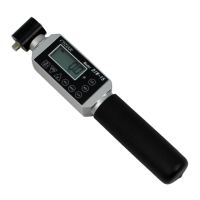
Digital Torque
Wrenches
INSTRUCTION MANUAL
Models: DIW-15/20/75/120
with continuous data output
Question and Answer IconNeed help?

Do you have a question about the Cedar DIW-15 and is the answer not in the manual?

Summary

Torque Measurement

2 Year Warranty

Details warranty terms, restrictions, and claim procedures for the product.

Digital Torque Wrench;Tester

List of Equipment

Lists all components included in the torque wrench/tester package.

Safety Information

Provides essential safety precautions and warnings for proper and safe operation.

Specifications

Controls and Indicators

Describes the function of each button, display element, and indicator on the device.

Measuring Modes

Selecting Measuring Modes

Explains how to choose between GO, PP, PD, and C measurement modes.

Programming

Details the steps for setting high, low, and peak down setpoints.

Output

USB Virtual COM Port

Instructions for connecting the tester to a computer via USB for data transfer.

Programming Settings

Details settings for CLO, Auto Zero, Batch Counter, Interval, Beeper, and Units.

Data Memory

Storing and Recalling Data

Explains how to store, recall, and clear measured torque data from memory.

Downloading Memory Data

Instructions for transferring stored data from the tester to a computer.

Statistics

Describes how to view statistical data like Max, Min, and Average.

Cedar DIW-15 Specifications

General IconGeneral
BrandCedar
ModelDIW-15
CategoryPower Tool
LanguageEnglish

Related product manuals