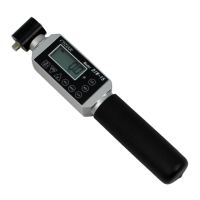
Need help?
Do you have a question about the Cedar DIW-20 and is the answer not in the manual?
Explains symbols and terms used in precautions.
Critical precautions to avoid death or serious injury.
Precautions to avoid personal injury or property damage.
Identifies and explains the main parts of the device.
Provides diagrams with dimensions for different models.
Details model-specific technical parameters and features.
Explains different measurement modes like P-P, P-D, C, T-R.
Describes the procedure to switch between measurement modes.
Details how to select the desired measurement unit (e.g., N-m).
Explains battery type, charging, and residual quantity display.
Outlines automatic and manual zero point adjustment methods.
Step-by-step guide for general measurement procedures.
Usage instructions for ratchet and one-way functions.
Lists available functions like yes-no decision, peak-down setup.
Guide for configuring numerical settings for functions.
How to use the go/no-go judgment feature with LEDs and buzzers.
How to view and check saved data statistics.
Setting up automatic display clearing after measurement.
How to configure and use real-time data streaming.
Explains how measurement data is automatically saved.
Procedures for accessing and removing stored measurement data.
Steps to export stored data via USB.
Details the structure and content of data outputs.
How to perform a complete data wipe.
Adjusting the speed for data transmission.
Steps to reset the device to its initial state.
Recommendation and importance of regular calibration.
Details on warranty coverage and repair terms.
Table of common issues, checkpoints, and solutions.
 General
| Brand | Cedar |
|---|---|
| Model | DIW-20 |
| Category | Power Tool |
| Language | English |

 To Next Page