10
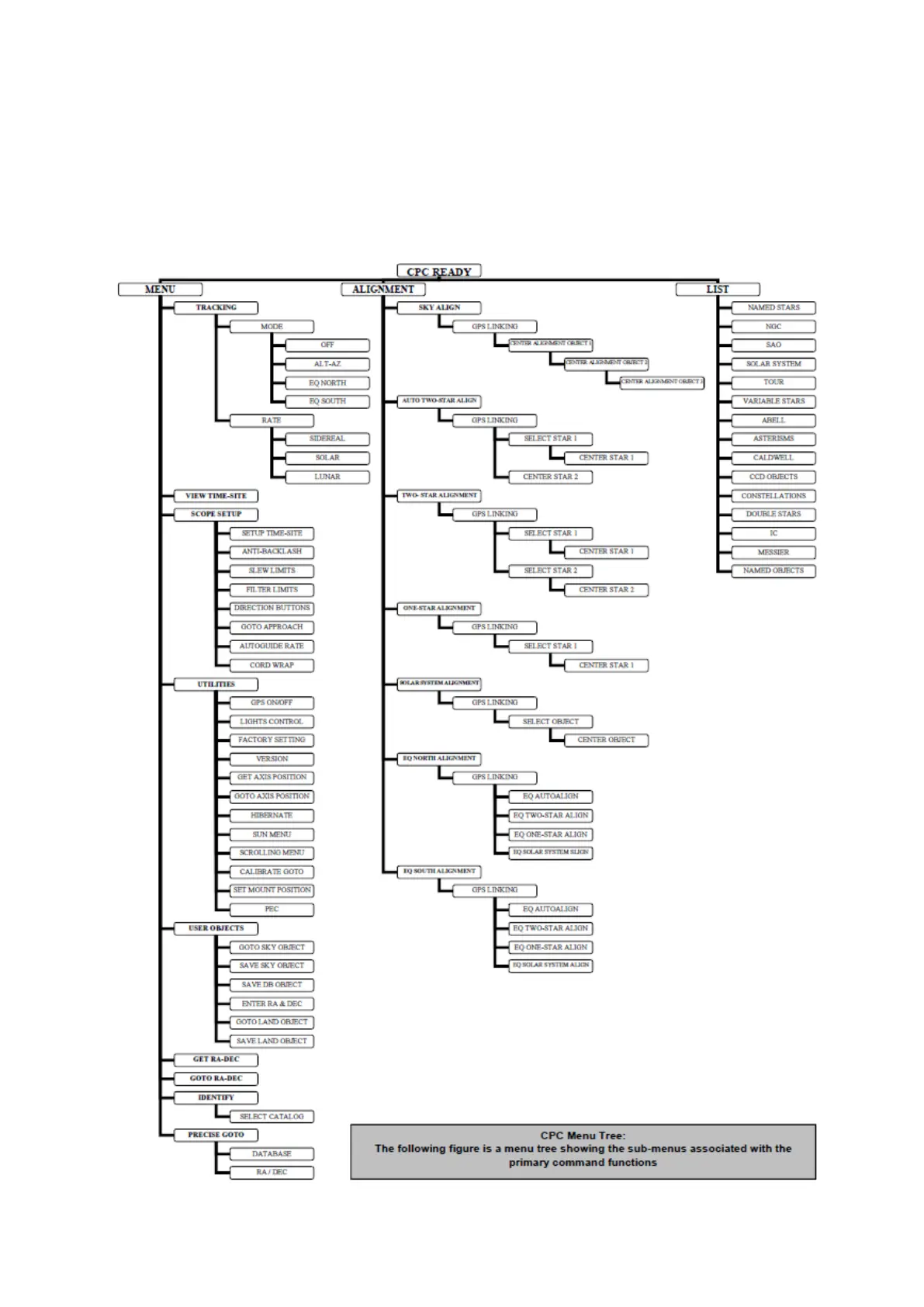
CPC Menu Tree
From the “CPC Ready” posion displayed on the hand controller, there are three secons of the menu system
you can reach via a single buon press. Pressing the MENU or 3 buon takes you to the main MENU opons
(the lehand column of the menu tree). Pressing the ALIGN buon takes you to alignment menu opons.
Pressing the LIST or 8 buon takes you to a list of categorized objects you can slew the telescope to (the
righthand column of the menu tree).




 To Next Page