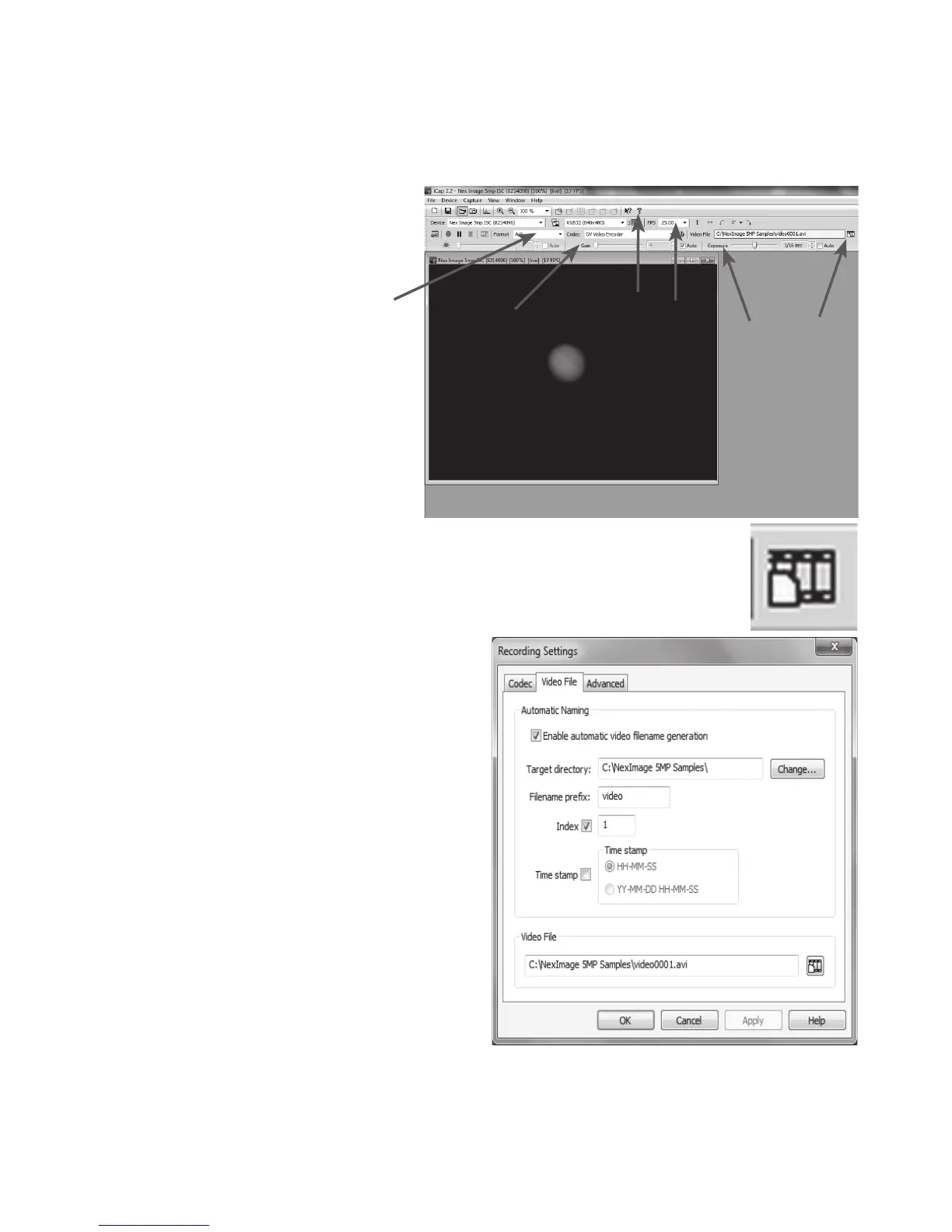
5. Use the telescopes focuser to focus
the image until object is visible and
sharp. See Fig 6.
6. Use the Gain (A) and Exposure (B)
settings to make sure that the image
is not under or over exposed.
7. Select the video format (C). For the
highest resolution, select 2592x1944.
8. Select the frames per second (FPS)
for your video. The FPS box (D) will
always display the maximum frames
per second for the selected
resolution setting.
9. Press the Video File button (E) to
bring up the Recording Setting box.
See Fig 7 and 8.
4
Fig 6
Fig 7
Fig 8
A
B E
H
D
C







 To Next Page