PROCESSING
THE
VIDEO
Double click
on
the RegiStax icon
on
your
computer desktop to start the program.
2.
Press the
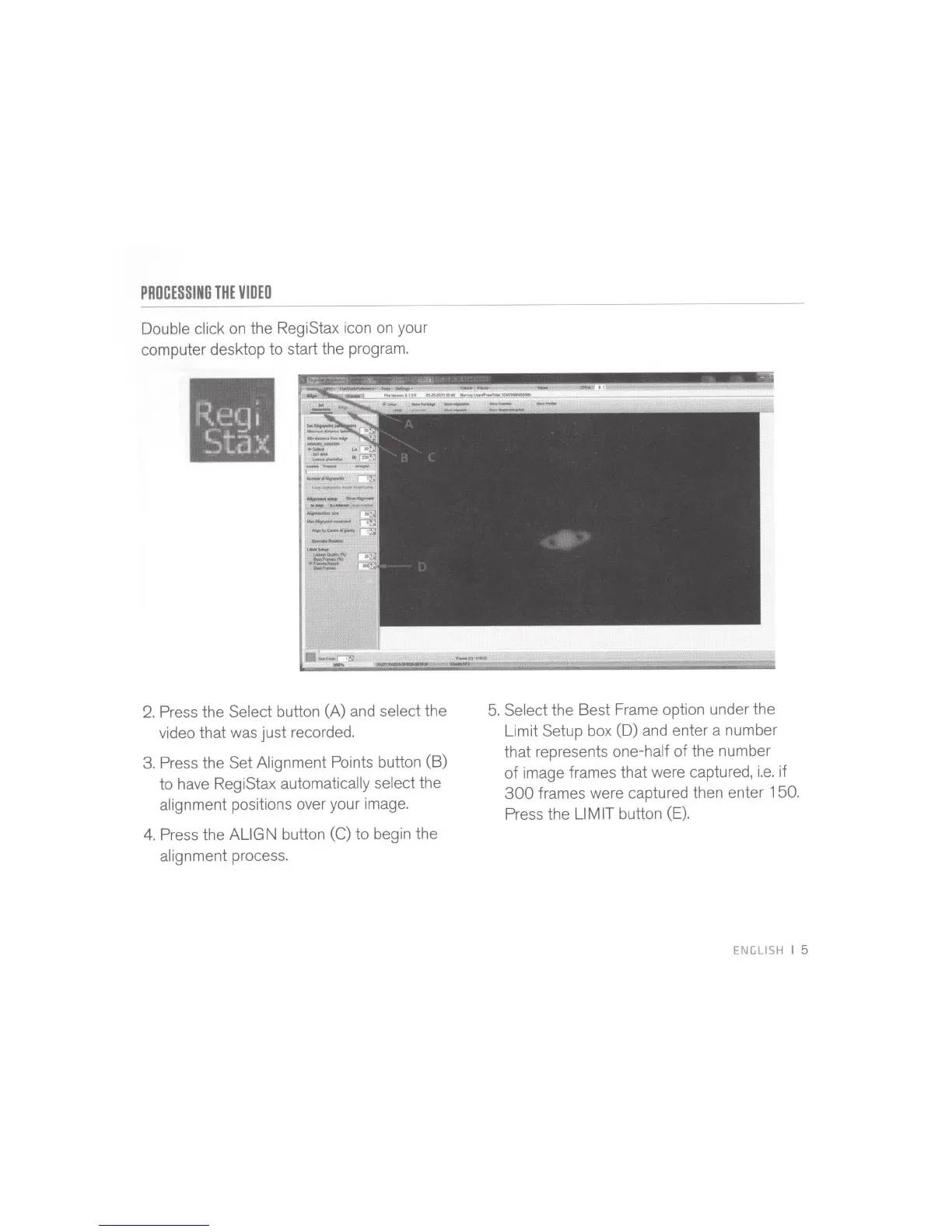
Select button (A) and
select
the
video that was just recorded.
3.
Press the Set Alignment Points button (B)
to have RegiStax
automatically select
the
alignment positions over your image.
4.
Press the
ALIGN button
(C)
to
begin the
alignment process.
5.
Select
the Best Frame option under the
Limit Setup box (D) and enter a number
that represents
one-half
of
the number
of
image frames that were captured,
i.e.
if
300
frames were captured then enter
150
.
Press the
Ll MIT
button (E).
ENGLISH I
5



 To Next Page