EasyManua.ls Logo

Celestron Regal M2 - Advanced Features and Photography; Rotating Tripod Mount; Lens Shade and Sighting Guide

Celestron Regal M2
11 pages
Print Icon
To Next Page IconTo Next Page
To Previous Page IconTo Previous Page
Loading...
adjustment
slowly
rotate
the
fine
focus
knob
(located
in
front
of
the
course
focus
knob)
until
the
image
in
the
eyepiece
is
clear
and
sharp.
When
the
focus
knob
will
not
rotate
any further,
turn
the
wheel
in
the
opposite
direction.
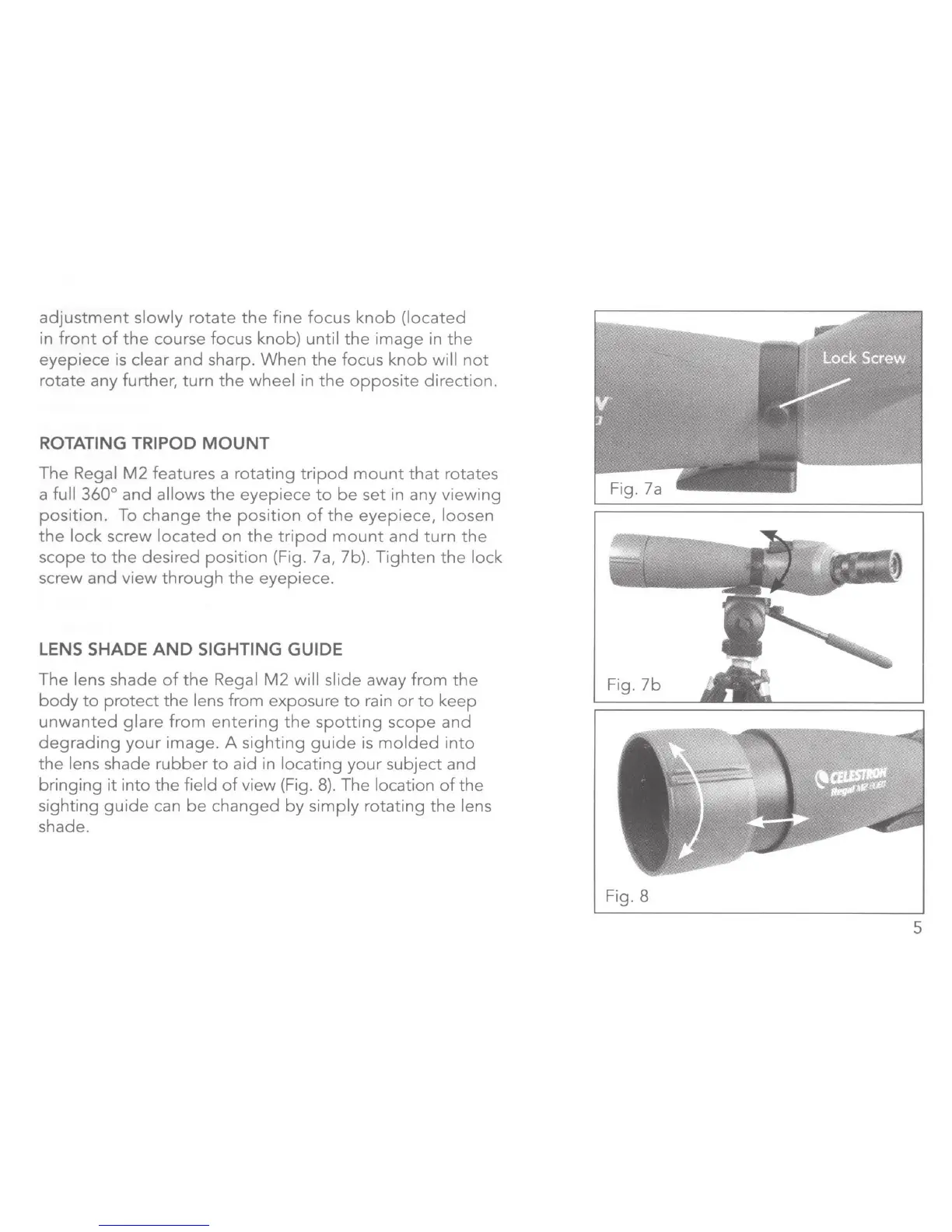
ROTATING TRIPOD
MOUNT
The
Regal
M2
features a
rotating
tripod
mount
that
rotates
a full
360
°
and
allows
the
eyepiece
to
be
set
in any
viewing
position.
To
change
the
position
of
the
eyepiece,
loosen
the
lock
screw
located
on
the
tripod
mount
and
turn
the
scope
to
the
desired
position
(Fig. 7a, 7b).
Tighten
the
lock
screw
and
view
through
the
eyepiece.
LENS
SHADE
AND
SIGHTING GUIDE
The
lens
shade
of
the
Regal
M2
will
slide
away
from
the
body
to
protect
the
lens
from
exposure
to
rain
or
to
keep
unwanted
glare
from
entering
the
spotting
scope
and
degrading
your
image.
A
sighting
guide
is
molded
into
the
lens shade
rubber
to
aid
in
locating
your
subject
and
bringing
it
into
the
field
of
view
(Fig.
8).
The location
of
the
sighting
guide
can
be
changed
by
simply
rotating
the
lens
shade.
Fig.
7b
Fig. 8
5

Related product manuals