
 Need help?
Do you have a question about the Celestron SkyScout and is the answer not in the manual?
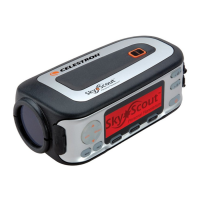
Simply point the SkyScout at nearly any star in the sky and click the "target" button.
To locate a star or planet, select its name from the menu and follow the directional arrows.
Displays current longitude, latitude, elevation, date, time, and targeted object coordinates.
 General
| Power Source | 2 AA batteries (not included) |
|---|---|
| Display | LCD |
| GPS | Built-in |
| Object Identification | Yes |
| Constellation Identification | Yes |
| Object Information | Yes |
| Sky Tour Feature | Yes |
| PC Connectivity | USB |
| Compatibility | Windows and Mac |
| Database | 6, 000+ celestial objects |

 To Next Page

