30V3.15.22
AdvancedOperation
CellarProcoolingsystemscanbeprogrammedwithadvancedsettingstoachievemorecontrolover
conditions inside the cellar. Conditions like humidity, the Temperature Differential, and alarm
settings all can be modified for custom applications. To access the advanced settings, do the
following:
Pressthe“Set”buttonandthe“Down”buttontogetheratthesametime,andholdforthreeseconds.
Then,usethe“Up”or“Down”buttontoscrolltothefollowingscreen:
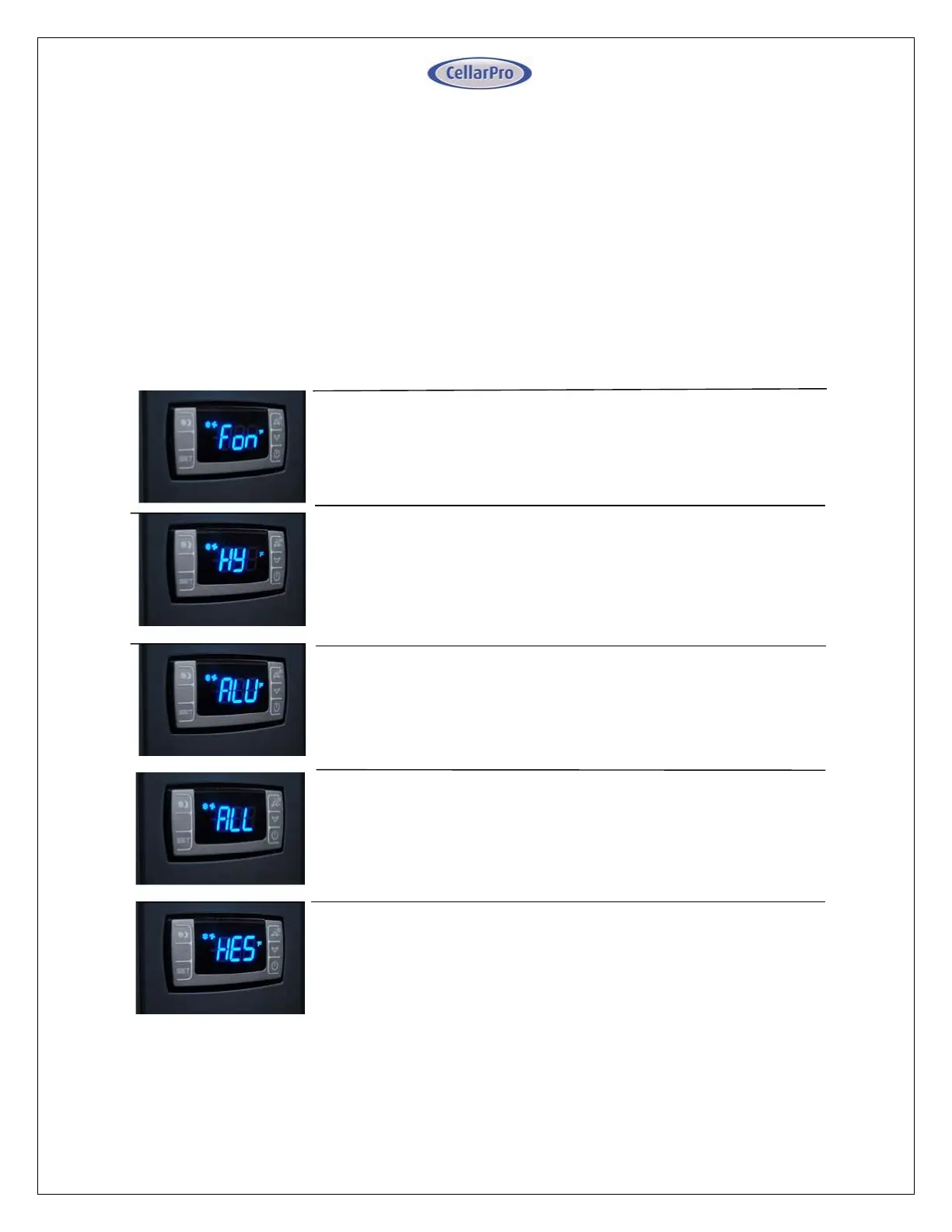
LOWTEMPERATUREALARM:Thefactorypresetforthissettingis
45”.
ThissettingdesignatestheLowtemperatureinsidethecellaratwhich
the alarm is triggered. We recommend leaving this setting at the
factorypreset.
ENERGYSAVINGSMODEDIFFERENTIAL:Thefactorypresetforthis
settingis“4”.
ThissettingincreasesordecreasestheTemperatureDifferential for
theEnergySavingsMode.Therecommendedsettingis4.
HUMIDITY:Thefactorypresetforthissettingis“3”.
Ifthehumidityinsidethecellaristoolow,pressthe“Set”
button, then use the “Up” button until the desired setting is
reached.Therecommendedrangeforthissettingis3‐6.
TEMPERATUREDIFFERENTIAL:Thefactorypresetforthissettingis4”.
This setting determines the Temperature Differential and
thereforethetemperatureatwhichthecoolingunitwillcycleon.
The recommended setting is 4 if you are measuring air
temperature,or1ifyouaremeasuringliquidtemperaturewith
ourremotethermostatbottleprobe.
HIGHTEMPALARM:Thefactorypresetforthissettingis“70”.
This setting designates the High temperature inside the
cellar at which the alarm is triggered. We recommend
leavingthissettingatthefactorypreset.


 To Next Page
 Loading...