For question, please contact us at support@cellebrite.com
For video tutorials, please visit: youtube.com/CellebriteUFED
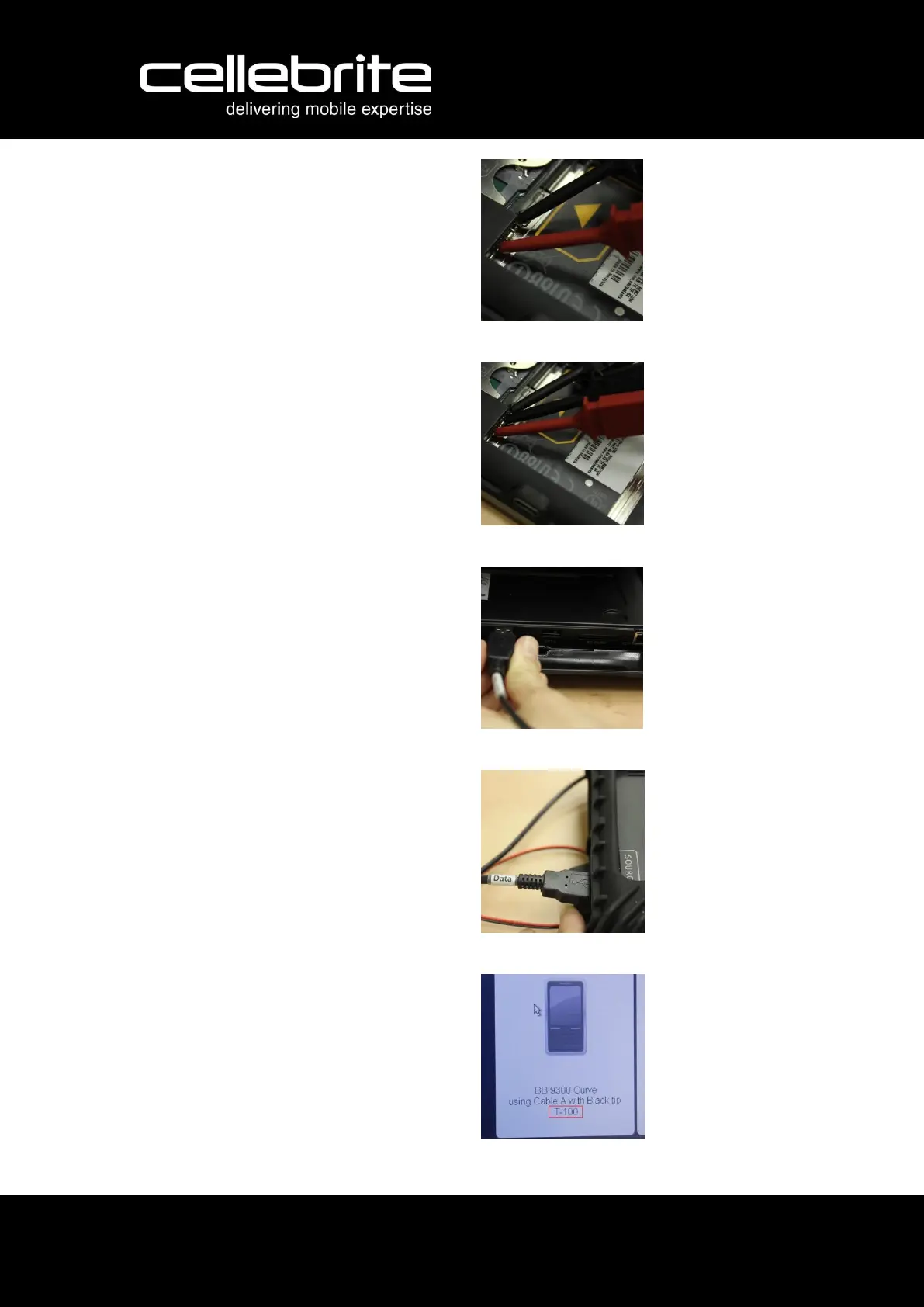
3. Carefully connect the red clip to
the positive terminal and the black
clip to the negative terminal.
4. Connect the longer, remaining
black clip between the two other
clips, in adjacent to the negative
clip.
5. Connect the "Extra Power" cable
to the UFED TOUCH's back USB
port.
6. Connect the "Data" cable to the
UFED TOUCH's Source USB port.
7. Find the cable tip that fits your
phone's data port, according to tip
number shown on the instruction
screen on the UFED TOUCH or
UFED unit.
(You will find the tips in the tips
and cables organizer kit)



 To Next Page