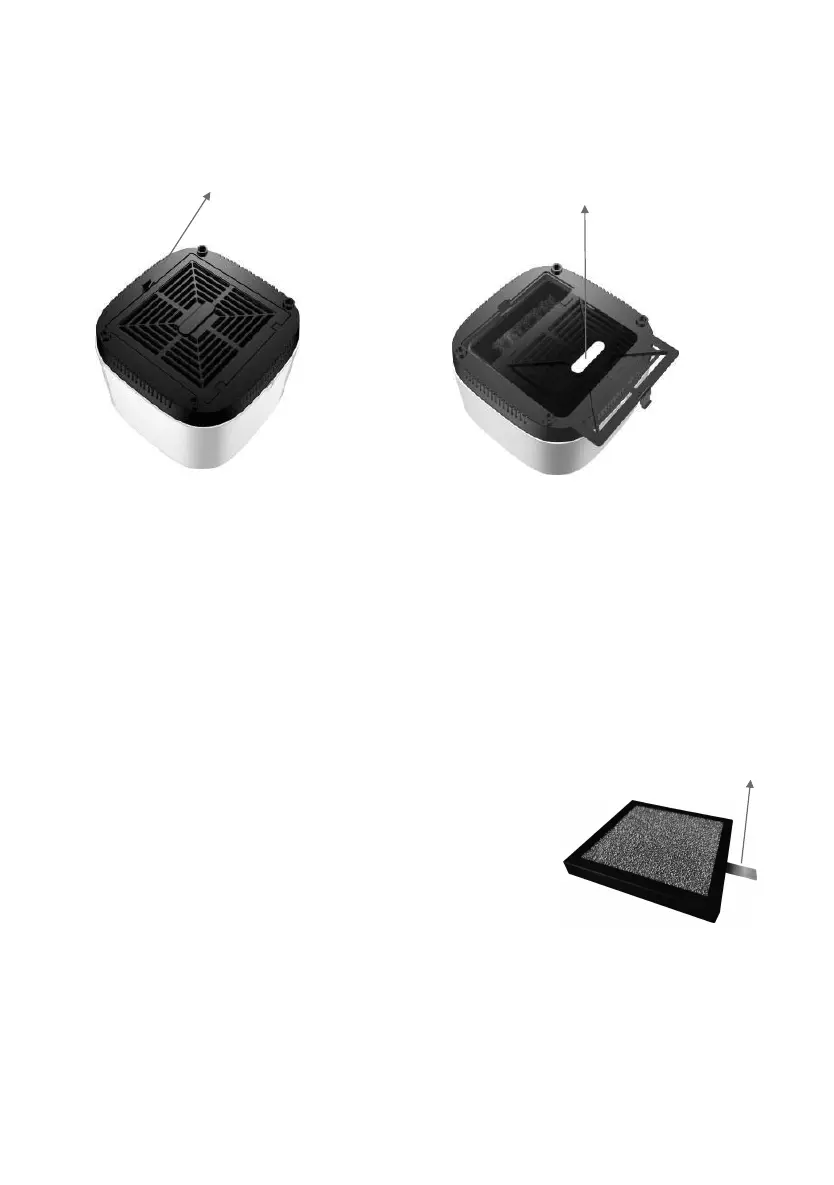
Procedures to remove/change the filter:
Remove the filter set
Please make sure the power is cut off before replacing
new filter. Pull and hold the brace on the sides of the
filter set , then pull it slightly to remove it from the unit.
Assemble the filter set
Please make sure the power is cut off before replacing new filter.
Please make sure the Nano Photocatalyst filter is placed downward to the inner housing
slot and the white primany filter face to the base cover during assembly.
Alight the filter to the slot, the side with braces outward, then push the filter set flat to the
inner housing into the unit slightly .
You can add essential oil into the
cotton at the inner slot of base
cover.


 To Next Page