BIO X6 User Manual v. 1.0 43
4.3.7 Photocrosslinking tab
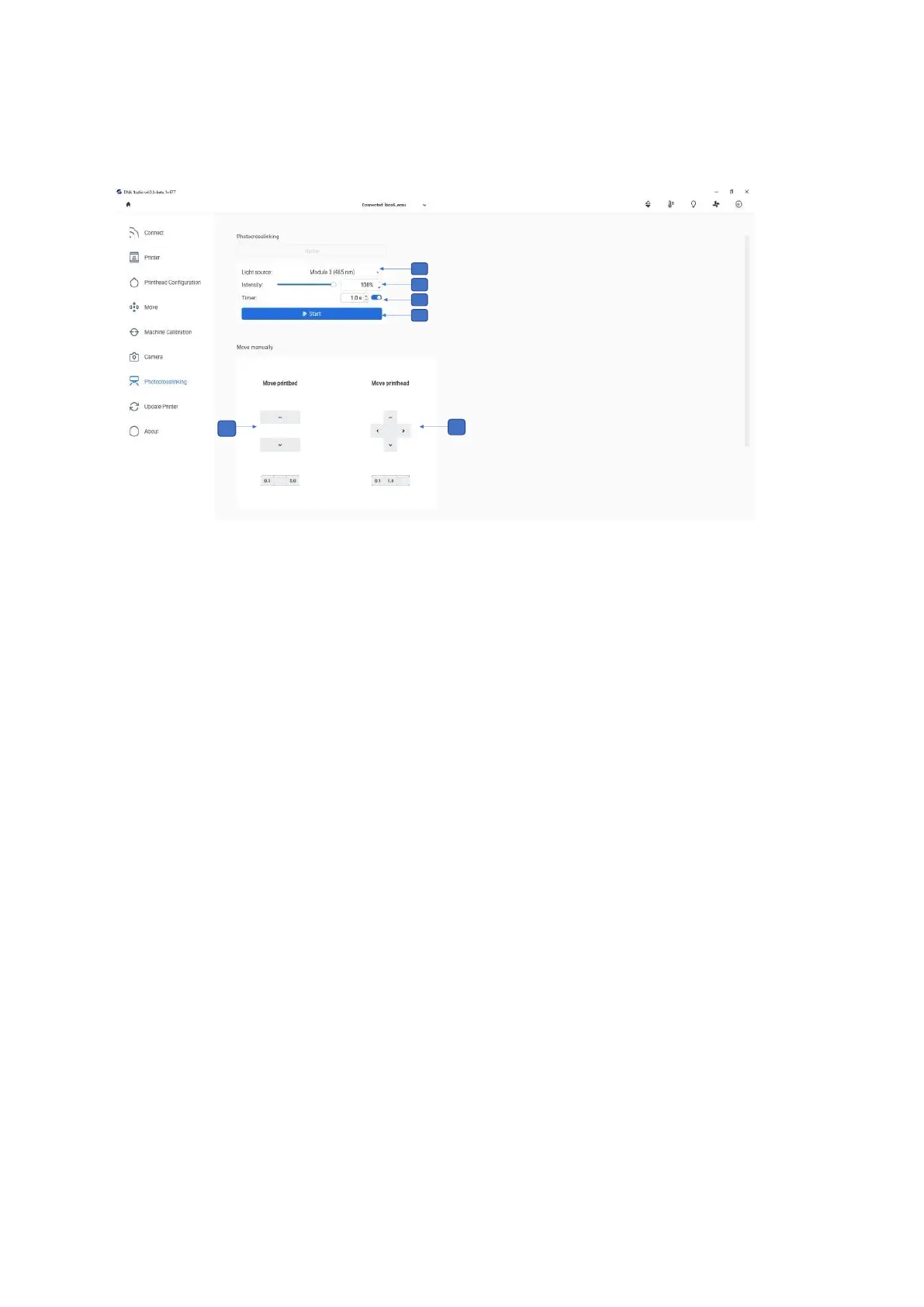
Use this tab to adjust the photocrosslinking settings.
1. Tap the up and down arrows to adjust the distance between the printhead and the
surface of the printbed in increments of 5, 1 or 0.1 mm.
2. Select the wells to be manually photocrosslinked and select the distance from the
surface (up, down, left, right) in increments of 5, 1 or 0.1 mm.
3. Light source: Tap to select the light source for photocrosslinking. You can choose
one of the UV curing LEDs or the Photocrosslinking tool.
4. Intensity: Use the slider to set the intensity to a value between 0 and 100%.
5. Timer: Tap to set the timer for photocrosslinking (0.1 s to 600 s).
6. Start: Tap to start the photocrosslinking.



 To Next Page