Getting Started
Getting Started
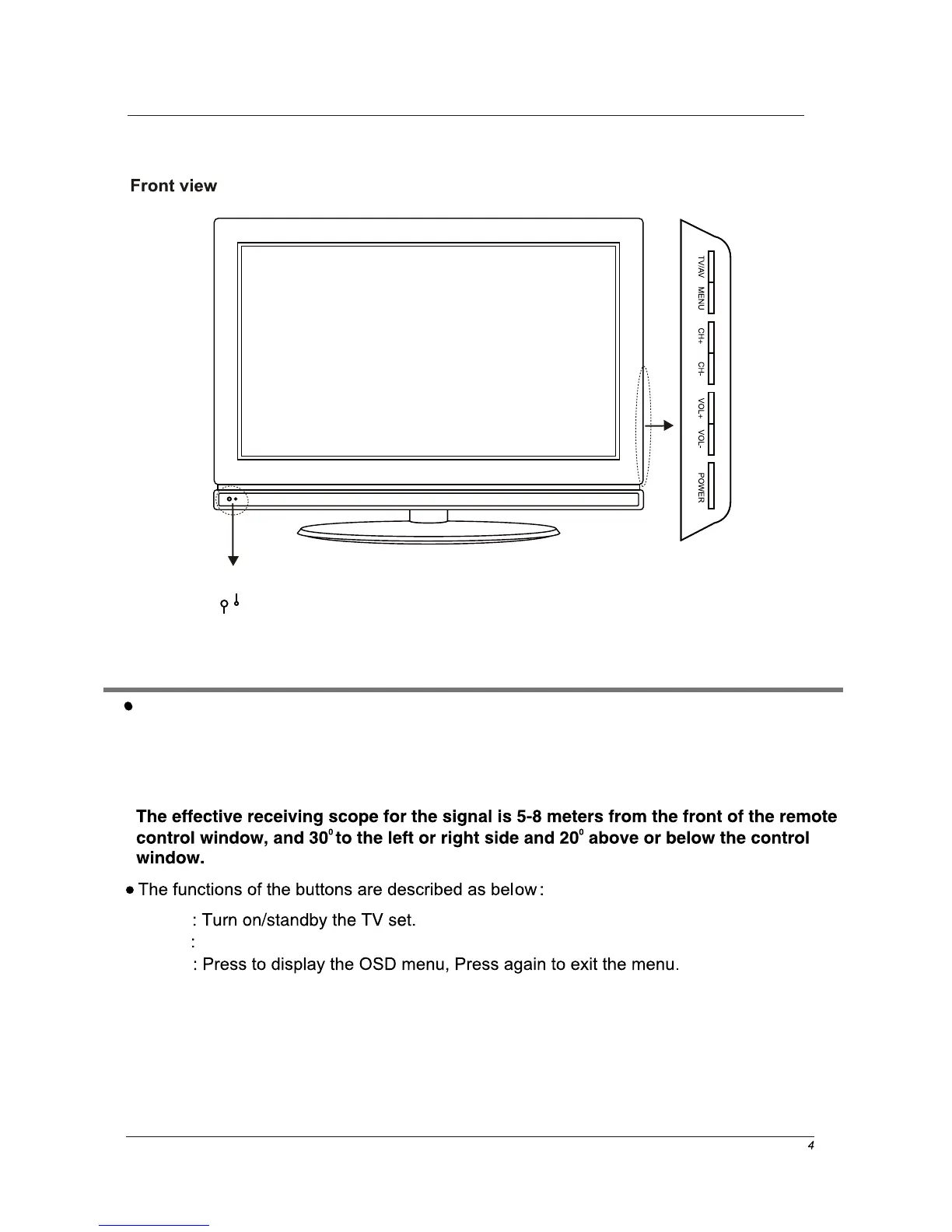
(IR) Infrared Receiver: Receives IR signals from the remote control.
(Power on/Standby) LED Indicator: Press POWER to turn on and off,
Indicator on(RED) Standby mode
Indicator on(GREEN) Power on mode
Power
MENU
TV/AV
Press to display the input source menu.
LED Indicator
Remote Control Window
CH+/- : press to increase (CH+) or decrease (CH-) channel number.
VOL+/-: press to increase (VOL+) or decrease (VOL-) the volume level.


 To Next Page