Need help?
Do you have a question about the Cellular Line INTERPHONE F4 stereo and is the answer not in the manual?
Summarizes core telephone, intercom, GPS, and stereo capabilities.
Covers device installation and safe riding practices while using the system.
Instructions for safely removing and storing the device when leaving the helmet.
Details device characteristics, active/standby autonomy, and dimensions.
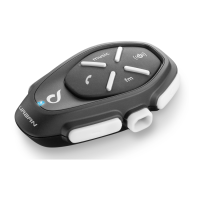
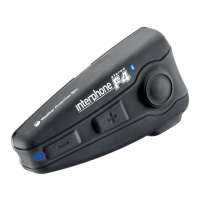
Lists all items included in the package and a brief overview of the product.
Guide for charging the Interphone F4 and installing mounting supports.
Steps for attaching the main control unit and the speaker/microphone assembly.
Instructions on how to turn the Interphone F4 on and off.
Steps for pairing the Interphone F4 with a mobile phone and other Intercom units.
Recommendations for optimal placement of the Interphone F4 on different helmet types.
Detailed instructions for fitting the removable clip and adhesive slide supports.
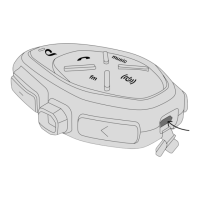
Procedures for securely mounting and removing the Bluetooth control panel.
Guide for correctly installing the speaker and microphone component.
Step-by-step instructions for turning the device on and off.
How to pair the Interphone F4 with another unit for intercom or A2DP stereo audio.
Pairing with GPS devices and managing connections for multiple devices simultaneously.
Handling incoming and outgoing phone calls, including answering, ending, and refusing.
Enabling, disabling, and conducting intercom conversations between riders.
Connecting and playing music wirelessly using the A2DP profile.
Using the device to control music playback: play, pause, skip tracks, and adjust volume.
Procedures for handling telephone calls during intercom conversations.
Using telephone and stereo music functions together, with call priority.
Using intercom and stereo music functions together, with intercom priority.
Handling telephone, intercom, and stereo music simultaneously.
Connecting and managing two mobile telephones with the device.
Managing connections for telephones and stereo audio simultaneously.
Using voice response (VOX) for calls and voice dialing.
Specifications for Bluetooth version, supported profiles, and device pairing capacity.
Guidelines for cleaning, battery maintenance, and preserving waterproofing.
 General
| Brand | Cellular Line |
|---|---|
| Model | INTERPHONE F4 stereo |
| Category | Intercom System |
| Language | English |

 To Next Page