Need help?
Do you have a question about the Cellular Line Tour and is the answer not in the manual?
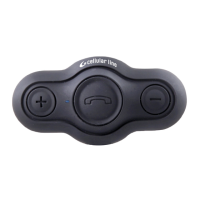
Introduction to the TOUR Interphone Bluetooth® helmet device for wireless entertainment and communication.
Important safety warnings for battery charging and device impermeability against water and pressure.
Overview of main specifications including Intercom range, connectivity, FM radio, music playback, and Quick touch™.
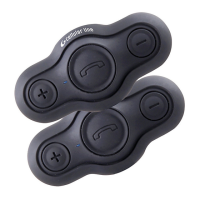
Details of the components included in the TOUR Interphone package, including helmet kits and accessories.
Step-by-step guide on how to install the TOUR Interphone components onto a motorcycle helmet.
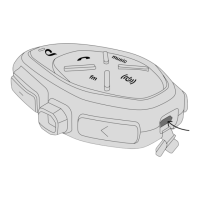
Explanation of the primary buttons and their functions for controlling music, phone, and intercom.
Instructions on how to charge the TOUR Interphone battery using the provided USB cable and LED indicators.
Description of the LED indicator lights and their meaning for different device states like standby, charging, and pairing.
How to turn on and initialize the TOUR Interphone in a dual unit setup where devices are pre-paired.
Procedure for turning on a single TOUR Interphone unit and initiating pairing mode for other devices.
Steps to change the voice guide language for the TOUR Interphone device.
Explanation of the device's priority system for managing simultaneous audio sources like phone, intercom, and music.
Details on system settings including language, FM Mix Level, Automatic Volume, VOX, Erase Pairings, RDS, Phone Call Sharing, and Voice Response.
Instructions on how to pair TOUR Interphone devices with each other or with other intercom brands.
Guide to automatic pairing of up to 4 TOUR Interphone units using the GENIUS PAIRING™ feature.
Steps for manually pairing two TOUR Interphone units by pressing specific buttons.
How to pair the TOUR Interphone with older series Interphone devices.
Instructions for pairing the TOUR Interphone with intercoms from other manufacturers using ANYCOM™.
How to initiate and end an intercom conversation between two units.
Steps to start and manage a conference intercom conversation among three units.
Procedure for setting up and participating in a four-unit intercom conference.
Explanation of the automatic reconnection feature when units go out of range.
How to use the VOX function to automatically activate/deactivate intercom communication by voice.
Advice for optimal group conversation stability and audio quality, including compatibility and environmental factors.
Procedure for pairing the TOUR Interphone with mobile phones, GPS navigators, and MP3 players.
How to answer, end, redial, and use voice commands for phone calls.
Instructions on how to enable and use the phone call sharing feature with another intercom unit.
Important notes on using multiple phone connections and voice call compatibility.
How to receive voice prompts from a GPS navigator and compatibility considerations.
How to turn on/off the FM radio, search for stations, and select saved stations.
Explanation of the FM Mix function to listen to FM radio in the background during intercom conversations.
Information on RDS feature, voice guide announcements, and factors affecting FM reception quality.
How to play, pause, and skip tracks from Bluetooth® audio devices.
Instructions on how to share music playback with another Interphone unit.
Notes on Bluetooth® profiles for music playback (A2DP, AVRCP) and audio quality factors.
 General
| Brand | Cellular Line |
|---|---|
| Model | Tour |
| Category | Intercom System |
| Language | English |

 To Next Page