WALL-MOUNTED ELECTRIC FIREPLACE/HEATER
BFM EUROPE LTD Page 10
Lock or unlock heat function mode:
When the Main Power button is on, pressing and holding this H_heat Control button 10 seconds to enter heating
function locked mode, the fuel bed lights will flicker 6 times. Then every time you press the button, there are 6
times flash only the fuel bed lights but no heating function in this mode. Anew pressing and holding this H_heat
Control button 10 seconds, this mode will be unlocked after 6 times flash.When you press the L_heat button or
the H_heat button, The fuel bed lights will flash one time to indicate heat function is on or off.
The last segment, (5), is the Decorative lights Control button. Like the Flames Control button,Pressing
the button once ,the sidelights display orange, and pressing the button twice,it will show you the blue
sidelights .You can control the sidelights colour as the following:
The automatically mode will show you: the orange sidelights is on and running 10 seconds, then off; then the blue
sidelights is on and running 10 seconds, then off; then the white sidelights are on and running 10 seconds, then off;
and then the orange sidelights is on and running 10 seconds, then off…. This mode will be circulating running.
NOTE: If this product experiences exceptionally high temperature, it may automatically stop heating. If this occurs
the product should be unplugged or isolated from the main supply and allowed to cool before the power is
resupplied.
The Fireplace/Heater Remote Control
A great feature of the BFM Fireplace/Heater unit is the small remote control. This remote combines all the
functions of the front panel controls of the fireplace/heater with the convenience of not having to leave the
comfort of your seat to change the settings of the fireplace/heater.
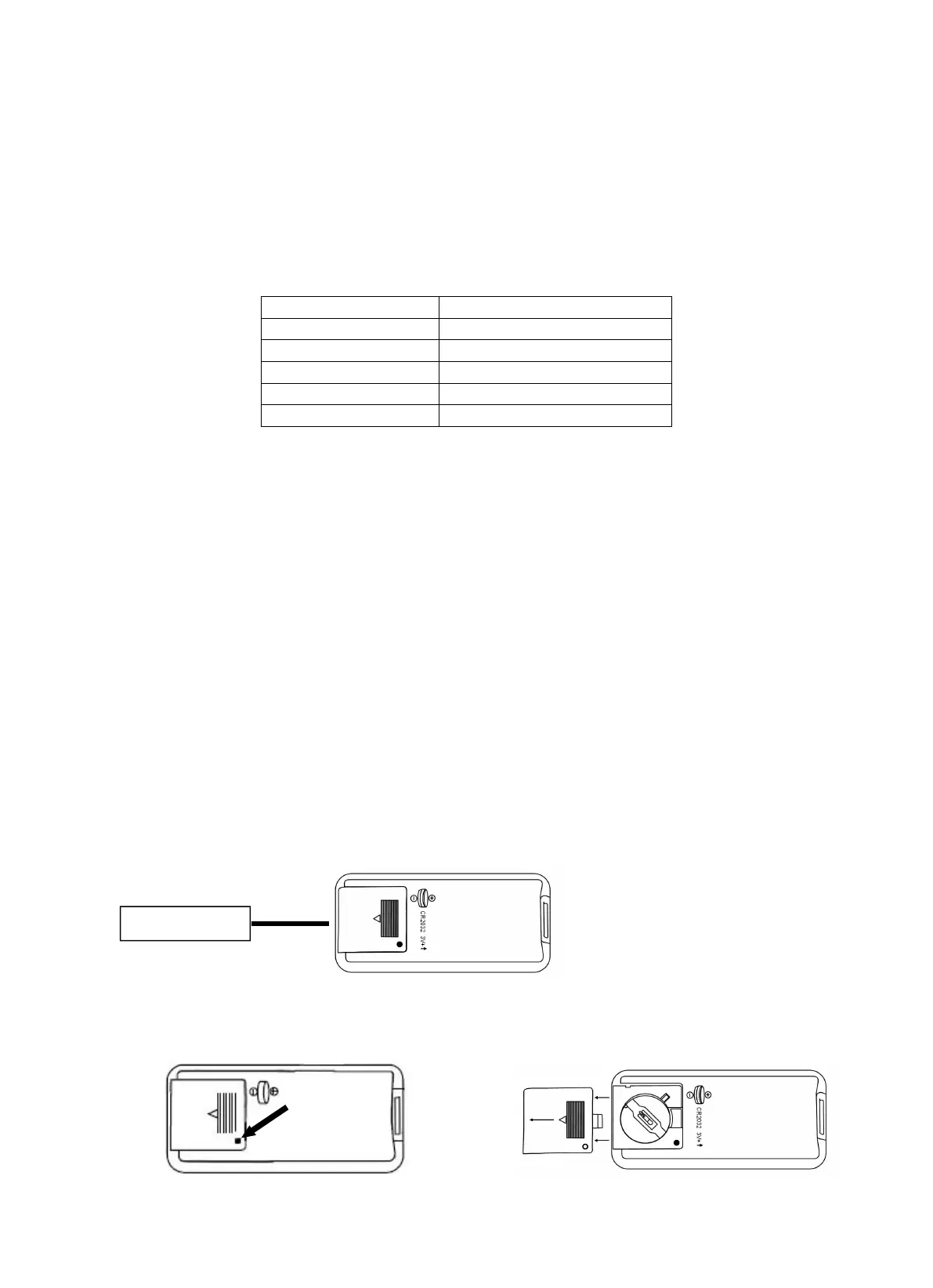
The first thing to do with the remote control is to install the battery. The battery is supplied with the remote
control. Replacement battery can be purchased at any electronics store. The part number for the battery is
CR2032
1. Turn the remote control over, and locate the battery cover.
2. Remove the battery cover by pressing the small convex hull and sliding the cover towards the bottom
end of the remote control.



 To Next Page
 Loading...