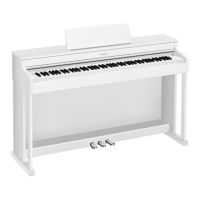
EN
USER’S GUIDE
AP
-
7
50
AP750-E-2A
Initial Setup
Preparation of power
supply
Turning the Power On/Off Using the Pedals Using headphones
Playing the Digital Piano
Selecting a Tone Layering Two Tones
(Layer)
Splitting Left and Right
Keys (Split)
Using the metronome
Changing Sound Reverberation and Ambiance Changing the Pitch
Using Sound Mode
Effects (Hall Simulator/
Reverb and Surround)
Applying Chorus Adjusting the Sound
Characteristics of the
Acoustic Piano Presets
(Acoustic Simulator)
Changing the Pitch in
Semitone Steps
(Transpose)
Recording Performances in Real-Time
Check the Sound of
Your Performance
Connecting with a
Smart Device
Recording a
Performance with the
MIDI Recorder
Recording a
Performance with the
Audio Recorder
Listening back to a
Performance
Immediately (Instant
RePlayer)
Using the Dedicated App
Cover

 Need help?
 General

 To Next Page