11.Measurement operation
11-1 .Choosing the temperature unit - F1 function
Press the "MODE" button for 2 seconds. The screen displays The Following: F1.Select "DOWN" for
degrees Celsius, "UP" for degrees Fahrenheit.
11-2.Alarms Setup - F2 Menu
Press the "MODE" button for 2 seconds. F1 is displayed on the screen. Press the "MODE" button twice to
get F2.Select "UP" to increase the threshold by 0.1 ° C (0.1 ° F), "DOWN" to reduce it by 0.1 ° C (0.1 ° F).
Note: The default value for the alarm threshold is 38°C (100.4°F).
11-3.Total Difference - Menu F3
To adjust the overall variati on of your non-contact infrared body thermometer.
Press the "MODE" button for 2 seconds. F1 is displayed on the screen.Press the "MODE" button twice to
get F3.Select "UP" to increase the difference by 0.1 ° C (0.1 ° F), "DOWN" to reduce it by 0.1 ° C (0.1 ° F).
In the case of seasonal or environmental changes, a review and adaptation should be carried out.
Note: This function is only effective for the body
11-4.Summer ON / OFF - Menu F4 (F3)
Press the "MODE" button for 2 seconds. F1 is displayed on the screen.Press the "MODE" key three (two)
times to get F4 (F3).
Select "UP" to open the buzzer (a sound icon appears on the LCD screen) and press "DOWN" to stop
it (the icon disappears).
11-5.Issuing the setting mode
Press the "MODE" button until the screen turns off.
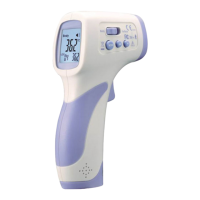
11-6.The non-contact infrared body thermometer is specially designed to measure a person's body
temperature.Use the body mode. Measuring range for body mode: 32 to 42.5 ° C (86 to 108 ° F)
You can also use the non-contact infrared body thermometer to measure the temperature of an area or
object, food, liquid, or room temperature.Use the surface mode. Measuring range for surface mode: 0 to
60 ° C (32 to 140 ° F)
Important: The surface temperature differs from the internal body temperature. To maintain the internal
temperature, always use body mode.

 To Next Page
 Loading...