Page 9For technical questions, please call 1-888-866-5797.Item 61839
General Operating Instructions
Live Viewing
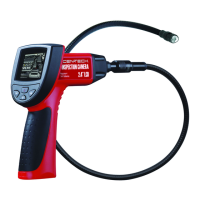
View on Display Screen or use RCA cable to view on external monitor.
1. Press the Power button to
turn the Camera on.
2. Adjusting Light: Press Left
button to dim and turn off light.
Press Right button to turn on
light and increase brightness.
3. Flip Image: Press the
Flip Image button to flip
image horizontally and vertically.
4. When finished, press the Power button
to turn the Camera off, then clean
and store according to “Inspection
and Maintenance” on page 10.


 To Next Page