EasyManua.ls Logo

Central Pneumatic ITEM 93296 - User Manual

Central Pneumatic ITEM 93296
16 pages
Print Icon
To Next Page IconTo Next Page
Loading...
Visit our website at: http://www.harborfreight.com
Email our technical support at: tech@harborfreight.com
Read this material before using this product.
Failure to do so can result in serious injury.
SAVE THIS MANUAL.
Copyright
©
2011 by Harbor Freight Tools
®
. All rights reserved.
No portion of this manual or any artwork contained herein may be reproduced in
any shape or form without the express written consent of Harbor Freight Tools.
Diagrams within this manual may not be drawn proportionally. Due to continuing
improvements, actual product may differ slightly from the product described herein.
Tools required for assembly and service may not be included.
When unpacking, make sure that the product is intact
and undamaged. If any parts are missing or broken,
please call 1-800-444-3353 as soon as possible.
Save This Manual Keep this manual for the safety warnings and precautions, assembly, operating,
inspection, maintenance and cleaning procedures. Write the product’s serial number in the back of the manual
near the assembly diagram (or month and year of purchase if product has no number). Keep this manual and
the receipt in a safe and dry place for future reference.
Owners Manual & Safety Instructions
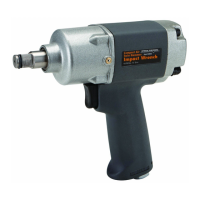
ITEM 93296
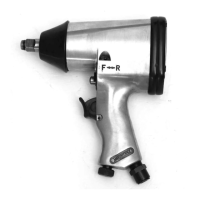
3/8" air
impact wrench

Questions and Answers

  • J
    James RodriguezJul 31, 2025
    Why Central Pneumatic Impact Driver has decreased output?
    • M
      michelle82Jul 31, 2025
      There are several potential reasons for decreased output in your Central Pneumatic Impact Driver. First, check for loose connections and ensure your air supply provides sufficient airflow (CFM) at the required pressure (PSI), without exceeding the maximum air pressure. Clean around the trigger to ensure it moves freely. Lubricate the tool using air tool oil and grease as directed and clean the air inlet screen of any buildup. Make sure the housing is properly assembled and tight. If these steps don't resolve the issue, have a qualified technician clean and lubricate the mechanism, and consider installing an in-line filter in the air supply. You may also need to replace all the vanes.
  • M
    Melissa JenningsAug 10, 2025
    What to do if Central Pneumatic ITEM 93296 Impact Driver housing heats during use?
    • C
      Cory AndersonAug 10, 2025
      If the housing of your Central Pneumatic Impact Driver heats up during use, lubricate it using air tool oil and grease according to the provided directions. If the problem persists, have a qualified technician inspect the internal mechanism and replace any parts as needed.
  • H
    hunterstephenAug 19, 2025
    How to fix severe air leakage in Central Pneumatic Impact Driver?
    • T
      Tony MooreAug 19, 2025
      To address severe air leakage in your Central Pneumatic Impact Driver (note that slight air leakage is normal, especially on older tools), start by checking for incorrect alignment and uneven gaps. If you find cross-threading, disassemble the unit and replace any damaged parts before using it again. Ensure the housing assembly is tightened. If the housing cannot be properly tightened, the internal parts might be misaligned. You may also need to replace damaged components or clean/replace the valve assembly.

Summary

Safety Warnings and Definitions

WARNING SYMBOLS AND DEFINITIONS

Explains safety alert symbols and their meanings for hazard identification.

IMPORTANT SAFETY INSTRUCTIONS

Provides crucial safety guidelines for using the tool to prevent injury.

Personal Safety and Tool Care

Personal Safety

Outlines personal precautions and common sense rules for safe tool operation.

Tool Use and Care

Provides instructions on how to use and maintain the tool for safety and longevity.

Service and Air Supply

Service

Details procedures and requirements for servicing the impact wrench.

Air Source

Covers essential safety precautions and requirements for the air supply.

Specific Safety and Vibration Precautions

Specific Safety Instructions

Addresses specific safety concerns, including material warnings and accessory use.

Vibration Precautions

Provides guidance to reduce risks associated with tool vibration during use.

Setup and Specifications

Specifications

Details technical specifications of the 3/8" air impact wrench.

Components and Controls

Identifies and labels the main parts and controls of the impact wrench.

Initial Setup and Air Supply

Initial Tool Set Up;Assembly

Guides on preparing and setting up the tool for initial use.

Air Supply

Instructions and warnings for connecting a safe and proper air supply.

Operating Instructions and Work Area Setup

Operating Instructions

General guidelines and precautions for operating the tool safely.

Work Piece and Work Area Set Up

Instructions for preparing the work area and securing workpieces for safe operation.

General Operating Procedures

General Operating Instructions

Step-by-step guide on using the impact wrench for tightening and loosening nuts.

Maintenance and Cleaning

User-Maintenance Instructions

Procedures for basic maintenance and lubrication to ensure tool longevity.

Cleaning, Maintenance, and Lubrication

Details daily, weekly, and quarterly maintenance tasks for the tool and air supply.

Troubleshooting and Parts

Troubleshooting

Lists common problems, their possible causes, and likely solutions for the impact wrench.

Parts List and Diagram

Provides a comprehensive list of parts and a reference diagram for identification.

Central Pneumatic ITEM 93296 Specifications

General IconGeneral
BrandCentral Pneumatic
ModelITEM 93296
CategoryImpact Driver
LanguageEnglish

Related product manuals