10
Setting the Clock Time
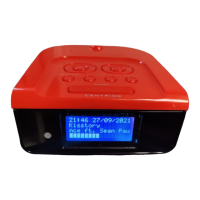
1. To set the time, first locate the CLOCK SET. / MEMORY button. Press this button
and the unit display shows 12hr . Press the , button to select 24hr or 12hr.
Then press the CLOCK SET. / MEMORY button to confirm.
2. Press the , until the desired hour digit is displayed. Press the CLOCK SET. /
MEMORY button to confirm.
Notes: Remember to choose the correct AM or PM setting in 12 hour time format.
An icon to the left of the display indicates AM or PM.
3. Press the , until the desired minutes digit is displayed. Press the CLOCK SET. /
MEMORY button to confirm. The clock time will be stored.
Setting the Alarm Time
This unit supports two alarm settings for dual alarm feature.
1. To set the Alarm, press and hold the ALARM 1 or the ALARM 2 button until the
display begins to flash. Press the , button until the desired alarm hour is
displayed. Then press the ALARM 1 or the ALARM 2 button to confirm. Then press
the ALARM 1 or the ALARM 2 button to confirm. The alarm time will be stored.
2. Press the , button until the desired alarm minute is displayed. Then press the
ALARM 1 or the ALARM 2 button to confirm. The alarm time will be stored.
3. Press the ALARM1 or the ALARM 2 button repeatedly to select the option for de-
sired alarm sound source: buzzer, radio or iPod.
Standby Control
1. To turn the system on, press the STANDBY button on the unit or remote control.
The display will light and the system will play the last function used.
2. To turn the system off, press and hold the STANDBY button. The display light will
switch off.
GETTING STARTED



 To Next Page