Centroid Acorn Plasma Users Manual Beta CNC12 v4.65 rev6
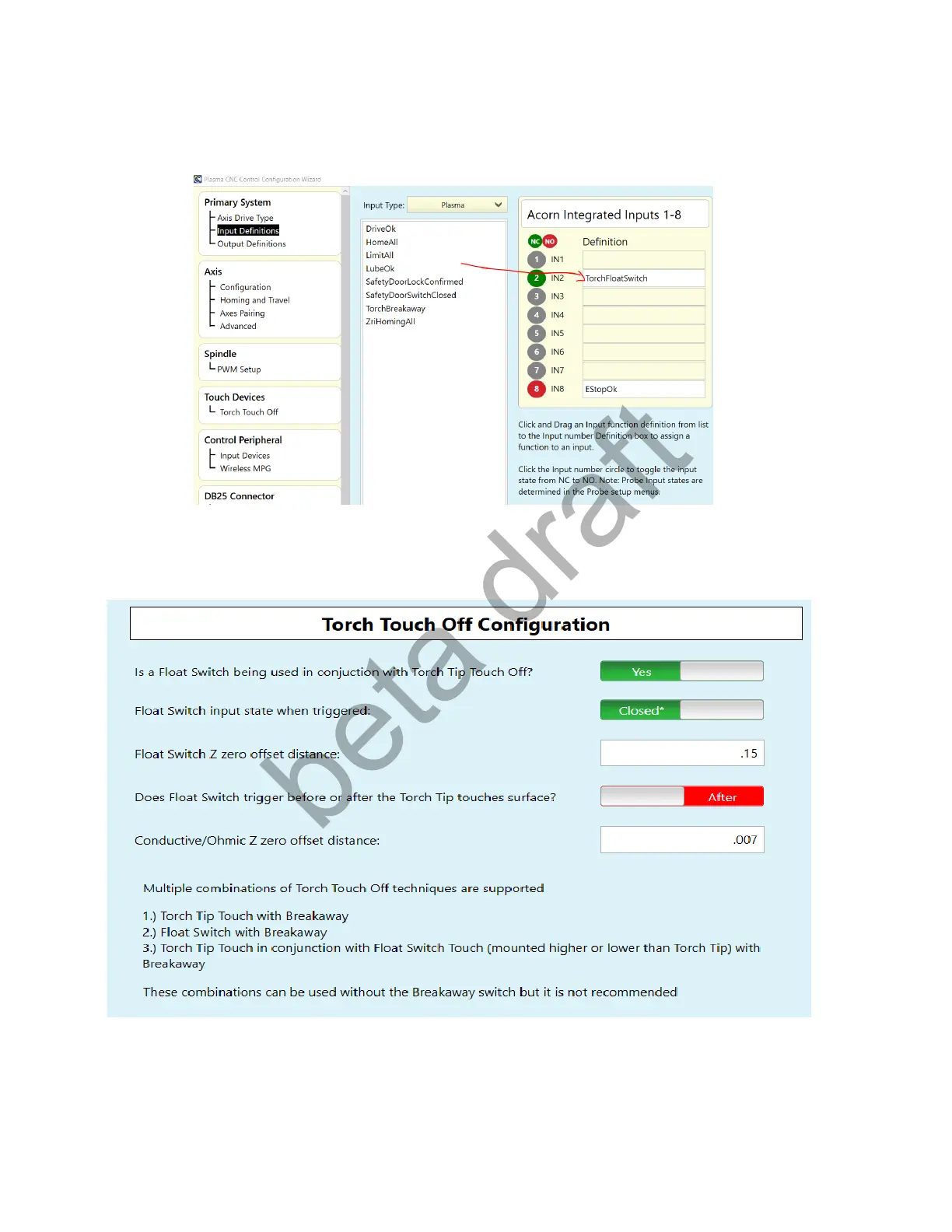
For Method c. Wire the Float Switch to input #2. See Schematic # 15108
Use the Acorn Plasma Wizard Input definition menu to let CNC12 know which Acorn input is being used for the Float
Switch, click and drag “TorchFloatSwitch” to Input #2.
CNC12 needs to know which switch triggered first so set the “Before and After” slider to indicate if the Float Switch
triggers before the Torch Tip touches the metal of after the Torch Tip touches the metal.
Page 17 D:\Keith Documents\centroid_acorn_plasma_users_manual_draft27.odt rev27 3-15-22



 To Next Page