Centroid Acorn Plasma Users Manual Beta CNC12 v4.65 rev6
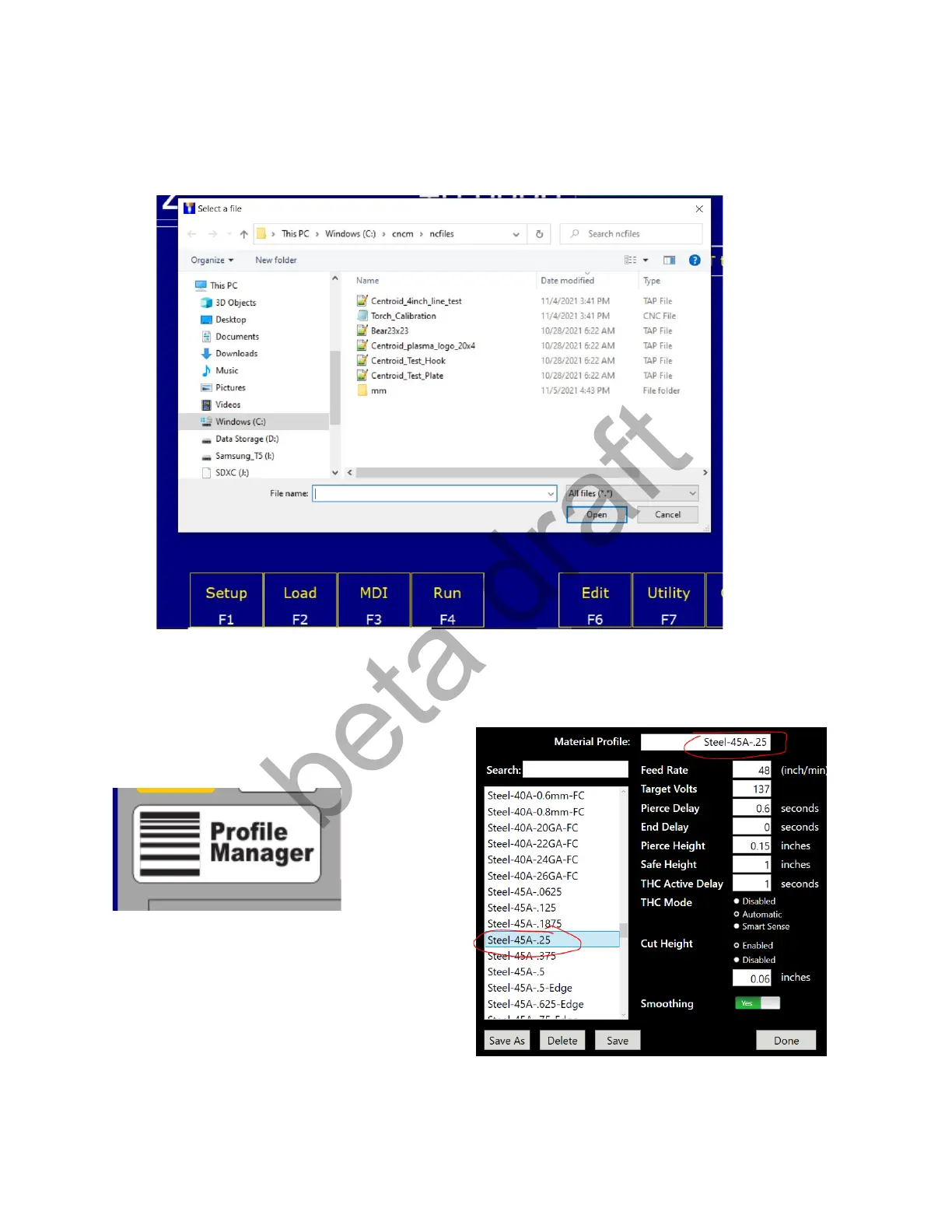
Calibrate Arc Voltage by using the Centroid torch calibration macro: “Torch_Calibration.cnc” located in the
c:\cncm\ncfiles directory. This macro steps the user through the calibration process.
1.) Press F2 Load, navigate to the Torch Calibration macro: “Torch_Calibration.cnc”
2.) Press the Profile Manager button on the VCP and choose a matching material profile to the test cut
material being used and the Plasma Unit Amp
settings.
3.) Press cycle start and follow the instructions on the screen
Page 24 D:\Keith Documents\centroid_acorn_plasma_users_manual_draft27.odt rev27 3-15-22


 To Next Page
 Loading...