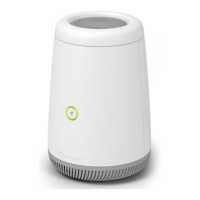
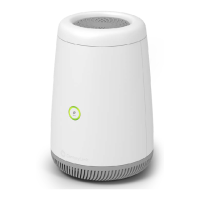
The C4000LG is a high-performance 2x2 Wi-Fi 6 router (802.11ax) with a VDSL2 integrated access device (IAD) and a four-port built-in Gigabit Ethernet switch. This device enables both wired and wireless clients to securely access the Internet. Additionally, the C4000LG features a Gigabit Ethernet LAN port that can function as either a WAN or LAN connection.
Key Features and Usage:
Setup:
-
Power Connection: Insert the power connector into the C4000LG and then plug the power adapter into a power outlet.
-
Phone Line Connection: Plug the green phone cable into the C4000LG's DSL port and connect the other end of the Ethernet cable to your home phone line.
-
Internet Connection Setup (CenturyLink Home Router side): The C4000LG supports both automatic and manual Internet connection configuration.
-
Automatic Connection:
- Open a web browser. The device will attempt to detect and configure your DSL connection to your ISP. This process may take a few minutes.
- Once connected, the LED Ring on the C4000LG will turn green, indicating that the Internet is ready. If you have a PPPoE connection, you will need to enter the username and password provided by your ISP.
- Proceed to "Setting up a wireless network" to configure your wireless settings.
- If the automatic connection fails, verify your connections and restart the device. Ensure the correct username and password are entered. If issues persist, follow the manual configuration steps.
-
Manual Connection:
- In your browser, navigate to
http://192.168.0.1.
- Enter the default username "admin" and the password found on the bottom label of the device, then click "Apply".
- The main screen will appear. Click the "Quick Setup" icon to configure Internet access.
- Enter the PPP username and password provided by your ISP and click "Apply" to finalize the configuration.
- The LED ring in the center of the C4000LG will light up green upon successful Internet access. A red LED indicates a problem, and you should contact CenturyLink support or check the Web UI for troubleshooting information.
Setting up a Wireless Network:
The C4000LG offers two methods for setting up a wireless network:
-
Using WPS (Wireless Protected Setup):
- Press and hold the WPS button on the front of the C4000LG for more than five seconds to activate WPS.
- The LED light will blink white until a pairing sequence begins, at which point it will alternate white and green.
- Press the WPS button on the device you wish to connect to the network.
- Upon successful connection, the LED ring will alternate green, then white, and finally turn solid green for normal operation.
-
Setting up a Wireless Network Manually:
The wireless LAN is enabled by default. To connect wireless clients, use the wireless settings (SSID and password) provided on the bottom label of your C4000LG. Configure your wireless devices to use these same settings.
Getting to Know the C4000LG (Physical Overview):
-
Front:
- WPS Button: Used for quick, secure wireless connections.
- LED Ring: Indicates device status (e.g., Internet connectivity, WPS activity).
-
Back:
- USB Port: For connecting USB devices.
- Ethernet Ports: Multiple Gigabit Ethernet ports for wired LAN connections.
- WAN/LAN Port: A versatile Gigabit Ethernet port that can function as either a WAN or LAN connection.
- DSL Port: For connecting to the phone line.
- Reset & Power Ports: Includes the reset button and power input.
Technical Specifications:
- Model Number: C4000LG
- Standards: 802.11n/ac/ax, backward compatible with 802.11a/b/g
- Memory: 1GB DDR3 Memory, 1GB Flash
- IP Versions: IP versions 4 and 6
- Wireless LAN PHY Rate:
- 2.4 GHz: 802.11ax - up to 600Mbps
- 5 GHz: 802.11ax - up to 2400Mbps
- Wired LAN Ethernet: 10/100/1000 Mbps auto-sensing
- Wired WAN Ethernet: 10/100/1000 Mbps auto-sensing
Dimensions and Weight (Gateway unit only):
- Size: 8.30" (Height) x 5.64" (Bottom) x 4.68" (Top)
- Weight: 1.54 lbs / 0.70 kg
Environmental Parameters:
- Power: External, 12V DC, 2.5A
- Certifications: FCC Part 15, UL: E164374
- Operating Temperature: 10° C to 40° C (50° F to 104° F)
- Storage Temperature: -20° C to 85° C (-4° F to 185° F)
- Operating Humidity: 8% to 95% (non-condensing)
- Storage Humidity: 5% to 100% (non-condensing)
Maintenance and Compliance:
FCC Compliance:
This device complies with Part 15 of the FCC Rules, ensuring it does not cause harmful interference and accepts any received interference. It has been tested and found to comply with Class B digital device limits, providing reasonable protection against harmful interference in residential installations.
- Interference Troubleshooting: If interference occurs, measures include reorienting/relocating the receiving antenna, increasing separation between equipment and receiver, connecting equipment to a different circuit, or consulting a radio/TV technician.
- Modifications: Any unauthorized changes or modifications could void the user's authority to operate the equipment.
- Co-location: The transmitter must not be co-located or operating in conjunction with any other antenna or transmitter.
- 5.15-5.25GHz Band: Operations in this band are restricted to indoor usage only.
- Radiation Exposure: This equipment complies with FCC radiation exposure limits for an uncontrolled environment. It should be installed and operated with a minimum distance of 27cm between the radiator and your body.
FCC Part 68 (Telephone Network Compliance):
This equipment complies with Part 68 of the FCC rules. The ACTA registration number and Ringer Equivalence Number (REN) are located on the equipment label and must be provided to the telephone company if requested.
- REN Usage: The REN determines the number of devices that can be connected to a phone line. The sum of RENs should generally not exceed five (5.0). Contact your telephone company to determine the maximum REN for your calling area.
- Service Restrictions: This equipment cannot be used with telephone company-provided coin service. Connection to Party Line Service is subject to State Tariffs.
- Network Harm: If the equipment causes harm to the telephone network, the telephone company will notify you of potential service discontinuance. If advance notice is impractical, the customer will be notified as soon as possible and advised of their right to file a complaint with the FCC.
- Network Changes: The telephone company may make changes to its facilities, equipment, operations, or procedures. If this occurs, the telephone company will provide advance notice to allow necessary modifications for uninterrupted service.
- Trouble Contact: For equipment trouble, contact CenturyLink Inc. at 866-642-0444 (7 am – 9 pm ET).
- USOC Jacks: This equipment uses specific USOC jacks.
- Surge Protection: It is recommended to install an AC surge arrester in the AC outlet to which this device is connected to protect against lightning strikes and other electrical surges.

 Need help?
 General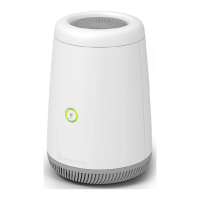

 To Next Page